
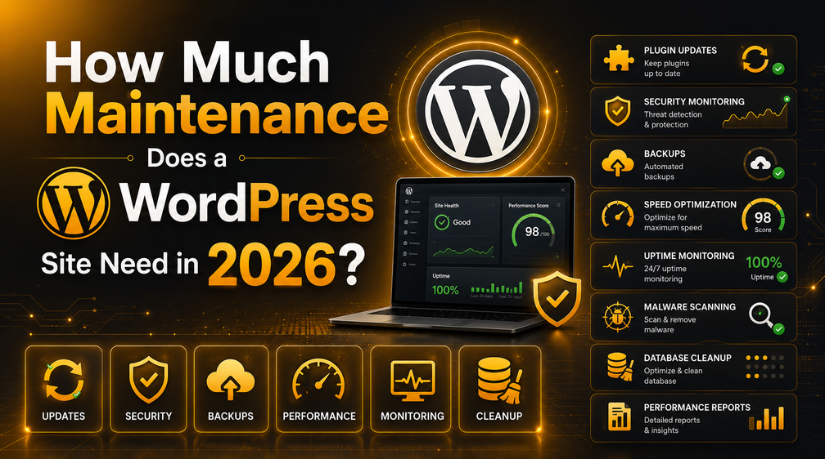
How Much Maintenance Does a WordPress Site Need in 2026?
A WordPress website is a bit like a car. It runs beautifully on the day you drive it off the lot, but it still needs regular servicing to stay fast, safe, and reliable. Many owners assume that once a site is live, the work is done. In reality, a WordPress site is living software that talks to a database, runs dozens of moving parts, and sits on the public internet where threats never sleep.
So how much maintenance does a WordPress site actually need in 2026? The honest answer is: less than you fear, but more than zero. Most small sites need only a few hours of attention each month, while busier or revenue-generating sites need weekly check-ins. This guide breaks down exactly what those tasks are, how often to do them, and how to build a routine that keeps your site healthy without taking over your calendar.
What “WordPress Maintenance” Really Means
Maintenance is not one job. It is a collection of small, recurring tasks that protect three things: security, performance, and reliability. When people say a site “broke,” it usually traces back to a task that was skipped, such as an update that was never applied or a backup that was never taken.
The core areas of maintenance are software updates, backups, security monitoring, performance checks, content upkeep, and database housekeeping. None of these are complicated on their own. The challenge is consistency. A site that gets a little care every week almost never faces the big, expensive emergencies that hit neglected sites.
It also helps to think of maintenance as prevention rather than repair. The goal is to catch small issues, a plugin that needs updating, a backup that failed to run, a page that loads slowly, before they grow into outages or data loss. Framed that way, the handful of minutes you spend each week is one of the highest-value habits you can build around your website.
How Much Time Does It Actually Take?
For a typical small business or blog, ongoing WordPress maintenance takes roughly two to five hours per month. That figure covers running updates, checking that everything still works, reviewing security alerts, and confirming your backups completed.
Larger sites need more. An online store, a membership site, or a busy publication with many plugins and daily content might need three to six hours per week. The workload scales with complexity, traffic, and how much money the site handles. If your site is your storefront, maintenance is not optional overhead. It is insurance.
The Core Maintenance Tasks and How Often to Do Them
1. Software Updates
WordPress core, themes, and plugins release updates regularly to patch bugs and close security holes. Outdated software is the single most common way sites get hacked. Check for updates at least weekly, and always take a backup before applying them. If you want to understand the safest way to do this, our guide on how to update a WordPress website walks through the process step by step.
Not every update should be applied blindly. Major plugin updates can occasionally conflict with each other, so testing on a staging copy first is wise for critical sites. For smaller sites, updating during a quiet period and checking key pages afterward is usually enough.
2. Backups
A backup is your undo button for the entire website. If an update fails, a hack slips through, or you make an editing mistake, a recent backup lets you restore everything in minutes. Daily backups are ideal for stores and active sites, while weekly backups suit low-change blogs.
The key rule is to store backups off your server, so a server failure does not take your safety net with it. Learn how to set this up in our tutorial on how to back up and restore a WordPress website, and see recommended tools in our roundup of the top WordPress backup plugins.
3. Security Monitoring
Security is an ongoing habit, not a one-time setup. This includes scanning for malware, watching for suspicious login attempts, keeping strong passwords, and reviewing user accounts. A weekly scan and a monthly review of who has access to your dashboard catch most problems early.
If you are new to this, start with our overview covering everything you need to know about WordPress security. Strong security reduces both the frequency and the severity of maintenance emergencies.
4. Performance and Speed Checks
Sites slow down over time as images pile up, caches grow stale, and plugins accumulate. A slow site frustrates visitors and hurts search rankings. Once a month, test your load time, clear old caches, compress large images, and remove plugins you no longer use.
A dedicated caching or optimization tool handles much of this automatically. Our guide to the best speed optimization plugin for WordPress explains how to keep pages loading quickly without deep technical work.
5. Content and Link Upkeep
Content maintenance is easy to forget but important for trust and rankings. Broken links, outdated information, and old dates make a site feel abandoned. Every quarter, review your most important pages, fix broken links, refresh statistics, and update any references to old years. Keeping content current signals to both readers and search engines that your site is actively cared for.
6. Database Housekeeping
Behind every WordPress site is a database that quietly fills with post revisions, spam comments, and leftover data from deleted plugins. A bloated database slows things down. Cleaning it every few months keeps queries fast. This is a lower-priority task, but it pays off on older sites that have been running for years.
7. Uptime Monitoring
Your site can go down without you noticing, especially overnight or during traffic spikes. Uptime monitoring watches your site around the clock and alerts you the moment it becomes unreachable. This is not a hands-on task once configured, but reviewing the reports weekly tells you whether your hosting is reliable or whether recurring outages point to a deeper problem. For any site that earns money, catching downtime within minutes rather than hours is well worth the small effort of setting it up.
What Changes How Much Maintenance You Need
No two sites are identical, so the “right” amount of maintenance varies. A few factors push the workload up or down.


Site type. A simple brochure site with five pages needs far less attention than an online store processing orders and payments every day. Transactions, customer data, and inventory all demand tighter security and more frequent backups.
Plugin count. Every plugin is another piece of software to update and another potential point of failure. Sites running twenty or more plugins naturally need more testing after updates than a lean site with a handful.
Traffic and revenue. The more your site earns, the more expensive downtime becomes. A busy site justifies daily backups, uptime monitoring, and faster response times because every hour offline has a real cost.
How often you publish. A site that adds content daily changes constantly, which means more frequent backups and more chances for something to break. A static site that rarely changes can get by with a lighter touch.
DIY Maintenance vs Professional Support
You have two realistic paths. The first is doing it yourself. WordPress makes many tasks approachable, and with a checklist and a couple of good plugins, a hands-on owner can manage a small site comfortably. The cost is mainly your time, plus a few tools.
The second path is professional maintenance. A dedicated service handles updates, backups, security, and monitoring for you, and steps in quickly when something goes wrong. This suits business owners who would rather focus on their work than on server logs, and sites where downtime directly costs money. Professional plans trade a monthly fee for peace of mind and expert eyes on your site.
Neither choice is wrong. The best option depends on your comfort level, your available time, and how much your website matters to your income.
What Happens If You Skip Maintenance
Neglect rarely causes problems on day one. The trouble builds quietly. Outdated plugins create security gaps. Missing backups turn a small mistake into a total loss. Unchecked performance issues drive visitors away. By the time a neglected site fails, the fix is usually harder and more expensive than the routine care that would have prevented it.
The pattern is almost always the same: a little regular attention is cheap, while a single emergency is costly. Maintenance is the difference between a five-minute update and a weekend spent rebuilding a hacked site.
There is a reputation cost too. Visitors who land on a broken checkout, a security warning, or a page that will not load rarely come back. Search engines also take note when a site is frequently down or riddled with errors, which can quietly erode the rankings you worked hard to earn. Consistent upkeep protects not just the software, but the trust and visibility your website has built over time.
A Simple WordPress Maintenance Schedule
You do not need a complicated system. Here is a realistic rhythm that keeps most sites healthy in 2026.
Weekly: Apply available updates after taking a backup, confirm the site loads correctly, and glance at security alerts.
Monthly: Run a full malware scan, review user accounts, test page speed, clear caches, and check that backups are actually saving off-site.
Quarterly: Audit content for broken links and outdated information, clean the database, review your plugin list and remove anything unused, and confirm you can restore from a backup.
If your site ever slips into an error state during updates, knowing how to manage WordPress maintenance mode lets you take the site offline gracefully while you work, so visitors see a tidy message instead of a broken page.
The Bottom Line
WordPress maintenance is not a burden once you build it into a routine. For most small sites, a few focused hours each month keep everything fast, secure, and dependable. Larger and busier sites need more, but the principle holds: small, steady care prevents big, costly failures. Whether you handle it yourself or hand it to a specialist, the goal is the same, a site that quietly does its job every single day.
If you would rather have experts keep your website in top shape while you focus on growing your business, the team at 24×7 WP Support provides round-the-clock WordPress maintenance, security, and support. Reach out today and let us handle the upkeep so your site stays healthy year-round.
Related posts:
Lead your business with WooCommerce Leadpages integration
How to Optimize Database Performance in WordPress (2026 Guide)
WordPress.com vs WordPress.org: Free Plans, Official Site & Which to Choose in 2026
Steps for WooCommerce TalentLMS integration
Is Elementor Free for WordPress? Free vs Pro Plans Compared in 2026

Brian is a WordPress support specialist and content contributor at 24×7 WP Support. He writes practical, easy-to-follow guides on WordPress troubleshooting, WooCommerce issues, plugin and theme errors, website security, migrations, performance optimization, and integrations. With a focus on solving real website problems, Brian helps business owners, bloggers, and online store managers keep their WordPress sites running smoothly.
