
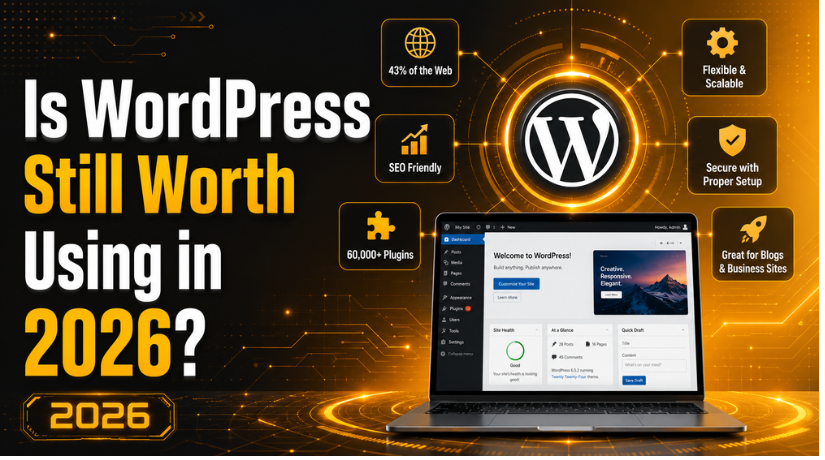
Is WordPress Still Worth Using in 2026?
Every few years, someone declares WordPress dead. They point to newer website builders, faster no-code tools, and flashy AI-powered platforms and say the era of WordPress is over. And every few years, WordPress proves them wrong — quietly continuing to power nearly half the internet while the competition scrambles to catch up.
But here’s the thing: the question “is WordPress still worth it?” is actually a fair one in 2026. The web has changed dramatically. There are more alternatives than ever, and some of them are genuinely good. So let’s take an honest, no-hype look at where WordPress stands today, who it’s right for, and whether you should be building on it.
WordPress by the Numbers: Where It Actually Stands in 2026
Before we get into opinions, let’s look at the data. As of 2026, WordPress powers approximately 43% of all websites on the internet — that’s hundreds of millions of sites, from small personal blogs to major media outlets, Fortune 500 company sites, and government portals.
Among websites using a detectable content management system, WordPress holds a commanding 60% CMS market share. The next closest competitor, Shopify, sits at around 7%. That’s not a close race — it’s a runaway lead that WordPress has maintained for over a decade.
Yes, that share has dipped slightly from its peak. In 2023, WordPress held closer to 65% of the CMS market. That decline is real, but it doesn’t tell the story most people think it does. The overall number of WordPress-powered websites has continued to grow in absolute terms. The percentage drop reflects the overall web growing faster than any single platform can dominate — a sign of market maturation, not platform failure.
The numbers tell a clear story: WordPress isn’t dying. It’s simply no longer growing at the breakneck pace of its early years, which is entirely normal for a platform powering nearly half the internet.
What’s Actually New in WordPress in 2026
One of the most common criticisms of WordPress is that it feels dated compared to drag-and-drop builders like Wix or Squarespace. That may have been a fair critique a few years ago, but it’s become much harder to sustain in 2026.
WordPress 6.8, released in April 2026, brought significant improvements to the Full Site Editing experience that was introduced in earlier versions. Full Site Editing (FSE) now gives you complete visual control over your entire website — headers, footers, templates, page layouts — directly from the WordPress editor, without touching a single line of code. You can customize every aspect of your site’s design using the same block-based interface you already use for content.
The Gutenberg block editor, which replaced the old Classic Editor, has matured into a genuinely capable tool. It’s no longer the clunky, half-finished experiment it was at launch. The block library is extensive, patterns (pre-built block combinations) are easy to save and reuse, and the interface has become much more intuitive.
What’s Coming Next
The WordPress roadmap for the near future includes Phase 3 of the Gutenberg project, which will bring real-time collaborative editing — think Google Docs-style simultaneous editing — directly into WordPress. Phase 4 will add native multilingual support, removing the need for third-party plugins to manage multilingual sites. Both of these features address longstanding limitations that competitors have used as selling points.
The Real Advantages of Using WordPress in 2026
You Actually Own Your Website
This is the point that gets glossed over in most “WordPress vs. the alternatives” comparisons, and it might be the most important one. When you build on WordPress.org (self-hosted), you own everything: your content, your data, your design, your domain. No company can change its pricing, shut down your plan, or change what features you have access to without your involvement.
With hosted website builders — Wix, Squarespace, Weebly — you’re essentially renting space on someone else’s platform. That works fine until the platform raises prices, changes its terms, or goes out of business. With WordPress, your site belongs to you, and you can move it to any hosting provider at any time.
SEO Flexibility That’s Hard to Match
WordPress has long been considered one of the best platforms for SEO, and that remains true in 2026. The combination of clean URL structures, fast-loading themes (when properly optimized), and powerful SEO plugins like Yoast SEO gives you granular control over every SEO variable that matters.
More importantly, WordPress lets you implement technical SEO changes that many website builders simply don’t allow. Custom schema markup, advanced canonical tag management, server-level redirects, custom XML sitemaps — these aren’t afterthoughts on WordPress, they’re standard capabilities.
A Plugin Ecosystem Unlike Any Other
The WordPress plugin library currently contains over 60,000 free plugins, with thousands more available as premium offerings. Whatever you need your website to do — run an online store, capture leads, show events, display portfolios, manage memberships, integrate with third-party tools — there’s almost certainly a plugin that does it.
This extensibility is genuinely hard to overstate. It means a single WordPress installation can evolve from a simple blog into a complex e-commerce platform or membership site without switching platforms. If you’re just getting started, check out our guide to the best WordPress plugins for beginners to see how manageable the ecosystem actually is once you know where to start.
Massive Developer and Support Community
WordPress has the largest developer community of any CMS in the world. That means when you run into a problem — and at some point, you will — there are millions of forum posts, tutorials, YouTube videos, and professional developers available to help. The likelihood that someone else has already solved your exact problem is extremely high.
It also means that finding a WordPress developer when you need one is much easier (and often less expensive) than finding someone specializing in a niche platform.
The Honest Drawbacks of WordPress in 2026
Being fair means acknowledging the legitimate criticisms, not just the strengths.
Maintenance Is a Real Responsibility
Self-hosted WordPress requires active maintenance. Core updates, plugin updates, theme updates — these need to happen regularly, and skipping them creates security vulnerabilities. You also need to manage hosting, handle backups, and monitor your site’s performance. None of this is particularly difficult, but it does require ongoing attention.
For users who don’t want to think about website maintenance, a fully managed platform like Squarespace or a managed WordPress hosting plan (where the host handles updates for you) may be a better fit.
Security Requires Attention
WordPress is the most popular CMS on the planet, which makes it the most targeted one. Hackers don’t build tools to attack obscure platforms — they build tools to attack WordPress because attacking WordPress is profitable at scale. Outdated plugins and weak passwords are the leading causes of WordPress site compromises.
That said, a properly maintained WordPress site is not inherently insecure. With good hosting, a security plugin, regular updates, and strong credentials, WordPress sites can be extremely secure. Our detailed guide on whether WordPress is truly secure and how to protect your site breaks down exactly what you need to do.


Performance Requires Intentional Setup
Out of the box, WordPress is not automatically fast. A default WordPress install with no optimizations will not be as fast as a modern static site or a well-optimized hosted platform. Getting good Core Web Vitals scores on WordPress requires choosing a fast hosting provider, using a caching plugin, optimizing images, and keeping your plugin count lean.
Again, this is very achievable — millions of WordPress sites perform excellently — but it requires setup that some simpler platforms handle automatically.
Who Should Still Use WordPress in 2026?
WordPress is the right choice if you:
Need long-term SEO performance. If organic search is a major traffic channel for your business, WordPress gives you the tools and control to optimize effectively. The combination of SEO plugins, technical flexibility, and content management capabilities is hard to match.
Plan to scale or add features over time. If your website will evolve — adding e-commerce, membership areas, custom post types, or complex integrations — WordPress’s plugin ecosystem and custom development options mean you won’t hit a ceiling.
Want genuine ownership and portability. Your content strategy is a business asset. If you want full control and the ability to move your site anywhere, WordPress is the only major CMS that gives you true ownership.
Have a blog or content-heavy site. WordPress was built for publishing, and it’s still exceptional at it. If content is central to your business strategy, WordPress’s content management capabilities are hard to beat. See why people are still choosing WordPress for blogging in 2026.
Who Might Be Better Off with an Alternative?
WordPress isn’t the right answer for everyone. You might be better served by an alternative if:
You just need a simple online presence fast. If you need a five-page business site and you want it done in an afternoon with no learning curve, Squarespace or Wix will serve you better. The tradeoffs in flexibility and ownership may be worth it for your use case.
You’re primarily selling products. If e-commerce is your core purpose and you don’t need extensive content features, Shopify is purpose-built for online stores and may be easier to manage than WooCommerce on WordPress.
You have no interest in website maintenance. If the idea of managing updates and hosting feels overwhelming and you’re not willing to hire someone to do it, a managed platform removes that burden.
WordPress Alternatives Worth Knowing in 2026
The landscape of WordPress alternatives has genuinely improved. A few worth knowing:
Webflow offers professional-grade design control with a visual editor, though the learning curve is steep and pricing is higher. It’s popular with agencies and designers who want code-quality output without writing code.
Shopify remains the best dedicated e-commerce platform for most online retailers. If selling is your primary goal, Shopify’s purpose-built infrastructure and integrations are worth the tradeoffs.
Ghost is a clean, fast platform specifically designed for publishing and newsletters. If your site is content-first with minimal design complexity, Ghost is an excellent alternative.
Squarespace and Wix are genuinely good for simple sites. They’re not for power users, but if you want to launch a clean professional site without technical knowledge, they work well.
None of these alternatives offer the combination of flexibility, ownership, SEO capability, and ecosystem that WordPress provides — but for specific use cases, they may be better fits.
The Bottom Line: Is WordPress Still Worth Using in 2026?
Yes — for most websites, WordPress remains the best platform available in 2026. The market data backs it up, the feature set has genuinely improved, and the combination of ownership, SEO power, extensibility, and community support is simply not matched by any competitor.
The valid criticism of WordPress isn’t that it’s bad — it’s that it requires commitment. You need to choose good hosting, keep things updated, build thoughtfully, and not install every plugin you find. When those conditions are met, WordPress is still the most capable and scalable website platform most businesses will ever need.
What’s changed in 2026 isn’t that WordPress has gotten worse. It’s that the alternatives have gotten better. That’s a good thing — it pushes WordPress to keep improving. But when you weigh the full picture, the platform that powers 43% of the web, has the world’s largest developer community, and gives you complete ownership of your site doesn’t need to apologize for its position.
If you’re ready to build or improve your WordPress site and want expert support at every step, the team at 24×7 WP Support is here to help. From speed optimization to security hardening to full site builds, we handle WordPress so you can focus on running your business. Get in touch today and let’s talk about what your WordPress site needs.

Brian is a WordPress support specialist and content contributor at 24×7 WP Support. He writes practical, easy-to-follow guides on WordPress troubleshooting, WooCommerce issues, plugin and theme errors, website security, migrations, performance optimization, and integrations. With a focus on solving real website problems, Brian helps business owners, bloggers, and online store managers keep their WordPress sites running smoothly.
