
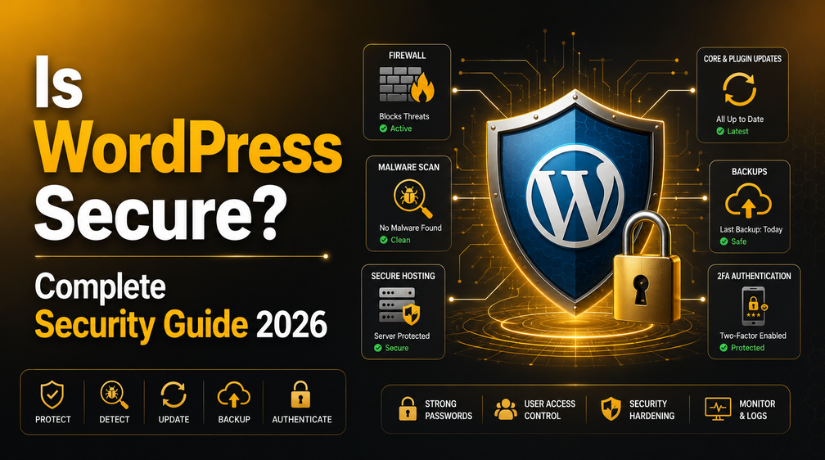
Is WordPress Secure? Complete Security Guide 2026
Introduction
If you’ve been running a WordPress site for any amount of time, you’ve probably asked yourself this question at least once: Is WordPress actually secure? It’s a fair question — WordPress powers over 43% of all websites on the internet, which makes it an attractive target for hackers, bots, and bad actors of every kind. The short answer is yes, WordPress itself is secure. But the full story is a bit more nuanced, and understanding it could be the difference between a thriving website and a nightmare recovery scenario.
In 2026, with over 90,000 attacks targeting WordPress sites every minute, the stakes have never been higher. This guide will walk you through everything you need to know about WordPress security — what makes it vulnerable, how attackers exploit those weaknesses, and the practical steps you can take right now to lock down your site.
The Truth About WordPress Core Security
Here’s something most people don’t realize: the WordPress core itself is remarkably secure. The WordPress Security Team is made up of roughly 50 experts — including researchers, developers, and security specialists — who continuously monitor the core codebase for vulnerabilities. When issues are found, patches are typically released within days.
In 2025, only 6 vulnerabilities were discovered in WordPress core itself — compared to over 11,000 in the broader WordPress ecosystem. That’s a telling statistic. The platform you chose is not the weak link. The weak link is almost always what you’ve built on top of it.
So when people say “WordPress is insecure,” what they really mean is that poorly maintained WordPress sites are insecure. There’s a big difference, and understanding it puts you firmly in the driver’s seat.
Why WordPress Sites Get Hacked: The Real Culprits
Let’s talk about where attacks actually come from, because the data is pretty clear on this. In 2026, plugins account for approximately 96% of all WordPress vulnerabilities. Themes make up another small slice. The core? A rounding error.
Plugins: The Number One Risk Factor
The average WordPress site runs between 20 and 30 active plugins. Each one of those plugins is a potential entry point. In 2025 alone, over 11,000 new plugin vulnerabilities were discovered — that’s roughly 250 new vulnerabilities every single week. Worse, exploits are now launching within 5 hours of a vulnerability being publicly disclosed, leaving an extremely narrow window for site owners to respond.
The most common vulnerability types in 2026 include Cross-Site Scripting (XSS), which accounts for nearly half of all vulnerabilities, followed by Cross-Site Request Forgery (CSRF) at around 17%. Alarmingly, 43% of all vulnerabilities can be exploited without any authentication — meaning attackers don’t even need a username and password to cause damage.
Themes and Abandoned Software
Outdated or abandoned themes are another significant risk. Even if you’re not actively using a plugin or theme, leaving it installed gives attackers a potential foothold. If you’re not using it, delete it — don’t just deactivate it.
Weak passwords and compromised credentials round out the top causes of WordPress breaches. Brute force attacks alone are staggering in scale — security firm Wordfence blocks over 6.4 billion brute force attempts against WordPress sites every single month.
Essential WordPress Hardening Steps for 2026
Hardening your WordPress site isn’t about doing one big thing — it’s about layering multiple smaller protections that collectively make your site dramatically harder to attack. Here’s where to start.
Secure Your wp-config.php File
The wp-config.php file is the crown jewel of your WordPress installation. It contains your database credentials, authentication keys, and core configuration settings. Move it one directory above your WordPress root if possible, set its permissions to 440 or 400, and add rules to your .htaccess to block direct access to it. This single step eliminates a significant category of attack.
Implement a Web Application Firewall (WAF)
A WAF sits between incoming traffic and your WordPress installation, inspecting HTTP requests and blocking malicious patterns before they ever reach your site. It’s your first active line of defense against SQL injection, XSS attacks, and file inclusion exploits. Security plugins like Wordfence, Sucuri, and Cloudflare all offer WAF functionality. Just keep in mind that traditional WAFs block only about 12% of WordPress-specific attacks on their own — they work best as part of a layered security approach, not as a standalone solution.
Limit Login Attempts and Add CAPTCHA
By default, WordPress allows unlimited login attempts, which makes brute force attacks trivially easy to execute. Limiting login attempts to 3–5 tries before a temporary lockout stops the vast majority of automated attacks cold. Pair this with a CAPTCHA on your login page and you’ve eliminated brute force as a practical threat vector for most attackers.
For more on the best tools to implement these protections, check out our guide to the top WordPress security plugins to protect your site.
Two-Factor Authentication: Your Best Low-Effort Security Upgrade
If there’s one security measure you implement after reading this guide, make it two-factor authentication (2FA). Even if an attacker gets hold of your password — through a data breach, phishing, or brute force — 2FA stops them cold because they still need access to your phone or authentication device.
Choosing the Right 2FA Method
Not all 2FA methods are created equal. SMS-based authentication, while better than nothing, is vulnerable to SIM-swapping attacks where an attacker convinces your carrier to transfer your phone number to a SIM card they control. Instead, use a time-based one-time password (TOTP) app like Google Authenticator or Authy. The setup takes about two minutes and adds 45 seconds to each login — a remarkably small price for a dramatic security improvement.
In 2026, passkeys represent the next evolution in authentication security. Built on the FIDO2/WebAuthn standard, passkeys use cryptographic key pairs stored on your device instead of shared secrets, making them phishing-resistant by design. Several WordPress security plugins now support passkeys for admin accounts, and enabling them for high-privilege users is a setup worth making time for this year.
Rolling Out 2FA Across Your Team
Start by requiring 2FA for all administrator accounts, then expand to editors, authors, and anyone else with backend access. Most reputable security plugins handle this with role-based 2FA enforcement, so you can require it without manually managing individual users.


Keep Everything Updated — Without Exception
Updates are boring. We know. But given that exploits are now launching within hours of vulnerability disclosure, keeping your WordPress core, plugins, and themes updated is no longer optional — it’s your most critical ongoing security task.
The recommended approach in 2026 is to enable automatic updates for WordPress core minor releases (security patches) and check weekly for plugin and theme updates, applying them within 48 hours when security fixes are involved. For major version updates, test in a staging environment first to catch compatibility issues before they reach your live site.
If you’re running a site with dozens of plugins, consider a managed WordPress hosting provider or a maintenance service that handles updates for you. The cost is almost always less than the cost of a breach. Our comprehensive guide to everything you need to know about WordPress security covers update management in much more detail.
Backups: Your Last Line of Defense
No security strategy is complete without a reliable backup system. Even with every protection in place, unexpected failures happen — server crashes, human error, zero-day exploits. Backups are what allow you to recover quickly and completely when the unexpected occurs.
A solid WordPress backup strategy in 2026 follows the 3-2-1 rule: three copies of your data, stored on two different types of media, with one copy stored off-site. Daily automated backups stored in a remote location (not just on your web server) give you a reliable recovery point no matter what happens. Test your backups quarterly by actually restoring from them — a backup you’ve never tested is a backup you can’t trust.
Monitor Your Site: Know Before It’s Too Late
One of the most overlooked aspects of WordPress security is monitoring. Many site owners only discover a breach after the damage is done — their site is defaced, visitors are being redirected to malicious pages, or their hosting provider suspends the account for malware distribution.
Activity Logs
An activity log records every significant action on your WordPress site — logins, plugin activations, file changes, post modifications, settings updates. When something goes wrong, the activity log is how you figure out what happened, when, and how. Most security plugins include activity logging, and enabling it takes about 30 seconds.
File Integrity Monitoring
File integrity monitoring compares your current WordPress files against known-good versions and alerts you when unexpected changes are detected. This is particularly effective at catching malware that injects itself into core WordPress files — a common tactic used by attackers who want to maintain persistent access to a compromised site.
Uptime and Performance Monitoring
Sudden drops in performance or unexpected downtime can be signs of a DDoS attack or resource-consuming malware. Set up uptime monitoring with a service that alerts you the moment your site goes down so you can investigate immediately rather than discovering the problem hours later through a customer complaint.
If your site has already been compromised, don’t panic. Check out our guide to the best WordPress malware removal plugins to get your site clean and secure quickly.
Choose Your Hosting Environment Wisely
Your hosting provider is the foundation everything else is built on. A cheap shared hosting environment with outdated server software, no server-level firewall, and poor account isolation can undermine even the most diligent site-level security practices. One compromised account on a shared server can sometimes affect neighboring accounts — this is known as a cross-site contamination attack.
When evaluating hosting for security in 2026, look for providers that offer automatic WordPress core updates, server-level malware scanning, isolated hosting environments, support for PHP 8.2 or later, free SSL certificates, and regular server-side backups. Managed WordPress hosting providers like WP Engine, Kinsta, and Cloudways have all invested heavily in security infrastructure and are worth the additional cost for business-critical sites.
SSL, HTTPS, and Database Security
If your site isn’t running on HTTPS in 2026, fix that today. SSL certificates are free through Let’s Encrypt and most hosting providers include them automatically. Beyond protecting user data in transit, HTTPS is a Google ranking factor and a basic signal of trustworthiness to your visitors.
On the database side, change the default WordPress table prefix from wp_ to something unique during installation (or use a plugin to change it afterward). Disable remote database access unless absolutely necessary, and use a dedicated database user with only the permissions WordPress actually needs rather than a root user with unlimited privileges. These steps won’t make your site bulletproof, but they raise the cost and complexity of a successful SQL injection attack enough to deter most opportunistic attackers.
WordPress security in 2026 is not a single task you complete once and forget. It’s an ongoing discipline — a combination of good software hygiene, smart configuration choices, and layered technical protections. The good news is that following the steps outlined in this guide puts you miles ahead of the average WordPress site owner, and the vast majority of attacks target the path of least resistance. Make your site a harder target, and most attackers will simply move on.
Ready to take your WordPress security seriously? The team at 24×7 WP Support specializes in WordPress security hardening, malware removal, and ongoing site maintenance — so you can focus on running your business while we handle the technical heavy lifting. Get in touch today and let’s build a security strategy tailored to your site.
Related posts:
How to Add Animated GIFs in WordPress Without Losing Animation (2026)
How to Duplicate a Page in WordPress: With/Without Plugin & Multiple Pages
Why Is the WordPress Business Plan So Expensive? Is It Worth It?
What Is a WordPress Mega Menu? Beginner’s Guide
WordPress Pricing Explained: Monthly vs Yearly Costs

Brian is a WordPress support specialist and content contributor at 24×7 WP Support. He writes practical, easy-to-follow guides on WordPress troubleshooting, WooCommerce issues, plugin and theme errors, website security, migrations, performance optimization, and integrations. With a focus on solving real website problems, Brian helps business owners, bloggers, and online store managers keep their WordPress sites running smoothly.
