
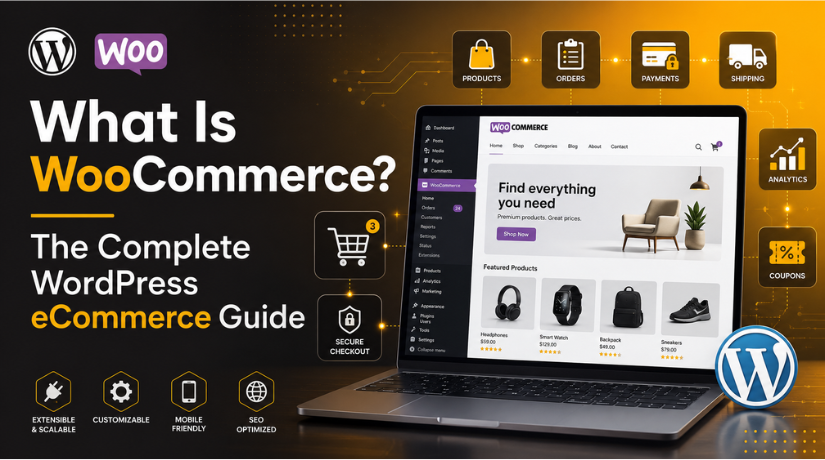
What Is WooCommerce? The Complete WordPress eCommerce Guide
Last updated on August 4th, 2026 at 05:36 am
If you run a WordPress website and want to sell online, you have almost certainly heard of WooCommerce. It powers a huge share of the world’s online stores, yet many beginners are still unsure what it actually is. This guide explains what WooCommerce is, how it works, what it costs, and who it is right for, in plain language.
What Is WooCommerce?
WooCommerce is a free, open-source plugin that turns a WordPress website into a fully working online store. In simple terms, WordPress builds the website and WooCommerce adds the shopping features. Once it is installed, you can list products, take payments, manage stock, and handle shipping, all from your WordPress dashboard.
The plugin is owned by Automattic, the company closely tied to WordPress itself. That connection matters. It means WooCommerce is built to fit WordPress naturally, rather than sitting on top of it as an afterthought. Because it is open source, anyone can use it, study it, and extend it for free.
WooCommerce is also the most widely used eCommerce platform in the world by store volume. Recent 2026 data puts its global market share near 33%, with roughly 4.3 million live stores running on it. That scale is one reason so many developers and store owners trust it.
How Does WooCommerce Work?
WooCommerce works as a layer on top of WordPress. When you activate the plugin, it adds new sections to your admin area for products, orders, customers, and reports. It also creates the key store pages you need, such as the shop, cart, and checkout.
Here is what happens behind the scenes. A visitor browses your products, adds items to the cart, and moves to checkout. WooCommerce then calculates totals, applies any tax or shipping rules, and passes the payment to your chosen gateway. After the order is placed, it records the sale and sends confirmation emails automatically.
You control all of this from one screen. You do not need to touch code to run a basic store. For anyone who wants deeper changes, though, the platform stays fully open, so a developer can adjust nearly anything.
The Core Features You Get
Even the free core plugin includes a strong set of tools. Out of the box, WooCommerce gives you:
- Unlimited products, both physical and digital
- A built-in cart and checkout system
- Stock and inventory management
- Flexible shipping and tax settings
- Support for major payment methods
- Order tracking and customer accounts
- Sales reports and basic analytics
These features are enough to launch a real, working shop. Many small stores run for years on the core plugin alone.
Is WooCommerce Free?
Yes, the core WooCommerce plugin is completely free to download and use. You can install it, add products, and start selling without paying for the software itself. This is a big reason it appeals to new store owners on a budget.
That said, running an online store still has costs. You will need WordPress hosting, a domain name, and often a paid theme. You may also want extensions that add features the core plugin does not include, such as advanced subscriptions or bookings. Some extensions are free, while others are paid.
So WooCommerce is best described as free at its heart, with optional paid add-ons. You decide how much to spend based on what your store actually needs. If you want a full breakdown, our team can help you plan a realistic budget before you commit.
WooCommerce Extensions and Add-Ons
Extensions are how you grow a WooCommerce store over time. Think of them as extra features you bolt on when you need them. You might start simple, then add tools as your sales increase.
Common upgrades include recurring payments, product bookings, and stronger marketing tools. For example, you can add subscriptions to WooCommerce to sell memberships or repeat orders. You can also create coupon codes to run promotions and boost sales.


Shipping is another area where extensions help. Store owners often expand their delivery options using dedicated WooCommerce shipping extensions. The key point is simple: you only add what you need, when you need it.
What Can You Build With WooCommerce?
WooCommerce is flexible enough to power many types of stores. It is not limited to one kind of business. That flexibility is a major strength.
You can use it to sell:
- Physical goods, such as clothing or handmade items
- Digital products, such as ebooks, music, or software
- Services and appointments
- Memberships and subscriptions
- Course access and downloads
Because it runs on WordPress, you also keep a full content platform. You can publish blog posts, build landing pages, and grow traffic alongside your shop. This mix of content and commerce is hard to match on closed platforms. If you are ready to start, our guide on establishing an online business with WooCommerce and WordPress walks you through the setup.
WooCommerce Pros and Cons
No platform is perfect, and WooCommerce is no exception. It helps to weigh the strengths against the trade-offs before you choose it.
The Main Advantages
- The core plugin is free and open source
- You own and control all your store data
- It is highly flexible and easy to customize
- It works with the full WordPress content system
- A large community supports it
The Trade-Offs
- You are responsible for hosting, security, and updates
- Costs can add up once you buy extensions
- The learning curve is steeper than closed platforms
- A large store may need expert help to stay fast
Most of these trade-offs come down to responsibility. WooCommerce gives you freedom, but freedom means you manage more yourself. If that feels like a lot, remember that support is available. Our team can handle updates, speed, and backups for your WordPress and WooCommerce site so you can focus on selling.
Who Should Use WooCommerce?
WooCommerce suits a wide range of people. It is a strong choice if you already use WordPress and want to add a shop. It also fits anyone who values control and wants to avoid monthly platform fees.
It works well for small businesses, creators, and growing brands. Developers like it because they can shape it freely. Content-focused sellers like it because the blog and store live in one place. If you want full ownership of your online store, WooCommerce is worth serious thought.
On the other hand, if you want a fully managed setup with no technical work at all, a closed platform may feel easier at first. The right pick depends on how much control you want and how hands-on you plan to be.
How to Get Started With WooCommerce
Getting started is simpler than many beginners expect. The basic path looks like this:
- Set up WordPress with reliable hosting and a domain.
- Install and activate the free WooCommerce plugin.
- Follow the setup wizard to add store and payment details.
- Add your products, prices, and images.
- Choose your shipping and tax rules.
- Test the checkout, then open your store.
Take your time with each step. A clean, well-planned store performs far better than a rushed one. Once you are live, you can keep improving with extensions and marketing tools. If you get stuck at any stage, you can always reach WooCommerce support and tech help for guidance.
Final Thoughts
WooCommerce is the most popular way to build an online store on WordPress, and for good reason. It is free at its core, deeply flexible, and backed by a huge community. You keep full control of your store while gaining room to grow.
If you already run a WordPress site, WooCommerce is a natural next step toward selling online. Start small, learn the basics, and expand as your business grows. With the right setup and support, it can carry your store from your first sale to thousands more.



Brian is a WordPress support specialist and content contributor at 24×7 WP Support. He writes practical, easy-to-follow guides on WordPress troubleshooting, WooCommerce issues, plugin and theme errors, website security, migrations, performance optimization, and integrations. With a focus on solving real website problems, Brian helps business owners, bloggers, and online store managers keep their WordPress sites running smoothly.
