
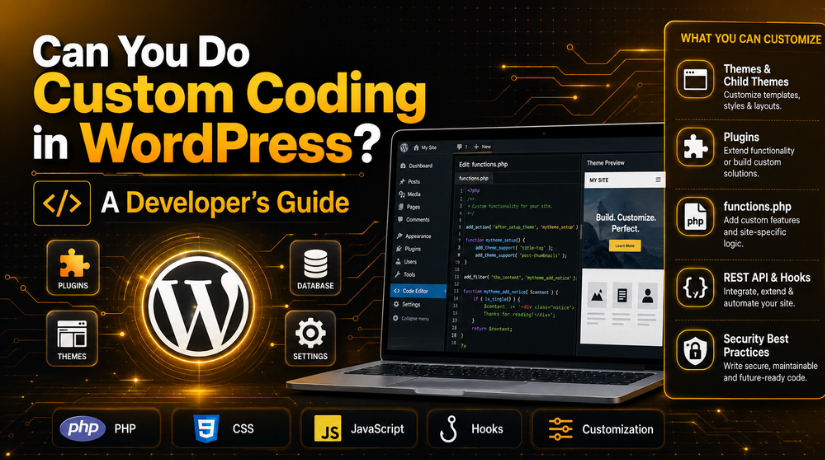
Can You Do Custom Coding in WordPress? A Developer’s Guide
You love WordPress for its ease. But now you want something it does not do out of the box. Can you build it yourself?
Yes. Custom coding in WordPress lets you add almost any feature you can imagine. This developer’s guide explains how it works, what tools to use, and when to code versus when to use a plugin.
Can You Really Custom Code in WordPress?
Absolutely. WordPress is open source. That means you can read and change its code freely.
It is built with PHP, and it uses HTML, CSS, JavaScript, and MySQL too. If you know these, you can shape WordPress to your needs.
Many people think WordPress is only for drag-and-drop sites. It is not. Under the hood, it is a flexible platform for developers. Our post on whether WordPress is a platform or a framework explains this in more depth.
Where Custom Code Lives in WordPress
Custom coding in WordPress usually happens in a few key places. Knowing them keeps your work safe.
- Themes. Control how your site looks.
- Plugins. Add features and functions.
- The functions.php file. Holds small snippets of custom code.
- Custom plugins. The safest home for bigger features.
The golden rule: never edit core WordPress files. Updates would wipe your changes and could break your site.
Use a Child Theme for Safe Edits
Want to change your theme’s code? Use a child theme.
A child theme inherits everything from the main theme. You edit the child, not the original.
This means theme updates will not erase your work. It is the standard safe way to customize a design.
The Building Blocks of WordPress Development
WordPress gives developers powerful tools. These are the ones you will use most.
Hooks: Actions and Filters
Hooks are the heart of WordPress development. They let your code plug into WordPress at the right moment.
Actions let you run code, like sending an email. Filters let you change data, like editing text before it shows. Our full guide on add_action vs do_action vs add_filter breaks down how each one works.
The Template System
Themes use template files to build pages. You can create custom templates for special layouts.
This lets you design a unique page type, like a portfolio or a landing page, with your own code.
WP_Query for Custom Content
Need to pull specific posts or products? WP_Query is the tool.
It lets you fetch exactly the content you want, then display it however you like. It is safe and built into WordPress.
The REST API
The WordPress REST API lets other apps talk to your site. You can send and receive data as JSON.
This powers mobile apps, custom dashboards, and headless setups. It is a big part of modern WordPress development.
What Can You Build With Custom Code?
The short answer: almost anything. Custom coding in WordPress removes most limits.
- Custom post types, like events or listings.
- Unique page layouts and designs.
- Special forms and calculators.
- Links to other software and APIs.
- Custom dashboards for your team.
If a plugin does not exist for your need, code can fill the gap. That is the real power of the platform.
Tools Every WordPress Developer Needs
Good tools make coding faster and safer. Here is a simple starter kit.
- A code editor. Your main workspace for writing code.
- A local site. Build and test on your own computer first.
- Version control. Track changes and undo mistakes.
- A staging site. Test on a live-like copy before going public.
Not sure which editor to pick? Our roundup of the best code editors for coding can help you choose.


Custom Code vs Plugins: Which to Choose?
You do not always need to write code. Sometimes a plugin is the smarter path.
Use a Plugin When…
- A trusted plugin already does the job.
- The feature is common, like contact forms.
- You want quick setup with no code.
Write Custom Code When…
- No plugin fits your exact need.
- You want full control over how it works.
- You need to avoid plugin bloat and speed loss.
Too many plugins can slow a site down. Custom code is often leaner. But it also needs upkeep, so weigh both sides.
Best Practices for Custom Coding in WordPress
Good habits keep your code safe and easy to maintain. Follow these rules.
- Never edit core files. Use hooks, child themes, or custom plugins.
- Sanitize and validate data. This protects against security holes.
- Use prepare for database queries. It guards against injection attacks.
- Comment your code. Future you will thank you.
- Test before going live. Always use staging first.
Security matters most. One weak line of code can expose your whole site.
Editing Code Safely
When you do edit code, be careful. A small typo can break a page or the whole site.
Always keep a backup before you start. And edit through safe methods, not the core files. Our guide to editing your WordPress source code walks through the right way to do it.
Custom code can also affect speed. Our guide on improving Core Web Vitals through custom development shows how to keep pages fast.
Do You Need to Be an Expert?
Not for small tweaks. A simple snippet in functions.php is beginner-friendly.
But bigger projects need real skill. Custom plugins, APIs, and security take experience. Coding the wrong way can cause bugs or open risks.
So start small, learn as you go, and get help for complex work. There is no shame in calling an expert.
A Simple Custom Code Example
Say you want to add a short message after every post. You could do it with a few lines in functions.php.
You would write a small function, then attach it to a content filter. WordPress runs it automatically on each post. That is the power of hooks in action.
Custom code also depends on your PHP version. Newer PHP runs your code faster and more safely. You can check your WordPress PHP version before you start a project.
Keep Your Custom Code Organized
As your code grows, keep it tidy. Group related functions together and name them clearly.
For anything beyond a snippet, build a small custom plugin. It keeps your code separate from the theme. That way, switching themes will not break your features later.
When to Get Help
Custom coding is powerful, but it is not always easy. A broken function or a security slip can cause real damage.
You do not have to build it alone. Our team at 24×7 WP Support offers custom WordPress development around the clock. We build features, fix bugs, and write clean, secure code for your site.
Whether it is a small snippet or a full custom plugin, we can handle it. That frees you to focus on your business.
Final Thoughts
So, can you do custom coding in WordPress? Yes, and the platform is built for it. With PHP, hooks, templates, and the REST API, you can build nearly anything.
Just code the safe way. Use child themes, custom plugins, and staging. Back up first, test often, and never touch core files.
Do that, and custom coding in WordPress becomes a safe way to grow your site. And when a project gets big, our team is here to help.
Related posts:

