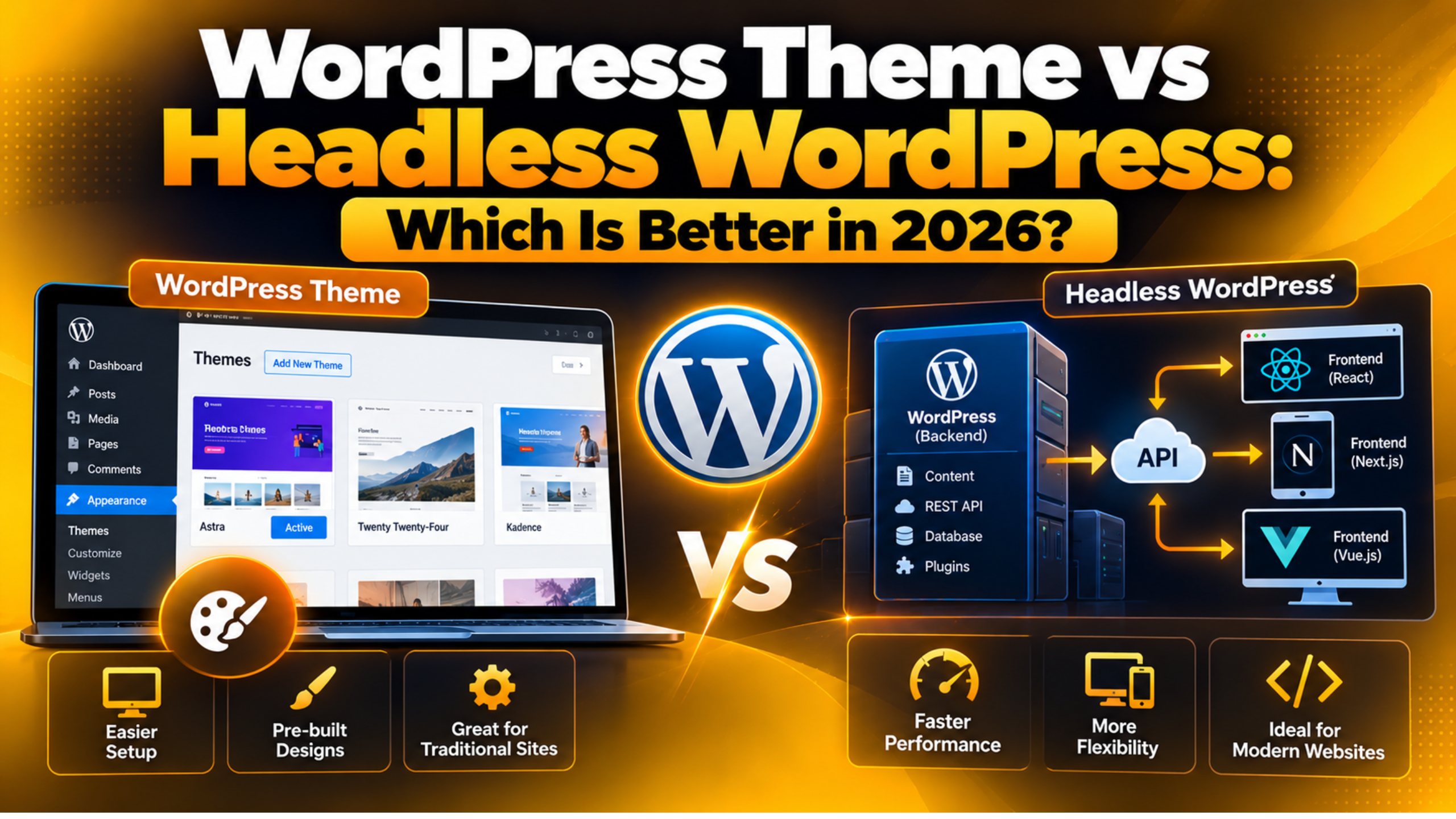
WordPress Theme vs Headless WordPress: Which Is Better in 2026?
Introduction
Ask two developers whether you should use a WordPress theme or go headless, and you will get two confident answers. Both will sound right. Neither will mean much until someone looks at your actual site, your team, and your budget.
This guide lays out the real trade-offs in plain language. You will see what each setup is, how they compare on speed, cost, editing, SEO, and upkeep, and which type of site each one suits. By the end you should be able to make the call yourself.
What a Traditional WordPress Theme Does
A theme is the part of WordPress that turns your content into a web page. When a visitor asks for a URL, WordPress looks up the content in the database, picks the right template file from your theme, and builds the HTML on the server. The browser receives a finished page.
That single system handles everything. Content, design, menus, forms, search, and plugins all live in one install. The editor you type in is the same system that renders the page, so what you save is what the visitor gets.
Themes have moved on a lot. Block themes let you edit headers, footers and templates from inside the admin area, without touching code. You can change a site-wide heading colour or rebuild a footer in a few minutes. That used to need a developer.
The strength of this model is that it is complete out of the box. One install gives you hosting, content, design and functionality in one place. The weakness is that the front end and the back end are welded together. You cannot swap one without touching the other. Our guide on front-end versus back-end editing in WordPress covers how that plays out day to day.
What Headless WordPress Means
Headless splits WordPress in two. WordPress keeps the content, the editor, the users and the database. It stops drawing the pages. A separate application handles everything the visitor sees.
The two halves talk over an API. WordPress sends content as structured data rather than as HTML, and the front-end application decides how to display it. Our guide to the WordPress REST API explains how that data layer works.
The word “headless” refers to the missing head. WordPress is the body: it stores and manages. The head is the display layer, and in this setup you build your own. That front end is a separate codebase, with its own hosting, its own build process, and its own developers.
This is not a setting you switch on. It is a different way of building a site, and it needs a team that writes JavaScript. Our overview of custom WordPress development sets out what that kind of project involves.
Speed: Which One Loads Faster?
Speed is the reason most people start looking at headless. The claim is that a headless site is faster. The truth is more boring: both can be fast, and both can be slow.
A headless front end can pre-build pages into static files. Those files are served straight from a content delivery network with no database query at all. That is genuinely quick, and it holds up under traffic spikes.
A themed WordPress site queries the database and runs PHP for each request. That sounds slower, and without caching it is. With full-page caching turned on, though, the server stores the finished HTML and serves that instead. The result is close to a static file. Our walkthrough on clearing and managing the WordPress cache covers how those layers fit together.
In practice, most slow WordPress sites are slow for reasons headless does not fix. Huge uncompressed images, twenty plugins loading scripts on every page, bloated third-party tracking, and a cheap shared server are the usual suspects. Rebuilding the front end does not remove any of those if the same habits carry over.
A fair summary is this. A well-built headless site has a higher ceiling. A well-tuned themed site gets most of the way there for a fraction of the effort.
Cost and Build Time
This is where the two paths separate most sharply, and it is the factor people underestimate.
A themed site can be live in days. You pick or commission a theme, set up your content, add the plugins you need, and launch. One developer can handle it. Design changes afterwards are often a settings change rather than a code change.
A headless build is a software project. You are commissioning a custom front-end application from scratch. Every page type, every menu, every form and every search box has to be built and tested. There is no theme to start from.
That usually means months rather than weeks, and a team rather than one person. You also carry two sets of hosting and two codebases to maintain afterwards. The ongoing cost does not stop at launch.
Budget is not only money. It is also who can change the site next year. A themed site can be handed to a new freelancer easily, because the skills are common. A custom front end needs someone who knows that specific stack, and that pool is smaller and pricier.
Editing and Day-to-Day Control
For most organisations, this is the decider, and it rarely gets enough attention early on.
With a theme, your editors get live preview. They can see the page as it will appear, drag a block, adjust spacing, and publish. Nobody needs to open a terminal. A marketing team can run a site without developer time.

With headless, the admin area still works, but preview is a problem to solve rather than a feature you get. Because the front end is a separate application, WordPress does not know how your page will look. Teams usually build a custom preview system, and it is often one of the fiddliest parts of the project.
Layout control changes too. In a themed site an editor can place a two-column section with an image on the left. In a headless site, that layout exists only if a developer built a component for it. Editors fill in fields; they do not arrange the page.
That constraint can be a benefit. A locked-down system keeps a large site consistent and stops pages drifting off-brand. The question is whether your team wants freedom or guardrails.
SEO and Plugins: What You Keep and What You Lose
Search engines handle both setups well. A headless site has no built-in SEO penalty, and a themed site has no built-in advantage. The difference is in how much work you do to get the basics right.
A themed WordPress site gets a lot for free. Title tags, meta descriptions, canonical URLs, sitemaps, schema markup, breadcrumbs and redirects all come from your SEO plugin and appear on the page automatically.
In a headless build, your SEO plugin still generates that data, but nothing renders it. The front end has to request each field through the API and output it in the right place. Sitemaps, redirects and schema usually have to be rebuilt on the front-end side too.
The same applies to plugins in general. A plugin that adds a contact form, a booking calendar, a reviews block or a related-posts list works by printing HTML. In a headless setup that output never reaches the visitor. You keep plugins that manage data, and you rebuild the ones that display it.
This is the hidden cost of going headless. It is not one big problem. It is forty small ones, each needing a decision.
Maintenance, Security and Risk
Both setups need looking after, but the work is different in shape.
A themed site has one system to patch: WordPress core, the theme, and the plugins. The update path is well trodden. Risk is concentrated in plugin quality, so a lean plugin list goes a long way. Always test updates on a staging copy and take a backup before you change anything on a live site.
A headless setup has two systems. WordPress still needs patching, and so does the front-end application, with its own package list. Front-end dependencies move fast, and an abandoned package can force a rewrite.
Security has a genuine upside on the headless side. You can keep the WordPress install off the public internet, so there is no public login screen to attack. That matters for high-profile targets.
There is a trade on resilience as well. If a themed site’s server goes down, the site goes down. If a headless front end is pre-built and static, it can keep serving even while WordPress is offline. You just cannot publish until it is back.
Which One Should You Pick?
Start from your situation rather than from the technology, and the answer usually appears quickly.
A traditional theme is the right call for most sites. Choose it if your team publishes content without developer help, if your budget is measured in thousands rather than tens of thousands, if your site is a business site, blog, portfolio or standard online shop, and if you want to launch this quarter.
Headless starts to make sense in a narrower set of cases. Consider it if you already employ front-end developers, if the same content has to feed a website and a mobile app, if you need a highly custom interface that no theme can produce, or if the WordPress admin must stay off the public internet for security reasons.
There is also a middle path worth knowing about. You can keep a themed site and move only one demanding section to a custom front end, feeding it through the API. You get the specialist behaviour where it matters and keep the simple editing everywhere else.
If you are unsure, the honest default is the theme. It is quicker, cheaper, easier to staff, and you can move to headless later. Going the other way is far harder. Our guide to the kinds of websites you can build with WordPress shows how wide the themed route really stretches, and our explainer on whether WordPress is a framework or a CMS gives useful background on why both models exist.
Talk to Us Before You Commit
Choosing between a theme and a headless build is an architecture decision, and it is expensive to reverse. The right answer depends on things a blog post cannot see: how your editors work, what your current site is actually doing, where the slow pages are, and what you plan to build next year.
Before you commit to a rebuild, it is worth finding out whether your current site is slow because of its architecture or because of something far cheaper to fix. In our experience, a tuned theme, a tidier plugin list and a proper caching setup solve a good share of the problems that send people looking at headless in the first place.
Our team works on WordPress sites every day, from small business installs to large custom builds. Visit 24×7 WP Support and tell us what you are trying to achieve. We will look at your setup, give you a straight answer about which route fits, and help you plan the work either way. If you do already run a themed site and want to extend it safely, start with a WordPress child theme so your changes survive the next update.

Brian is a WordPress support specialist and content contributor at 24×7 WP Support. He writes practical, easy-to-follow guides on WordPress troubleshooting, WooCommerce issues, plugin and theme errors, website security, migrations, performance optimization, and integrations. With a focus on solving real website problems, Brian helps business owners, bloggers, and online store managers keep their WordPress sites running smoothly.