
Essential Technical Optimisation Best Practices for WordPress Business Sites
By mid-2026, WordPress powers approximately 42 percent of all websites globally. It remains the dominant content management system for business owners and DIY webmasters alike. However, simply installing a premium theme and publishing regular content is no longer enough to secure a competitive spot in search engine results. Search algorithms have evolved to heavily prioritise backend structural performance and user experience metrics. As a result, mastering technical SEO has become a fundamental requirement for any modern business website looking to improve crawlability, indexation, and overall organic visibility. Businesses must move beyond surface-level keyword strategies to ensure their site architecture fully supports rapid, reliable content delivery.
Navigating Core Web Vitals and the Shift to INP
Google evaluates website performance based on real-world user data from the Chrome User Experience Report. In recent years, these benchmarks have become much stricter. A major turning point occurred when Google officially replaced First Input Delay with Interaction to Next Paint as a definitive Core Web Vital metric. Unlike its predecessor, which only tracked the first user interaction, this newer metric measures the latency of all interactive elements, such as taps, clicks, and keyboard inputs across the entire lifecycle of a page visit.
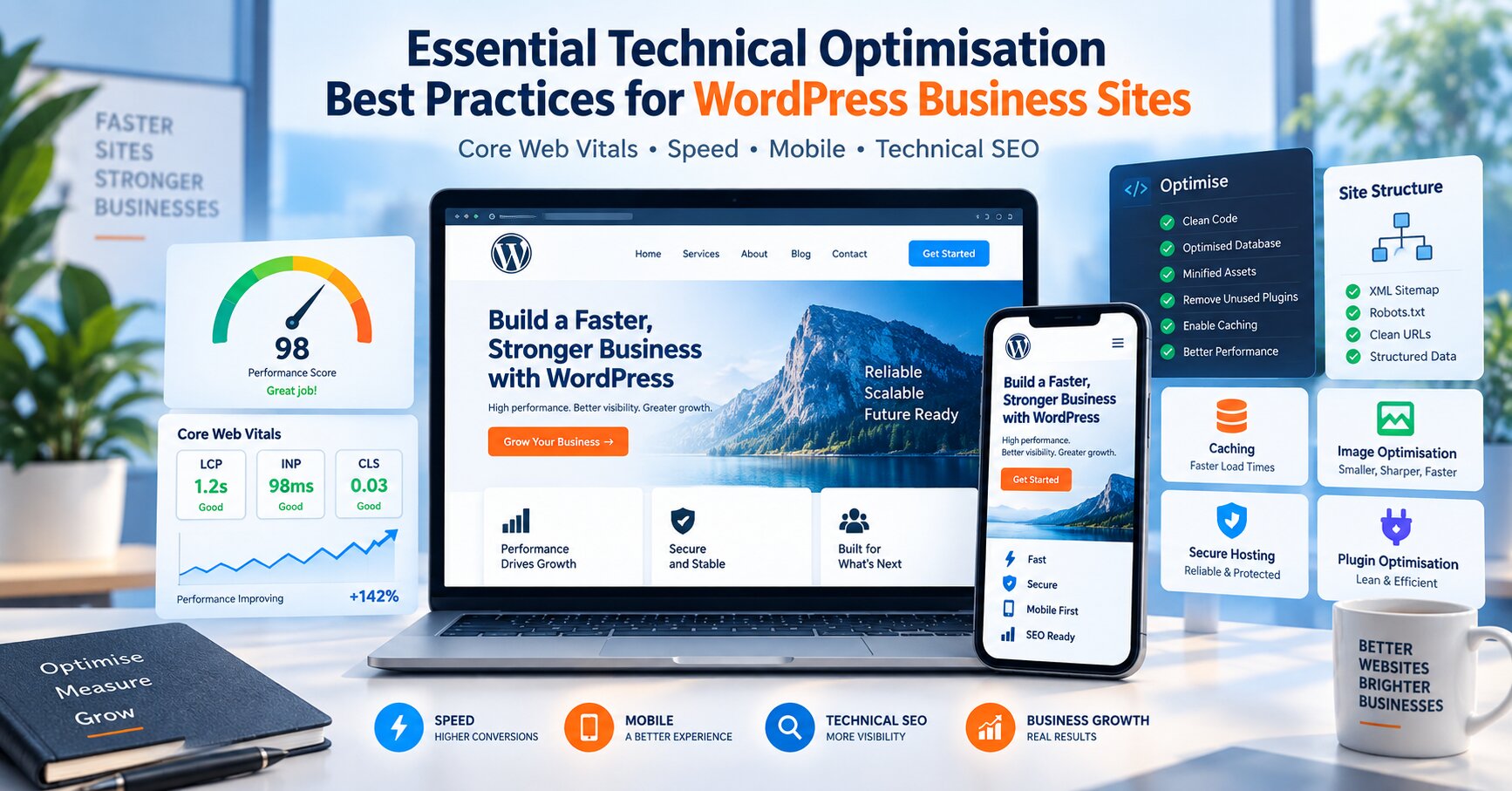
To provide a good user experience, official documentation stipulates that Largest Contentful Paint should occur within 2.5 seconds, Interaction to Next Paint should be less than 200 milliseconds, and Cumulative Layout Shift should remain under 0.1, according to Google Search Central. Failing to meet these strict thresholds often exposes hidden interactivity lags and JavaScript execution delays that basic caching networks cannot resolve on their own. Webmasters must frequently audit their site performance to ensure these essential metrics do not slip out of the acceptable range as new content or functionality is added to the site.
Automating Foundation Elements with the Right Tools
A significant advantage of building on WordPress is the platform’s out-of-the-box flexibility, which allows webmasters to streamline backend tasks without needing a degree in computer science. Managing robots.txt files, automatically generating XML sitemaps, and configuring canonical tags are all vital processes that guide search engine crawlers through your site architecture efficiently. This foundational work prevents common crawl errors and ensures that the most important pages are discovered and indexed accurately by major search engines.
Instead of manually coding these elements, site owners can leverage existing tools to handle the heavy lifting. Reviewing a curated list of the 5 best WordPress SEO plugins is a highly effective way to find solutions for sitemap generation, meta content editing, and managing detrimental 404 errors. Implementing one of these trusted extensions helps automate structural configurations, ensuring that search engines can accurately read and index your web pages with minimal friction. Using dedicated plugins also provides real-time feedback on readability and structural issues before a page goes live.
Prioritising Mobile-First Indexing and Page Speed
Under current mobile-first indexing standards, a website’s search engine ranking is dictated almost entirely by its mobile performance. Strong desktop speed metrics are simply insufficient if the mobile counterpart lags behind. Despite mobile devices accounting for over 60 percent of all eCommerce traffic today, studies show that mobile pages still load an average of 3.4 times slower than desktop versions.


Unoptimised images and heavy JavaScript payloads remain the primary performance killers. With the median mobile page weight hovering at roughly 2.1 megabytes, businesses must take immediate action to lighten their code. A single one-second delay in mobile page load time can cause a 7 to 9 percent drop in conversion rates and drastically increase bounce rates.
To safeguard your search visibility and revenue, consider implementing these fundamental architecture updates:
- Compress and convert all media to next-generation formats like WebP or AVIF to drastically reduce visual payload sizes.
- Defer the parsing of non-critical JavaScript to ensure that the main content renders instantly for visitors.
- Upgrade to managed hosting environments that offer server-level caching and dedicated processing resources.
- Minify CSS and HTML files to remove unnecessary characters and streamline browser rendering.
- Regularly audit your active plugin list to remove outdated or redundant add-ons that unnecessarily bloat your database.
Securing Long-Term Search Success
Optimising a WordPress site goes far beyond initial setup and basic keyword placement. It requires an ongoing commitment to monitoring server responses, updating infrastructure, and adapting to shifting algorithm requirements. By addressing mobile load speeds, satisfying strict interactive metrics, and utilising reliable plugins to automate foundational tasks, businesses can build a robust digital presence. This structural diligence not only appeases search engine crawlers but creates a seamless, engaging experience that keeps potential customers on the page and driving revenue.
Related posts:
Can You Learn WordPress in 2 Weeks? A Realistic Learning Plan

Top 7 WordPress Plugins for GDPR Compliance Needs of your Site

An easy way to integrate Google My Business with WordPress

How to Limit WordPress Registration to Specific Email Domains in 2026
Beaver Builder vs. Elementor WordPress Page Builders Comparison

Brian is a WordPress support specialist and content contributor at 24×7 WP Support. He writes practical, easy-to-follow guides on WordPress troubleshooting, WooCommerce issues, plugin and theme errors, website security, migrations, performance optimization, and integrations. With a focus on solving real website problems, Brian helps business owners, bloggers, and online store managers keep their WordPress sites running smoothly.
