
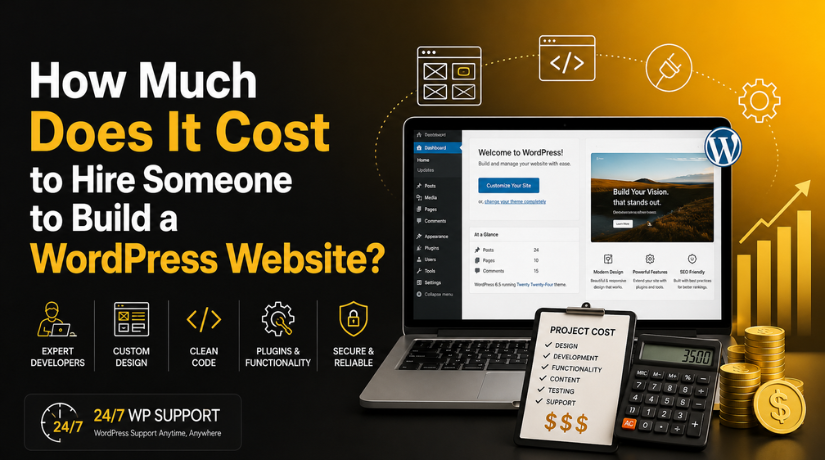
How Much Does It Cost to Hire Someone to Build a WordPress Website?
Introduction
If you’re searching for a definitive answer to this question, you’ve probably already discovered the frustrating truth: pricing for WordPress development is all over the map. You might get a quote for $500 from a freelancer on Fiverr and a proposal for $50,000 from a full-service agency — and both could be completely legitimate depending on what you actually need.
In 2026, hiring someone to build a WordPress website typically costs anywhere from $500 to $35,000+ for a one-time project, with most small-to-medium business websites falling in the $2,500 to $12,000 range. But let’s break down exactly what drives those numbers so you can budget smartly and avoid expensive surprises.
The Real Price Range: What to Expect in 2026
Rather than giving you a single number, it helps to think in tiers. Here’s a practical breakdown of what different budget levels typically deliver:
Budget Tier: Under $1,000
At this price point, you’re typically working with entry-level freelancers or using pre-made themes with minimal customisation. You might get a clean-looking site, but don’t expect custom functionality, heavy design work, or e-commerce features. Suitable for: landing pages, portfolio sites, or simple informational websites for very small businesses.
Mid-Range: $1,500 to $8,000
This is where most small and medium-sized businesses should budget. A skilled independent WordPress developer can build a well-designed, functional site with custom elements, properly configured plugins, contact forms, basic SEO setup, and mobile responsiveness. At the higher end of this range, you can add WooCommerce, membership functionality, or blog-heavy sites with custom post types.
Professional/Agency Tier: $8,000 to $35,000+
At this level, you’re working with a team — designers, developers, project managers, and often SEO specialists. You get a full discovery process, original design mockups, thorough testing, and post-launch support. Complex e-commerce stores, large corporate websites, multi-language sites, or platforms with custom API integrations typically fall here.
Freelancer vs Agency vs Offshore Developer: Which Should You Hire?
One of the biggest factors in what you’ll pay is who you hire. Each option has real tradeoffs worth understanding before you commit.
Hiring a Freelance WordPress Developer
Freelancers are the most cost-effective route for most small businesses. Experienced WordPress freelancers in the US typically charge $50 to $150 per hour, and many offer flat-rate packages for common project types. The benefits are direct communication, flexibility, and lower overhead. The downside: you’re relying on one person, so availability and bandwidth can be an issue for larger projects.
Hiring a WordPress Agency
Agencies charge $100 to $250+ per hour and offer a team approach with specialists in design, development, and strategy. You’re paying a premium for accountability, process, and scalability. If your site is revenue-critical or involves complex requirements across multiple disciplines, the agency model often justifies the higher cost. Many agencies also offer retainer-based ongoing support packages.
Hiring Offshore or Remote Developers
Developers from countries like India, Eastern Europe, or Southeast Asia typically charge $15 to $50 per hour. This can be extremely cost-effective for well-defined projects, but requires clear communication, detailed briefs, and careful vetting. Platforms like Toptal, Upwork, and Codeable help filter for quality offshore WordPress talent.
What Factors Affect the Cost the Most?
Understanding what drives price variation is essential to budgeting accurately. The single biggest mistake business owners make is asking “how much for a website?” without specifying what the website needs to do.
Complexity of Design
A website built using a premium theme with minor customisation will cost far less than a fully bespoke design created from wireframes. Custom illustrations, animations, interactive elements, and unique layouts all add significant development time — and time equals money.
Number of Pages and Content Volume
A five-page brochure site is a very different project from a 60-page service website with location pages, team profiles, a resources library, and a blog. More pages mean more content entry, more internal linking, and more time to test everything properly.
E-Commerce Functionality
If you’re selling products or services online, expect to pay considerably more. WooCommerce integration, product pages, inventory management, payment gateway setup, shipping rules, and checkout customisation all add to the scope. A basic WooCommerce store might add $1,500 to $3,000 to a project; a complex one with subscriptions, memberships, or custom pricing rules could add $8,000 to $15,000 or more.
Third-Party Integrations
Connecting your WordPress site to a CRM like HubSpot or Salesforce, a booking system, an email marketing platform, or a custom API adds complexity and development time. Always flag these requirements upfront — they’re a common source of budget overruns when discovered mid-project.
Performance and Security Requirements
Sites that need to handle significant traffic, load lightning-fast, or meet strict security standards (healthcare, legal, finance) require additional infrastructure setup, caching configuration, and hardening. Our team has written extensively about what you need to know about WordPress security — worth reading before discussing requirements with any developer.
Where to Find a Reliable WordPress Developer
Knowing where to look is half the battle. Here are the most reliable platforms and channels for hiring WordPress talent in 2026:
Codeable is arguably the most trusted platform specifically for WordPress developers. Every developer is vetted and reviewed, and the quality bar is genuinely high. You’ll pay more than generic freelance platforms, but the reliability is worth it for serious projects.
Upwork gives you access to a massive global talent pool with detailed reviews and work history. Great for mid-range budgets if you take the time to properly vet candidates and run a small paid test project before committing.
Toptal positions itself as the top 3% of global freelancers. Prices are higher, but the screening process is rigorous and the talent genuinely reflects that.
LinkedIn and referrals remain underrated. Many of the best freelance WordPress developers don’t actively market on freelance platforms — they work through reputation and referrals. Ask your network before defaulting to a marketplace.
WordPress-specific agencies like 24×7 WP Support offer managed development, maintenance, and support packages that remove the guesswork from finding and vetting individual developers.
What You Get at Each Budget Level
It helps to think concretely about deliverables. Here’s a realistic expectation-setter for common budget ranges in 2026:
At the $1,000–$2,500 range, you can expect: a premium theme installation, basic customisation to match your branding, homepage, about, services, and contact pages, a working contact form, and basic plugin setup (SEO, caching, security). Don’t expect custom design, advanced functionality, or much hand-holding.


At the $2,500–$7,500 range, a good freelancer will deliver a fully customised theme or page builder build, proper mobile responsiveness, SEO-optimised page structure, integration with your email marketing platform, Google Analytics setup, a blog, and a thorough testing phase.
At the $7,500–$20,000 range, agency-level work includes custom design (not just theme customisation), proper UX thinking, content strategy input, e-commerce integration, performance optimisation, and a formal handover process with training.
Beyond $20,000, you’re typically getting highly custom builds, enterprise integrations, multi-site networks, or complex applications built on WordPress as a framework.
Hidden Costs to Budget For
The development quote is just part of the total cost of ownership. Before signing any contract, make sure you’ve budgeted for these ongoing expenses:
Hosting: Quality managed WordPress hosting ranges from $30 to $300+ per month depending on traffic volume and performance requirements. Cheap shared hosting will cost you in site speed and reliability.
Premium themes and plugins: If your site relies on premium themes ($50–$200 one-time) or annual plugin licences ($30–$500/year per plugin), factor those into your ongoing budget.
SSL certificate: Most quality hosts now include this free, but confirm this with your host before assuming.
WordPress maintenance: Core updates, plugin updates, backups, security monitoring, and performance checks need to happen regularly. Professional maintenance plans run $100–$400/month. Installing the right WordPress security plugins from day one helps reduce maintenance overhead and protect your investment.
Content creation: Your developer builds the container — but someone still needs to write the copy, create images, and populate pages. Factor in copywriting costs if you’re not doing this yourself.
Post-launch changes: Plan for a revision budget after launch. Real-world use always surfaces tweaks that weren’t obvious during development.
DIY vs Hiring: When Does It Actually Make Sense to Pay?
With drag-and-drop builders and premium themes, it’s entirely possible to build a decent-looking WordPress site yourself. So when does it make sense to hire someone instead?
You should hire a professional when: your site is a primary revenue channel and downtime or poor UX directly costs you money; you need custom functionality that goes beyond what plugins provide out of the box; your time has significant monetary value and building a site yourself would take weeks you don’t have; you’ve tried the DIY route and hit a wall; or your business requires a site that reflects a professional brand at a high level.
DIY makes sense when: you’re testing a business idea and just need something live quickly; you have a genuinely small budget and the site is informational only; you’re technically comfortable and enjoy learning; or you need a basic landing page rather than a full website.
If you want to add functionality like a cost calculator to your WordPress site, for example, a good developer can implement that cleanly — whereas DIY attempts often result in clunky, slow, or poorly integrated solutions.
Tips to Get the Best Value When Hiring a WordPress Developer
Getting the most out of your budget comes down to preparation and communication. Here’s what actually works:
Write a detailed brief before approaching anyone. Include the purpose of the site, the target audience, the pages required, specific functionality needs, your design preferences, and any must-have integrations. Vague briefs lead to vague quotes and scope creep.
Request itemised quotes. Ask developers to break down what each element costs. This helps you compare proposals meaningfully and see exactly where the budget is going.
Check portfolios critically. Don’t just look at screenshots — actually visit their previous projects in a browser. Check load speed, mobile responsiveness, and overall UX quality.
Start with a small paid test. For ongoing relationships, ask a candidate to complete a small, well-defined task for a fixed fee before committing to a large project. This reveals communication style, code quality, and reliability before you’re invested.
Clarify what happens post-launch. Make sure your contract specifies how many rounds of revisions are included, what support is available during the first 30 days, and who owns the code and assets when the project ends.
Ready to Get Your WordPress Site Built the Right Way?
Hiring the right person to build your WordPress website is one of the most important decisions you’ll make for your online presence. Whether you need a straightforward informational site or a complex e-commerce platform, understanding the real cost landscape means you can budget confidently and avoid being undersold or overcharged.
At 24×7 WP Support, our team of experienced WordPress specialists handles everything from initial development through to ongoing maintenance, security, and performance optimisation. We’ve helped hundreds of businesses launch sites they’re genuinely proud of — on time and within budget. If you’re ready to talk through your project requirements and get a realistic quote, get in touch with our team today and let’s build something great together.
Related posts:

Brian is a WordPress support specialist and content contributor at 24×7 WP Support. He writes practical, easy-to-follow guides on WordPress troubleshooting, WooCommerce issues, plugin and theme errors, website security, migrations, performance optimization, and integrations. With a focus on solving real website problems, Brian helps business owners, bloggers, and online store managers keep their WordPress sites running smoothly.
