
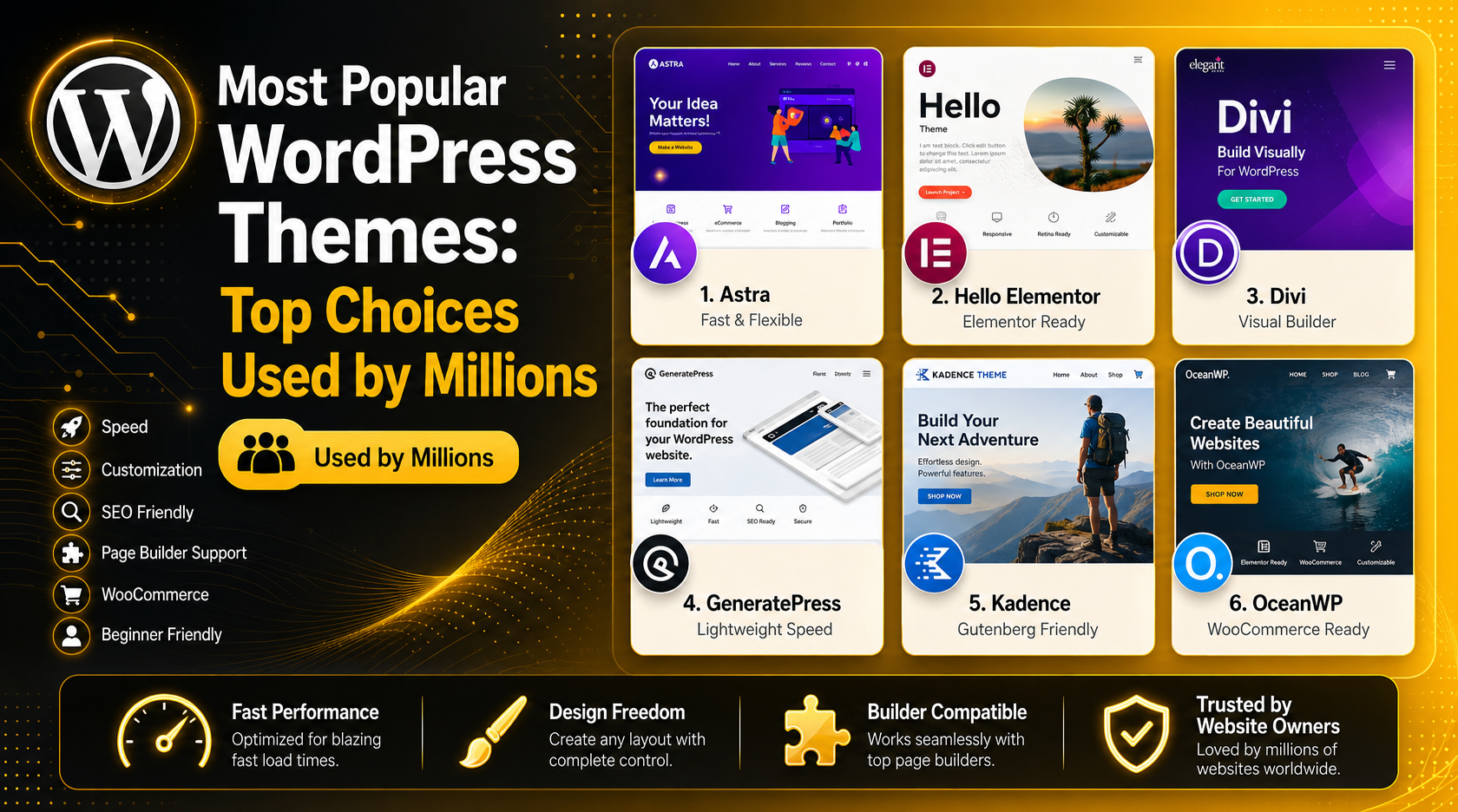
Most Popular WordPress Themes: Top Choices Used by Millions
Introduction
With over 60 million websites running on WordPress, the theme you choose can make or break your site’s success. But with tens of thousands of options on the market, how do you know which ones are actually worth your time? Simple — you look at what millions of real website owners have already chosen. These themes have earned their massive user bases through a combination of speed, flexibility, reliability, and design quality. In this guide, we break down the most popular WordPress themes in 2026, what makes each one stand out, and how to pick the right one for your specific needs.
Why Your WordPress Theme Matters More Than You Think
A WordPress theme isn’t just cosmetic. It controls your site’s load speed, its compatibility with page builders and plugins, how well it ranks in search engines, and how visitors experience your brand. A poorly coded theme can slow your pages to a crawl, conflict with your plugins, and send bounce rates through the roof — no matter how great your content is.
That’s why the themes with the largest active install counts tend to be heavily vetted. When a theme is trusted by over a million websites, it’s usually because developers, designers, and everyday users have beaten it up in every possible scenario and found it reliable. That said, “most popular” doesn’t mean “best for you” — so we’ll break down the use cases clearly for each option.
You can also use a WordPress theme detector tool to discover what theme any site you admire is running — a handy trick when doing competitive research.
Astra – The All-Rounder with Over 1 Million Active Sites
Astra is arguably the most talked-about WordPress theme of the last several years, and for good reason. With over 1 million active installations and consistently strong reviews on WordPress.org, Astra has become the go-to starting point for everything from personal blogs to complex business websites.
What sets Astra apart is its obsessive focus on speed. The theme is built with vanilla JavaScript rather than jQuery, keeping its core footprint tiny — often under 50KB. This gives it an instant advantage in Core Web Vitals scores, which directly impact your Google rankings in 2026.
Key Features of Astra
Astra ships with 200+ ready-made starter templates that work with Elementor, Beaver Builder, Gutenberg, and Brizy. Its deep WooCommerce integration makes it a strong candidate for online stores. The free version is genuinely useful, though the Pro version (around $69/year) unlocks advanced header/footer builders, mega menus, and layout controls that serious site builders will want. Astra also supports a highly flexible global color palette and typography system, making brand consistency effortless across pages.
Best For
Astra is the best fit for beginners who want something powerful without a steep learning curve, agencies building client sites at scale, and anyone launching a WooCommerce store. If you want to click-import a polished starter template and have a professional-looking site up within an hour, Astra delivers that better than almost anything else on the market.
Hello Elementor – The Lightweight Canvas for Page Builder Users
Hello Elementor is the official free theme made by the Elementor team, and it has amassed over 1 million active installations — not because of flashy features, but because of what it deliberately doesn’t do. It’s designed to be the leanest possible foundation for sites built entirely within the Elementor page builder.
Hello loads almost no styles of its own, which means Elementor has total design control without fighting against theme CSS. The result is faster load times, fewer conflicts, and a true “blank canvas” experience. In 2026, with Elementor’s continued dominance as the world’s most-used WordPress page builder, Hello Elementor remains the most logical pairing for full-site Elementor builds.
Key Features of Hello Elementor
The theme is lightning-fast with minimal CSS overhead, fully compatible with Elementor’s Theme Builder for creating custom headers, footers, and archive pages, and RTL-ready for multilingual sites. It’s available completely free on WordPress.org. For users going all-in on Elementor Pro’s site-wide design capabilities, Hello is the cleanest possible foundation.
Best For
Hello Elementor is ideal for anyone who builds exclusively with Elementor Pro and wants maximum design freedom with zero theme interference. It’s less suited for users who want theme-level customization options or who use Gutenberg as their primary editor.
Divi – The Visual Builder That Became Its Own Ecosystem
Divi, by Elegant Themes, is more than just a theme — it’s an entire website-building ecosystem that has cultivated one of the most loyal communities in all of WordPress. With roughly 1.2 million installations and a sprawling marketplace of child themes, layouts, and plugins built specifically for it, Divi has a scale that few themes can match.
Divi’s signature feature is its front-end visual builder, which lets you drag, drop, and style every element of your page in real time. This approach made Divi revolutionary when it launched and it still attracts users who want maximum visual control without touching code. Elegant Themes also includes access to Extra (a magazine theme), Bloom (an email opt-in plugin), and Monarch (a social sharing plugin) as part of any Divi subscription — making it exceptional value for busy website owners.
Key Features of Divi
Divi includes 200+ layout packs, a built-in A/B testing tool, global elements you can update site-wide from one place, and an AI-powered design assistant introduced in recent years. Pricing is $89/year or $249 for a lifetime license — both covering unlimited websites. The complete Divi theme guide on our blog walks through exactly how to make the most of the full Divi ecosystem.
Best For
Divi suits designers who want rich visual control, agencies that manage many client sites (the lifetime license is exceptional value here), and bloggers or business owners who prefer a WYSIWYG approach to building pages over working in a block editor. Note that Divi does have the largest performance footprint of the themes in this list — it’s still very capable, but pure-speed benchmarks favor Astra and GeneratePress.
GeneratePress – The Speed Champion for Developers and Purists
If raw performance is your primary concern, GeneratePress is the theme that consistently tops speed benchmarks. Built with a developer-first philosophy, it outputs exceptionally clean HTML, loads minimal CSS by default, and has earned a reputation as the gold standard for lightweight WordPress theming.


GeneratePress regularly scores near-perfect results on GTMetrix and Google PageSpeed Insights out of the box, before any caching or optimization plugins are applied. For sites where every millisecond of load time matters — such as news publishers, affiliate sites, or any project with heavy SEO ambitions — this performance edge is genuinely meaningful.
Key Features of GeneratePress
The free version on WordPress.org is solid but deliberately basic. GeneratePress Premium (around $59/year for unlimited sites) unlocks the modular “sections” system, WooCommerce module, colors and typography controls, and the site library with pre-built layouts. It supports Gutenberg, Elementor, Beaver Builder, and most other page builders cleanly. One important note: GeneratePress has a steeper learning curve than Astra — you’ll likely need to write some custom CSS to get things looking exactly how you want.
Best For
GeneratePress is the best choice for developers, SEO professionals, and performance-obsessed site builders who are comfortable in CSS. It’s also the top pick for content-heavy sites like blogs and news sites where fast load times directly correlate to ad revenue or organic traffic. Less suitable for beginners who want a click-and-go design experience.
Kadence – The Block Editor’s Best Friend in 2026
As WordPress’s native block editor (Gutenberg) has matured into a genuinely powerful full-site editing tool, Kadence has emerged as the theme most optimized to take advantage of it. Kadence bridges the gap between a beginner-friendly multipurpose theme and a performance-focused framework — giving you solid speed without requiring developer expertise.
Kadence has earned particular praise for its WooCommerce compatibility in 2026, offering granular control over product pages, cart layouts, and checkout design without needing a separate WooCommerce-specific theme. Its header and footer builder rivals what many premium themes offer, and it’s included free in the core Kadence package.
Key Features of Kadence
Kadence ships with a library of starter templates, a free header/footer builder, Google Fonts integration, and excellent performance scores (100/100 on several benchmarks). Kadence Pro ($79/year) adds a powerful sections/elements system for displaying different headers on different pages, custom fonts, and advanced WooCommerce controls. The Kadence Blocks plugin (also free) extends the block editor with 20+ additional blocks that dramatically expand design flexibility.
Best For
Kadence is ideal for users who prefer Gutenberg over third-party page builders, anyone building WooCommerce stores who doesn’t need Astra’s specific integration style, and site builders who want a fast theme without having to be a CSS expert. It’s one of the fastest-growing themes in the WordPress ecosystem right now.
OceanWP – Feature-Rich and Built for E-Commerce
With over 700,000 active installations, OceanWP has carved out a strong niche as a feature-packed free theme with exceptional WooCommerce depth. While it doesn’t quite reach the install counts of Astra or Hello Elementor, its loyal user base appreciates how much it offers out of the box — including a dedicated WooCommerce cart popup, quick-view product modals, and flexible shop layouts that most themes charge premium prices for.
OceanWP works well with Elementor and other page builders, and its premium extensions (sold individually or as bundles) cover features like popup builder, footer widgets, sticky sidebars, and white-label capabilities for agencies. For developers building client e-commerce sites on a budget, OceanWP offers premium-grade functionality at a fraction of the typical cost.
Neve – Lightweight, Versatile, and AMP-Ready
Neve has built a following of over 200,000 active users through its combination of lightweight code, AMP compatibility, and an impressive library of starter templates powered by Neve’s own template importer. It’s particularly popular with users who run Google AMP pages alongside their standard site, since Neve is one of the few themes that handles both environments cleanly.
Neve integrates smoothly with Elementor, Beaver Builder, Gutenberg, and Brizy, and its performance scores are consistently strong. The free version is genuinely capable, while Neve Pro ($99/year) adds white-label options, advanced headers, and custom layouts — making it appealing for agencies as well as individual site owners.
How to Choose the Right Popular WordPress Theme for Your Site
With so many excellent options, the decision usually comes down to a few key factors. Here’s how to think through them clearly.
Consider Your Page Builder First
If you’re using Elementor as your primary design tool, Hello Elementor or Astra are natural fits. For Gutenberg/block editor enthusiasts, Kadence is the strongest performer. If you prefer a self-contained visual builder experience, Divi’s integrated builder eliminates the need for a separate page builder entirely. Choosing a theme and builder that are optimized for each other saves hours of troubleshooting down the road.
Think About Your Performance Requirements
All of the themes on this list are well-coded — you won’t be making a catastrophically bad choice by picking any of them. But if your site depends heavily on organic search traffic and you’re targeting highly competitive keywords, the performance difference between GeneratePress and a heavier theme like Divi can translate to meaningful SEO advantages. For most business sites and blogs, Astra or Kadence strike the ideal balance between speed and usability. Check out our guide to the fastest free WordPress themes if speed is your top priority.
Plan for WooCommerce If You’re Building a Store
Not all WordPress themes handle WooCommerce equally well. Astra, Kadence, and OceanWP are the standout choices for online stores — each offering cart, checkout, and product page customizations that generic themes simply don’t provide. If you’re building an e-commerce site, cross-referencing your shortlisted themes against the top WordPress online store themes will help you verify WooCommerce compatibility before committing.
Don’t Overlook Support and Update Frequency
A theme with a million installs that hasn’t been updated in two years is a red flag. All of the themes listed in this guide maintain active development teams, regular compatibility updates with new WordPress versions, and responsive support channels. This longevity matters when you’re building a site meant to last years, not months.
Ready to Get Your WordPress Site Built the Right Way?
Choosing a popular, well-supported WordPress theme is just the first step. Getting it configured correctly — with the right plugins, performance settings, and design decisions — is where many site owners hit a wall. That’s where the team at 24×7 WP Support comes in. Whether you need help setting up your theme from scratch, customizing it to match your brand, or troubleshooting a theme conflict that’s causing headaches, our WordPress experts are available around the clock. Reach out to 24×7 WP Support today and let us take the technical stress off your plate so you can focus on growing your business.

Brian is a WordPress support specialist and content contributor at 24×7 WP Support. He writes practical, easy-to-follow guides on WordPress troubleshooting, WooCommerce issues, plugin and theme errors, website security, migrations, performance optimization, and integrations. With a focus on solving real website problems, Brian helps business owners, bloggers, and online store managers keep their WordPress sites running smoothly.
