
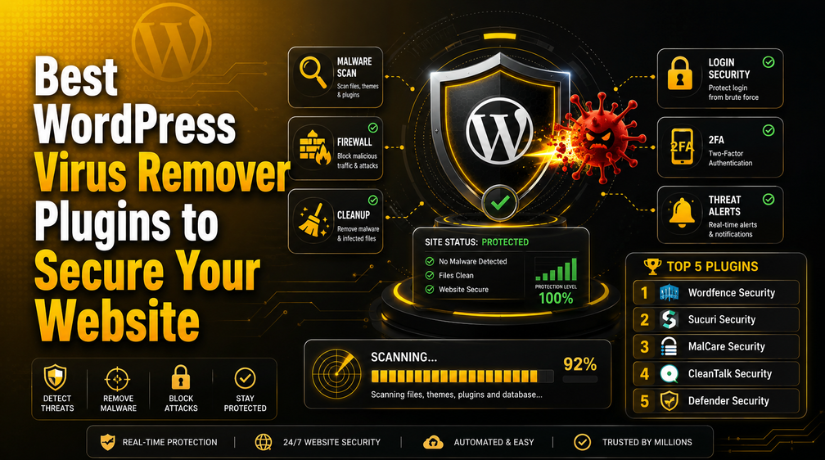
Best WordPress Virus Remover Plugins to Secure Your Website
Introduction
WordPress gives website owners many useful tools and design options. However, this flexibility also brings some security risks. Many websites use themes, plugins, forms, uploads, and third-party scripts. If these parts are not managed well, hackers may find weak areas. They can add harmful files, hidden links, spam pages, or redirect scripts. This can damage your website, traffic, ranking, and user trust. That is why WordPress website security should never be ignored.
A hacked website can create many serious problems for owners. Visitors may see warning messages before opening your website. Search engines may reduce your rankings or remove unsafe pages. Your hosting company may also suspend your account for protection. Business websites can lose leads, sales, and customer confidence quickly. WooCommerce stores can face even bigger risks during checkout. A good virus remover plugin for WordPress can help reduce these problems.
Still, a plugin should not be your only security step. You also need updates, strong passwords, backups, and safe hosting. A WordPress security plugin works best with these habits. It gives your website an extra layer of protection. It also helps you take action before attacks become worse.
What Is a WordPress Virus Remover Plugin and How Does It Work?
A WordPress virus remover plugin is a website security tool. It checks your website files for harmful or unknown code. It can scan WordPress core files, themes, plugins, and uploads. Some plugins can also check database content for spam. Many users call these tools virus removers. However, WordPress websites usually face malware, not normal computer viruses.
Malware can appear in many forms on a WordPress website. It may create hidden admin users inside your dashboard. It may inject spam links into posts or pages. It may redirect visitors to unsafe websites without permission. It may also add harmful scripts inside theme files. A WordPress malware scanner helps find these threats faster.
A plugin scans files and compares them with safe versions. It checks for changed files, strange code, and hidden scripts. It can also flag unknown files inside important folders. Some tools check plugin and theme vulnerabilities too. This helps you find outdated or unsafe website parts. These checks are useful for better WordPress website security.
There is also a difference between scanning and cleaning. A scanner finds possible malware and shows the issue. A cleaner helps remove unsafe code or infected files. Some plugins offer automatic cleanup with one click. Others suggest manual steps or expert cleanup services. A WordPress virus cleaner should handle files very carefully. Wrong cleanup can break your website layout or features.
Why Your Website Should Use a Virus Remover Plugin for Better Safety
It Helps Protect Your Website Visitors From Unsafe Scripts
A hacked WordPress website can load harmful scripts without clear warning. These scripts may redirect users to unsafe pages or spam websites. Visitors may also see browser warnings before opening your site. This creates fear and reduces trust quickly. A virus remover plugin for WordPress helps scan these threats early. It supports safer browsing for every website visitor.
It Helps Prevent SEO Ranking and Traffic Loss
Malware can badly affect your search engine performance. Google may flag infected pages as unsafe for users. Your website may also lose clicks, rankings, and organic traffic. Spam pages can appear in search results without permission. A WordPress malware scanner helps detect these issues faster. Proper WordPress malware removal can protect your SEO value.
It Helps Reduce Website Downtime and Hosting Suspension
Hosting companies often suspend infected websites for safety reasons. They do this to protect servers and other users. If your site gets suspended, visitors cannot access it. This can affect leads, sales, and business trust. A WordPress security plugin helps detect malware before problems grow. It gives you alerts before hosting action becomes serious.
It Helps Protect Your Brand Trust and Business Image
Visitors expect your website to look safe and professional. If your site redirects users or shows spam, trust drops. Customers may avoid forms, calls, and online purchases. This issue becomes serious for service websites and stores. A WordPress virus cleaner helps keep your site clean. It supports a safer and more trusted brand experience.
It Helps Detect Hidden Malware Before Damage Grows
Malware does not always appear clearly on the front end. It can hide inside files, themes, plugins, or database tables. Some hackers also create hidden admin users secretly. Without scanning, these threats can stay unnoticed for weeks. A virus remover plugin for WordPress checks suspicious changes regularly. It helps you act before the damage becomes bigger.
It Helps Remove Virus From WordPress Website Safely
Many website owners search for ways to remove viruses from WordPress websites after infection. Manual cleanup can be risky without technical knowledge. Deleting the wrong file may break your website. A good plugin can guide cleanup with safer steps. Some tools also offer one-click or expert cleanup options. This makes WordPress malware removal easier for beginners.
Features to Check Before Choosing a Virus Remover Plugin
Choosing the right security tool can protect your website better. A virus remover plugin for WordPress should do more than basic scanning. It should help you find malware, understand risks, and clean infected files safely. Many plugins look similar on the surface. However, their features, cleanup options, and protection levels can be different. Some tools only scan your website and show alerts. Other tools support full WordPress malware removal with firewall protection.
Malware Scanning Should Check All Important Website Areas
Malware scanning is the first feature you should check. A good WordPress malware scanner should scan all important website files. It should check WordPress core files, plugins, themes, and uploads. Hackers often hide malware inside plugin or theme folders. They may also add unsafe files inside the uploads folder.
Malware Removal Should Be Safe and Easy to Follow
Scanning is helpful, but removal is more important after infection. Some plugins only tell you that malware exists. They do not clean the infected files for you. A useful WordPress virus cleaner should provide safe cleanup options. It may offer one-click malware removal for simple cases. It may also provide guided cleanup steps for careful repair.
Firewall Protection Should Block Harmful Traffic Early
A firewall is another important security feature. It blocks harmful requests before they reach your website. Hackers often use bots to test weak login pages. They may also try unsafe URLs or plugin files. A firewall can stop many of these attacks early. This reduces pressure on your website and hosting server.
File Integrity Monitoring Should Track Suspicious Changes
File integrity monitoring checks your website files for changes. This feature compares current files with safe versions. If any file changes suddenly, the plugin sends an alert. This helps you detect hidden malware or unauthorized edits. Hackers often modify theme files, plugin files, or core files.
Login Security Should Protect Your Admin Dashboard
The WordPress login page is a common attack target. Hackers use bots to guess usernames and passwords. This is called a brute-force attack. A strong plugin should protect your login area properly. It should limit failed login attempts from suspicious users. It should also support two-factor authentication for admin accounts. Two-factor authentication adds another safety step during login.
Vulnerability Detection Should Warn About Risky Plugins and Themes
Many WordPress infections start from outdated plugins or themes. Hackers often target known security issues in old software. A good security tool should detect these risks quickly. It should warn you about outdated plugins, themes, and WordPress core. It should also identify plugins with known security problems.
List Of 5 Best WordPress Virus Remover Plugins (Complete Guide)
Choosing the right plugin can make malware cleanup easier and safer. A good virus remover plugin for WordPress should scan files, detect threats, support cleanup, and protect login areas. Some tools work best for scanning only. Others support advanced WordPress malware removal, firewall rules, and expert cleanup help. Below are five useful options for better WordPress website security.
#1 Wordfence Security
Wordfence Security is a popular WordPress security plugin for malware scanning, firewall protection, and login safety. It includes an endpoint firewall, malware scanner, login security tools, live traffic views, and threat alerts. It is useful for blogs, business websites, and WooCommerce stores needing strong daily protection.
Features
- Malware scanner for website files.
- Endpoint firewall for harmful traffic.
- Two-factor authentication for safer login.
- Live traffic monitoring for suspicious visits.
- Login security against brute-force attacks.
Pros
- Strong free version for basic protection.
- Good scanner for changed WordPress files.
- Firewall helps block harmful requests.
- Useful login protection features.
- Detailed scan results help website owners.
Cons
- Deep scanning may use server resources.
- Beginners may find settings slightly advanced.
- Some cleanup support may need paid help.
- Many alerts can confuse new users.
- Firewall setup may need careful review.
Download Link: Wordfence Security
#2 Sucuri Security
Sucuri Security is a trusted tool for website monitoring, malware checks, and security hardening. It is helpful for users who want file integrity monitoring, malware detection, activity auditing, and post-hack checks. This plugin is useful when you need clear reports and better control after suspicious website activity.


Features
- Remote malware scanning for website threats.
- File integrity monitoring for changed files.
- Security activity auditing for important actions.
- Website hardening tools for safer settings.
- Post-hack tools for recovery checks.
Pros
- Good option for website monitoring.
- Helpful after a possible website hack.
- Activity logs support better investigation.
- Hardening tools improve website safety.
- Remote scanning can reduce server load.
Cons
- Free cleanup options are limited.
- Firewall protection mainly needs paid service.
- Scanner may not check every server file.
- Beginners may need setup support.
- Complex hacks may need expert cleanup.
Download Link: Sucuri Security
#3 MalCare Security
MalCare Security is built for malware scanning, cleanup, firewall protection, and simple website security. It is useful for website owners who want a user-friendly WordPress malware scanner with cleaner options. MalCare also promotes automatic malware scans, one-click malware removal, and a real-time firewall for WordPress websites.
Features
- Automatic malware scanning for WordPress websites.
- One-click malware removal in paid plans.
- Real-time firewall for harmful requests.
- Bot protection for unsafe traffic.
- Central dashboard for multiple websites.
Pros
- Easy dashboard for non-technical users.
- Scanning is built for better performance.
- Useful for agencies managing several websites.
- Cleanup options are simple to follow.
- Firewall helps protect against active attacks.
Cons
- Full malware cleanup usually needs paid access.
- Account connection is required.
- Free version may feel limited.
- Some tools are locked by plan.
- Complex infections may still need experts.
Download Link: MalCare Security
#4 CleanTalk Security
CleanTalk Security helps protect WordPress from malware, hackers, brute-force attacks, and suspicious traffic. It includes firewall protection, malware scanning, login security, two-factor authentication, and vulnerability checks. It is a useful WordPress virus cleaner option for small business sites needing several protection layers.
Features
- Malware scanner for infected website files.
- Firewall protection against unsafe traffic.
- Login security for brute-force protection.
- Two-factor authentication for safer access.
- Vulnerability checks for risky website parts.
Pros
- Covers malware, firewall, and login safety.
- Helps block brute-force attacks.
- Supports two-factor login protection.
- Useful for small business websites.
- Security reports help track issues.
Cons
- Some features may need paid access.
- Interfaces may need learning time.
- Setup may require careful configuration.
- Not as widely known as Wordfence.
- Advanced cleanup may need extra support.
Download Link: CleanTalk Security
#5 Defender Security
Defender Security by WPMU DEV helps improve WordPress website security with malware scanning, firewall tools, login protection, IP blocking, audit logs, and two-factor authentication. It is useful for users who want simple hardening options, clear security checks, and better protection against brute-force login attacks.
Features
- Malware scanner for suspicious file changes.
- Firewall setup and IP blocking.
- Two-factor authentication for login safety.
- Login lockout for failed attempts.
- One-click security hardening checks.
Pros
- Beginner-friendly security setup.
- Good login protection tools.
- Useful hardening recommendations.
- Audit logs help track website activity.
- Firewall options improve daily protection.
Cons
- Some advanced tools need Pro.
- Safe repair is mainly a Pro feature.
- Scheduled scanning may need paid access.
- Full cleanup may need expert help.
- Extra options may confuse beginners.
Download Link: Defender Security
How to Choose the Right Virus Remover Plugin for Your Website
Choosing the right plugin depends on your website needs. Every website does not need the same security setup. A small blog needs simple scanning and login protection. A business website needs stronger alerts and cleanup support. An online store needs firewall protection and faster malware response. So, review your website type before installing any tool. A good virus remover plugin for WordPress should match your risk level. It should also match your budget and technical comfort.
Choose a Simple Security Plugin for Small Blogs
Small blogs usually need basic protection and clear scan reports. These websites may not handle payments or customer accounts. Still, they can face spam links and malware attacks. A simple WordPress malware scanner can help detect hidden threats. You should choose a plugin with file scanning and alerts.
Choose Strong Firewall Protection for Business Websites
Business websites need stronger security than simple personal blogs. These sites may collect leads through forms and calls. Malware can damage business trust and customer confidence quickly. A plugin with firewall protection can block harmful traffic early. It can also reduce bot attacks and suspicious requests.
Choose Advanced Cleanup Support for WooCommerce Stores
WooCommerce websites need extra care because customers share details. They use checkout pages, login areas, and account dashboards. Malware can create payment issues or unsafe redirect problems. This can damage customer trust during the buying process. Choose a WordPress virus cleaner with stronger cleanup options. It should include firewall protection and login safety features.
Choose Expert Malware Removal for Already Hacked Websites
A hacked website needs more than simple scanning. Malware may hide inside files, folders, and database tables. Hackers may also create hidden admin users secretly. Some infections return after poor cleanup or missed backdoors. In this case, choose a plugin with cleanup support. You may also need expert help for full repair. Do not delete infected files without checking them first.
Choose Beginner-Friendly Tools If You Need Easy Control
Beginners should choose plugins with simple dashboards and clear reports. A confusing tool can make security harder to manage. The plugin should explain issues in easy language. It should show infected files and suggested cleanup steps. It should also separate serious issues from small warnings.
Choose Multi-Site Features for Agencies and Developers
Agencies often manage many WordPress websites for different clients. They need tools that save time and simplify monitoring. A good plugin should support reports and alerts. Some tools also allow centralized website management from one dashboard. This helps developers track malware risks across many sites.
Conclusion
A good virus remover plugin helps protect your website daily. It scans files, detects threats, and supports safer cleanup. It can also protect login pages and block harmful traffic. Wordfence, Sucuri, MalCare, CleanTalk, and Defender are useful options. Each plugin works better for different website needs. Some are better for scanning and firewall protection. Others are better for easier WordPress malware removal. The best choice depends on your website type and risk level.
If your website is already infected, act quickly and carefully. Take a backup before starting any cleanup process. Use a trusted WordPress virus cleaner for safer results. Also check users, plugins, themes, and database entries. A clean website protects your visitors, rankings, and business trust. Regular scanning also helps you avoid future security problems. With the right tool and habits, WordPress stays safer. Strong WordPress website security is always better than late repair.
If your website shows redirects, warnings, spam pages, or slow loading, get expert help quickly. 24×7 WP Support can help scan, clean, and secure your WordPress website. Our team can check malware, remove harmful files, fix security gaps, and improve protection. We also help prevent repeated infections with better safety steps. Visit 24x7wpsupport for professional WordPress malware removal and website security support.

Brian is a WordPress support specialist and content contributor at 24×7 WP Support. He writes practical, easy-to-follow guides on WordPress troubleshooting, WooCommerce issues, plugin and theme errors, website security, migrations, performance optimization, and integrations. With a focus on solving real website problems, Brian helps business owners, bloggers, and online store managers keep their WordPress sites running smoothly.
