
Best Firewall Plugin for WordPress to Protect Your Site from Hackers (Complete Guide)
Introduction
WordPress powers many business websites, blogs, and online stores. This popularity also makes it a common attack target. Hackers often search for weak login pages and outdated plugins. They also target unsafe themes, poor passwords, and old scripts. Because of this, WordPress website security is now very important. Every website owner should take security seriously from the beginning.
A WordPress firewall plugin helps protect your website from harmful traffic. It checks visitors before they reach sensitive website areas. It can block bad bots, fake users, and risky requests. This helps reduce malware attacks, spam traffic, and login abuse. A strong firewall gives your website an important security layer.
Choosing the best WordPress security plugin depends on your website needs. A small blog may need simple protection and login security. A business website may need stronger monitoring and firewall rules. A WooCommerce store needs even better protection and safety checks. It handles customer details, orders, payments, and account pages. So, using the right firewall plugin for WordPress can prevent serious problems.
The right plugin can help you secure WordPress website areas easily. It protects the login page, admin dashboard, forms, and files. It also helps website owners find risks before damage spreads. A good firewall does not replace updates or backups. But it works with them to build stronger protection. That is why this guide starts with the basics first.
What Is a WordPress Firewall Plugin?
A WordPress firewall plugin works like a security filter. It checks traffic before allowing access to your website. Every visitor sends a request when opening a page. The firewall reviews that request for unsafe signs. If the request looks safe, the visitor can continue. If it looks harmful, the firewall blocks the request.
This makes a website firewall for WordPress very useful. It helps stop bad bots, hackers, and spam scripts. It can also block repeated login attempts from attackers. Many firewall plugins also check IP addresses and user actions. This helps detect unusual behavior before it creates damage.
A firewall plugin can protect many parts of WordPress. It can protect the login page, comment forms, and admin pages. It can also help protect plugin files and theme files. This makes it a key part of WordPress website security. Website owners should not wait for an attack first. They should add firewall protection before problems appear.
Why Do Websites Need Firewall Plugin for WordPress?
To Block Brute Force Login Attacks
Brute force attacks are very common on WordPress websites. Hackers use tools to guess usernames and passwords repeatedly. They may try hundreds of login attempts within minutes. This can overload your website and risk admin access. A WordPress firewall plugin can stop these repeated attempts.
To Stop Malware and Suspicious Requests
Malware attacks can damage your website very quickly. Attackers may inject hidden code into website files. They may create spam pages, redirects, or harmful links. These issues can hurt visitors, rankings, and website trust. A firewall helps stop suspicious requests before damage happens.
To Protect Plugins and Themes From Security Gaps
Plugins and themes add important features to WordPress websites. But outdated plugins can also create security risks. Hackers often target known plugin and theme weaknesses. They search for websites that have not updated quickly. This makes firewall protection very important for WordPress users.
To Reduce Spam Bots and Fake Traffic
Spam bots can create many problems for WordPress websites. They may submit fake forms, post spam comments, or attack login pages. They can also increase server load and waste resources. Fake traffic may also affect reports and user data.
To Protect WooCommerce and Business Websites
Business websites need stronger protection than basic blogs. They often collect names, emails, phone numbers, and messages. WooCommerce stores also handle orders, accounts, and checkout steps. These areas need better WordPress website security every day.
A firewall plugin should be part of every security plan. It works best with updates, backups, SSL, and strong passwords. It also works better when configured properly. With the right setup, you can secure WordPress website areas more effectively. This gives your visitors a safer browsing experience.
Features to Look for in the Best Firewall Plugin for WordPress
Choosing the right firewall is not only about popularity. You need to check features before installing any security tool. A good WordPress firewall plugin should protect your website from common risks. It should also work smoothly with your theme, plugins, and hosting. The best WordPress security plugin should block threats without slowing your website. It should protect login pages, forms, files, and admin areas. Below are the key features every website owner should check carefully.
Web Application Firewall Protection for Blocking Harmful Website Requests
A web application firewall is the main firewall feature. It checks website requests before they reach important WordPress areas. This helps block harmful traffic, bots, and unsafe scripts. A strong WordPress security firewall can stop many common attacks. These include SQL injection, cross-site scripting, and bad file requests. These attacks try to enter your website through weak points. A firewall blocks those requests before they create serious damage.
Brute Force Login Protection to Secure the WordPress Admin Area
Brute force attacks target your WordPress login page directly. Attackers use software to guess usernames and passwords quickly. They may try many login combinations within a short time. This can overload your website and risk admin access. A strong WordPress firewall plugin should include login protection features. These features help stop repeated login attempts from harmful users.
Malware Scanning and File Monitoring for Early Threat Detection
Firewall protection helps block attacks before they happen. Malware scanning helps find threats already inside website files. A complete best WordPress security plugin should include both features. Malware scanners check core files, themes, plugins, and uploads. They look for harmful code, unknown changes, and suspicious scripts. This helps improve WordPress malware protection across the full website.
Real-Time Firewall Rules and Threat Updates for New Attacks
Website threats keep changing every day. Hackers find new ways to attack plugins and themes. That is why firewall rules must stay updated regularly. A good WordPress security firewall should receive fresh threat updates. These updates help block new attack methods quickly. Without updates, old firewall rules may miss new risks.
Two-Factor Authentication for Stronger Login Security
Two-factor authentication adds another security step during login. It asks users for a second verification code. This code may come from an app or email. Even if a password is stolen, login stays harder. This makes two-factor authentication very useful for admin accounts. A good WordPress firewall plugin should support this feature.
IP Blocking and Bot Protection to Control Unwanted Traffic
Bad bots can cause many problems on WordPress websites. They may attack login pages, forms, comments, and search pages. They can also send fake traffic that wastes server resources. A good website firewall for WordPress should include bot protection tools. These tools detect suspicious behavior and block harmful traffic.
Security Logs and Activity Reports for Better Website Monitoring
Security logs help you understand what happens on your website. They show failed login attempts, blocked attacks, and suspicious requests. A strong WordPress security firewall should include clear security reports. These reports help website owners notice risks early. They also make website maintenance easier and more organized.
Performance-Friendly Setup That Does Not Slow Your Website
Security is important, but website speed also matters. A firewall plugin should protect your site without heavy slowdown. Some security plugins use more server resources during scans. This can affect weak hosting or large websites. That is why performance-friendly setup is very important.
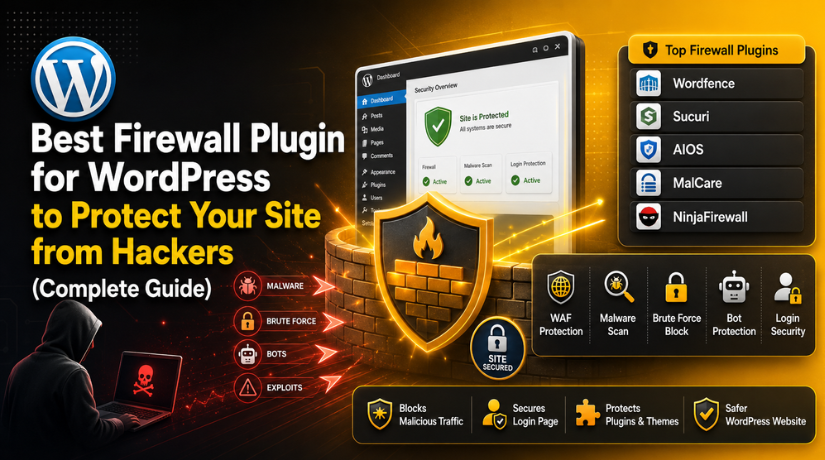
List Of 5 Best Firewall Plugins for WordPress (Updated List)
Choosing the right WordPress firewall plugin can feel confusing at first. Many plugins offer similar security features and claims. But every plugin works in a different way. Some focus on firewall rules and login safety. Some focus on scanning, cleanup, and malware alerts. Others offer advanced filtering for technical users. This updated list will help you compare the best options easily.
#1 Wordfence Security
Wordfence Security is a popular WordPress firewall plugin for website owners who need complete protection. It includes an endpoint firewall, malware scanner, login security, two-factor authentication, and live traffic monitoring. The plugin helps block harmful requests, suspicious logins, and known attack patterns. Its free version works for basic sites, while premium adds faster firewall rules and threat updates for stronger WordPress website security needs today.
Features of Wordfence Security
- Endpoint web application firewall for harmful traffic filtering.
- Malware scanner for files, themes, and plugins.
- Brute force protection for WordPress login security.
- Two-factor authentication for stronger admin account safety.
- Live traffic monitoring for suspicious activity checks.
Pros of Wordfence Security
- Strong free version for many WordPress websites.
- Useful firewall and malware scanner in one plugin.
- Good login protection for admin account safety.
- Clear dashboard with detailed security reports.
- Large user base and strong plugin recognition.
Cons of Wordfence Security
- It may feel heavy on weak hosting plans.
- Premium gives faster firewall rules and updates.
- Beginners may find some settings confusing.
- Full scans may use more server resources.
- Advanced blocking needs careful testing after setup.
Best Uses of Wordfence Security
Wordfence is useful for business websites, blogs, WooCommerce stores, and client websites. It is a good choice when you need a website firewall for WordPress with malware scanning. It also works well for users who want one plugin for firewall, login safety, and security reports.
Download Link: Wordfence Security
#2 Sucuri Security
Sucuri Security is a trusted WordPress security plugin for monitoring, hardening, malware checks, and firewall support. It helps website owners track file changes, scan remote malware signs, review security activity, and improve basic protection. The free plugin is useful for audits and alerts, while the full cloud website firewall works through Sucuri’s paid service for stronger protection business websites that need managed security help online.
Features of Sucuri Security
- Security activity auditing for website monitoring.
- Remote malware scanning for suspicious website signs.
- File integrity monitoring for unexpected file changes.
- Security hardening for basic WordPress protection.
- Website firewall integration through Sucuri service.
Pros of Sucuri Security
- Trusted name in website security services.
- Good monitoring tools for business websites.
- Useful alerts for suspicious website activity.
- Helpful option after malware or blacklist issues.
- Cloud firewalls can reduce harmful server traffic.
Cons of Sucuri Security


- Full firewall protection usually needs paid service.
- DNS setup may confuse some beginners.
- Free plugin is not a full firewall alone.
- Cleanup support depends on selected plan.
- Some features need technical understanding.
Best Uses of Sucuri Security
Sucuri is useful for business websites, high-risk websites, and previously infected sites. It works well when owners need monitoring, malware checks, and cloud firewall support. It is also helpful for websites that need stronger WordPress malware protection and blacklist monitoring.
Download Link: Sucuri Security
#3 All-In-One Security
All-In-One Security, also called AIOS, is a simple WordPress security plugin for beginners and small website owners. It includes firewall rules, login security tools, two-factor authentication, file protection, and security grading. The plugin helps users improve WordPress website security without complex setup. It suits blogs, small business websites, and owners who want clear controls with practical security guidance for daily protection and basic hardening needs.
Features of All-In-One Security
- Firewall rules for basic harmful traffic protection.
- Login lockout tools for failed login attempts.
- Two-factor authentication for safer admin access.
- File and database security monitoring features.
- Security grading system for easy protection checks.
Pros of All-In-One Security
- Beginner-friendly dashboard and simple controls.
- Good free tools for small website owners.
- Helpful security score for quick review.
- Includes login, firewall, and hardening features.
- Works well for basic WordPress website security.
Cons of All-In-One Security
- Advanced features may need a premium version.
- Firewall is not as advanced as specialist tools.
- Too many settings can create confusion.
- Some features need testing after activation.
- It may not suit very high-risk websites.
Best Uses of All-In-One Security
All-In-One Security is best for beginners, bloggers, and small business owners. It is useful when you need a simple firewall plugin for WordPress with clear controls. It is also helpful for owners who want basic protection without managing complex security settings.
Download Link: All-In-One Security
#4 MalCare Security
MalCare Security is a firewall and malware protection plugin made for simple website management. It offers WordPress firewall protection, malware scanning, login protection, and cleanup features. Its cloud-based scanning approach helps reduce load on the website. MalCare is useful for business owners, agencies, and non-technical users who need WordPress malware protection without handling many complex settings during regular maintenance and recovery tasks after security incidents.
Features of MalCare Security
- WordPress firewall protection for harmful requests.
- Malware scanner for infected files and code.
- Login protection against brute force attacks.
- One-click malware cleanup in paid plans.
- Central dashboard for easier website management.
Pros of MalCare Security
- Easy to use for non-technical users.
- Designed to avoid heavy website slowdown.
- Useful malware cleanup options are available.
- Good dashboard for agencies and site owners.
- Helpful for regular security monitoring.
Cons of MalCare Security
- Best features usually need a paid plan.
- Free cleanup options are limited.
- Advanced users may want deeper controls.
- Firewall details may feel less transparent.
- Some reports may need paid access.
Best Uses of MalCare Security
MalCare is useful for business websites, agency-managed websites, and hacked websites. It is a good option when users need scanning, firewall protection, and cleanup support. It also helps website owners who want to secure WordPress website areas without technical work.
Download Link: MalCare Security
#5 NinjaFirewall
NinjaFirewall is an advanced firewall plugin for WordPress users who need deeper request filtering. It works as a web application firewall and checks incoming HTTP requests before they can reach WordPress. It can detect firewall evasion methods and suspicious request patterns. This plugin is better for developers, technical users, and high-risk websites that need firewall-first protection with careful setup and monitoring for safer control online.
Features of NinjaFirewall
- Advanced HTTP request filtering for unsafe requests.
- Web application firewall for WordPress protection.
- Brute force attack protection for login safety.
- File integrity monitoring for changed files.
- Security event logging for review and tracking.
Pros of NinjaFirewall
- Strong firewall-focused protection for WordPress.
- Good option for technical users and developers.
- Lightweight compared with some full security suites.
- Blocks many suspicious request patterns.
- Offers advanced control over firewall behavior.
Cons of NinjaFirewall
- It is not very beginner-friendly.
- Dashboards may feel technical for new users.
- It is less all-in-one than Wordfence.
- Setup needs careful review and testing.
- Simple website owners may prefer easier tools.
Best Uses of NinjaFirewall
NinjaFirewall is best for developers, technical users, and high-risk websites. It is useful when you need a focused WordPress security firewall instead of a general security plugin. It works well for users who understand firewall rules and want better request-level control.
Download Link: NinjaFirewall
How to Choose the Right Firewall Plugin for Your WordPress Website
Choosing the right WordPress firewall plugin needs careful thinking. Every website has different traffic, features, and security risks. A simple blog may need basic firewall and login protection. A business website may need stronger monitoring and malware alerts. A WooCommerce store needs deeper protection for checkout and accounts. So, the best choice depends on your website needs.
Choose a Firewall Plugin Based on Your Website Type
Your website type should guide your plugin choice first. A personal blog usually needs simple and light protection. It may need login lockout, bot blocking, and spam control. All-In-One Security or Wordfence can work well here. These plugins help improve basic WordPress website security without complex setup.
Choose Based on Your Website Security Risk Level
Every website does not face the same security risk. A small blog has fewer sensitive areas than a store. A membership website has more user accounts and login activity. A service website may collect names, emails, and phone numbers. A high-risk website needs a stronger WordPress security firewall setup.
Choose Based on Ease of Use and Dashboard Simplicity
A security plugin should be easy to manage daily. Many website owners do not understand complex firewall rules. So, a simple dashboard can make security much easier. The best WordPress security plugin should explain alerts clearly. It should also guide users through important settings.
Choose Based on Website Performance and Hosting Quality
Security should not make your website slow or unstable. Some firewall plugins use more resources during scans. Weak hosting may struggle with heavy security activity. So, always consider hosting quality before choosing a plugin. A good WordPress firewall plugin should protect without heavy slowdown.
Choose Based on Free and Paid Security Needs
Free firewall plugins can help small websites start safely. They often include login protection, basic firewall rules, and alerts. These features are useful for blogs and simple websites. They can also support basic WordPress website security without extra cost. However, free tools may have some limits.
Choose Based on Plugin Updates and Support Quality
A firewall plugin must stay updated to remain useful. Hackers change attack methods and target new security gaps. Old firewall rules may not block newer attack patterns. So, choose a plugin with regular updates and active support. This is important for long-term WordPress malware protection.
Conclusion
The best firewall plugin for WordPress depends on your website type. A blog may need simple firewall and login protection. A business website may need scanning, reports, and alerts. A WooCommerce store needs stronger protection for checkout and accounts. A technical website may need advanced firewall filtering and logs.
Wordfence is a strong overall choice for many websites. It offers firewall, malware scanning, login protection, and monitoring. Sucuri is useful for cloud firewall and security monitoring. All-In-One Security works well for beginners and small websites. MalCare helps with simple scanning, cleanup, and website protection. NinjaFirewall is better for technical users needing advanced control.
A firewall plugin is only one part of security. You should also update WordPress, themes, and plugins regularly. Use strong passwords, SSL, backups, and trusted hosting. Remove unused plugins and themes from your website. These steps work together to secure WordPress website areas better.
Good security should be simple, active, and reliable. Choose one main WordPress security firewall and configure it properly. Test important features after enabling firewall settings. Review logs and alerts on a regular schedule.
Choosing and setting up the right WordPress firewall plugin can feel difficult. Wrong settings can block forms, checkout, or real visitors. 24×7 WP Support can help protect your website correctly. Our team can set up firewall protection, malware scanning, login security, updates, and regular maintenance. We help improve WordPress website security with practical and reliable support. Visit 24x7wpsupport today and get expert help to secure your WordPress website.




Brian is a WordPress support specialist and content contributor at 24×7 WP Support. He writes practical, easy-to-follow guides on WordPress troubleshooting, WooCommerce issues, plugin and theme errors, website security, migrations, performance optimization, and integrations. With a focus on solving real website problems, Brian helps business owners, bloggers, and online store managers keep their WordPress sites running smoothly.
