
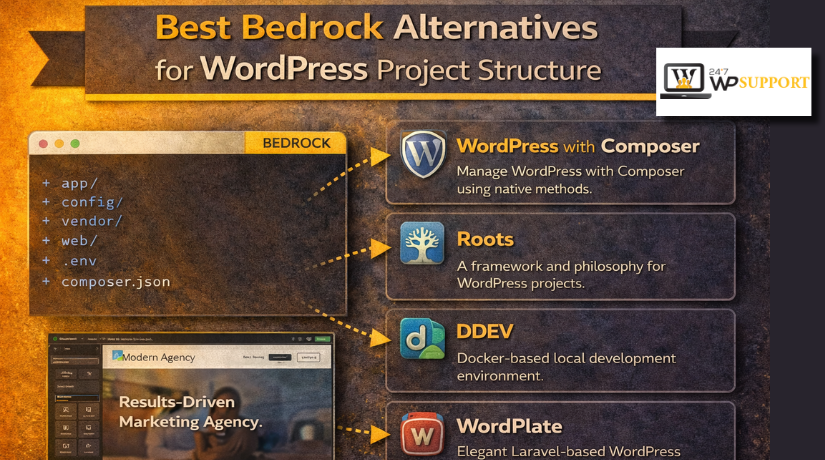
Best Bedrock Alternatives for WordPress Project Structure (Complete Guide)
Introduction
Many developers start with the default WordPress setup and manage fine at first. Over time, that setup can feel harder to control and maintain. Files grow messy, updates become risky, and deployments feel less organized. This is why many developers search for cleaner WordPress project structure alternatives. They want a setup that feels modern, stable, and easier to manage every day.
Bedrock became popular because it gave WordPress a cleaner and more professional layout. It helped developers manage code, config, and environments in a better way. Still, not every project needs the full Bedrock approach from day one. Some teams want lighter tools, while others want more flexible WordPress starter kits. That is why interest in alternatives to Bedrock for WordPress keeps growing. Many developers now compare Bedrock vs WordPress boilerplate options before starting new work. They want a stack that supports growth without adding extra setup pain.
This guide looks at that need in a practical and simple way. In this first part, you will understand what Bedrock is and why it matters. You will also learn what features matter most in modern choices. That makes the next parts easier to follow and compare clearly.
What Is Bedrock in WordPress and Why Do Many Developers Still Use It
Bedrock is a modern WordPress boilerplate made for better project structure. It gives WordPress a cleaner layout than the standard install. Instead of mixing everything in one place, it separates key parts better. That helps developers manage projects with more control and less confusion. Bedrock is often used in projects that need cleaner deployment workflows. It also supports a more secure and modern WordPress workflow. Many developers see it as one of the early steps toward better WordPress development frameworks. It does not change WordPress into another system. It simply makes WordPress easier to manage in a professional setup.
Developers use Bedrock because the default WordPress structure feels limited over time. In many normal installs, config, core, plugins, and custom code mix together. That can create problems during updates, testing, and team-based development work. Bedrock solves that by giving projects a more organized starting point. It supports Composer, which helps manage packages in a cleaner way. It also supports environment-based settings for local, staging, and live websites. This makes setup safer and reduces manual errors during deployment.
Teams also like the cleaner Git workflow that Bedrock supports. It becomes easier to track only important files in the repository. For many agencies, this saves time across many client projects. It also supports a modern WordPress workflow that feels closer to other PHP projects. That is one big reason developers compare Bedrock with many newer tools today.
What to Look for in Bedrock Alternatives for WordPress Before Choosing One
Before picking any alternative, developers should check what really matters. A good tool should improve structure, not only change folder names. It should support the way your team builds and maintains websites. It should also match your hosting, workflow, and skill level. This is why choosing among WordPress development frameworks takes more than hype. You need to focus on the features that improve real project work. The points below help you judge each option in a smart way.
Look for a Clean Project Structure That Makes Daily Work Easier
A clean structure saves time during development, updates, and bug fixing. Files should feel easy to find and easy to manage. Public files should stay separate from config and app logic. Custom code should not get buried inside unrelated core folders. This improves teamwork and reduces mistakes during future changes. Among all WordPress project structure alternatives, this is often the first thing developers notice. A good structure also makes new team members faster and more confident. Clean layout may seem small, but it affects every part of maintenance.
Check Composer Support for Better Dependency Control and Cleaner Updates
Composer support matters when projects grow beyond simple plugin installs. It helps manage WordPress core, plugins, and other packages more clearly. This makes updates easier to track and easier to repeat. It also gives better control across local and live environments. Many WordPress starter kits use Composer for this reason. Strong Composer support also helps developers avoid messy manual package handling. If your team likes clean version control, this matters a lot. For many modern teams, this is a key part of a modern WordPress workflow.
Look for Better Environment Management Across Local, Staging, and Live Sites
A strong setup should handle different environments in a safe way. Local, staging, and live sites should not share risky config habits. Each environment should use the right settings without manual edits. This lowers the chance of mistakes during testing and deployment. It also protects private values like keys and database details. Good environment handling makes projects cleaner and safer over time. This is one reason Bedrock became popular with developers first. A good alternative should offer similar comfort and control.
Choose a Setup That Supports Smooth Deployment and Team Collaboration
Deployment should feel clean, simple, and repeatable every time. A good setup should work well with Git-based workflows. It should help teams move code without moving unwanted files. This keeps releases more stable and easier to track later. It also supports team collaboration in a more organized way. When developers compare Bedrock vs WordPress boilerplate options, deployment is often a key factor. A strong workflow saves time and reduces stress during live updates. That matters even more on client sites with regular changes.
Make Sure the Alternative Matches Your Hosting Setup and Server Limits
Some stacks work well on cloud servers but not on shared hosting. Others need custom document root support or better server access. That is why hosting fit matters before choosing any tool. A strong setup should match the server environment you already use. If not, even a great stack can become hard to manage. Always check if the alternative fits your hosting style first. That simple step prevents many setup issues later.
Choose a Tool That Matches Your Team Skill Level and Daily Workflow
Some tools are simple and fast for smaller teams. Others are built for advanced developers and deeper automation. The right choice depends on who will manage the project later. If the team is small, lighter options may work better. If the team is technical, a stronger structure may be worth it. Ease of use matters because great tools still fail when setup feels confusing. The best option should support your team, not slow it down.
Check Documentation, Community Support, and Long-Term Trust Before Using It
Good documentation saves time during setup and future troubleshooting work. Active community support also helps when problems appear later. A tool may look strong today but feel abandoned tomorrow. That is why long-term trust matters in real projects. Developers should check docs, updates, and project activity before choosing. This matters even more with WordPress development frameworks and newer starter tools. A strong community gives confidence that the setup will stay useful. It also makes learning faster for new users.
List Of 5 Best Bedrock Alternatives for WordPress (Top Picks)
In this guide, we will cover alternatives to Bedrock for WordPress. Both tools help developers build cleaner and safer projects. Both also support a more modern WordPress workflow than default installs. Still, they are not the same in style or setup. If you are comparing Bedrock vs WordPress boilerplate options, these two names deserve attention. They fit developers who want better WordPress project structure alternatives without going back to a messy default setup.
#1 WordPlate
WordPlate is one of the closest tools to Bedrock in daily use. It is a Composer-based WordPress boilerplate with sensible defaults and a public directory setup. It also uses environment-based configuration, which helps teams build cleaner projects. For developers who want a strong modern WordPress workflow, WordPlate feels like a practical and polished choice.
Features
- It uses a public directory for safer file structure.
- It is built around Composer for dependency control.
- It supports environment configuration through dotenv packages.
- It includes support for must-use plugin style workflows.
- It is designed as a WordPress boilerplate with modern defaults.
Pros
- The folder layout feels cleaner than a normal WordPress install.
- Composer makes updates and package handling more organized.
- The public directory helps separate exposed files more clearly.
- It fits teams that want a modern WordPress workflow.
- It works well as one of the stronger WordPress starter kits.
Cons
- Beginners may find the setup harder than the default WordPress.
- It expects some comfort with Composer and environment files.
- Very small sites may not need this level of structure.
- Some hosting setups may need extra folder configuration.
- Non-technical site owners may not enjoy managing this stack.
Best Use Cases Where WordPlate Makes the Most Sense
WordPlate works best for custom websites, agency builds, and team-managed projects. It is also strong for projects with staging and live workflows. If your team wants cleaner deployment and better package control, it fits well. Among many WordPress development frameworks, it is a smart option for developers who want structure without leaving WordPress behind.


Download Link: WordPlate
#2 WP Starter
WP Starter is another strong option for developers who want structure and control. It is a Composer plugin built to bootstrap WordPress sites where dependencies are managed through Composer. That means it focuses heavily on setup flow and package handling. For teams that value repeatable builds, WP Starter stands out among WordPress project structure alternatives.
Features
- It bootstraps WordPress sites through a Composer-based process.
- It manages WordPress core, plugins, themes, and PHP packages.
- Its configuration lives inside the extra section of composer.json.
- It supports a command flow that runs with Composer installs.
- It is built for whole-site Composer package workflows.
Pros
- It gives strong control over dependencies from the start.
- It helps standardize setup across many WordPress projects.
- It fits advanced teams that already use Composer daily.
- It supports repeatable and cleaner install workflows.
- It is useful for teams comparing Bedrock vs WordPress boilerplate options.
Cons
- The learning curve is higher for newer WordPress users.
- It feels more technical than many simpler WordPress starter kits.
- It is less common than standard WordPress install methods.
- Teams need discipline to keep the workflow clean.
- Some developers may prefer a more visual or guided setup.
Best Use Cases Where WP Starter Works Best for Real Projects
WP Starter works best for advanced teams, agency workflows, and internal projects. It is helpful when many sites follow the same build method. It also fits teams that want strong dependency handling from day one. If your work already depends on Composer, WP Starter can support a modern WordPress workflow with better consistency across projects.
Download Link: WP Starter
#3 johnpbloch WordPress Project
johnpbloch/wordpress-project is a starter project for WordPress sites that use Composer. The project describes itself as being based heavily on Mark Jaquith’s WordPress Skeleton project. That makes it a lighter choice for developers who want structure without a larger and more fixed stack. It works well for teams that want to build their own rules around a Composer-based setup.
Features
- Composer-powered WordPress starter project.
- Ready project base for custom developer workflows.
- Flexible setup that can be shaped around team needs.
- Built from proven WordPress Skeleton ideas.
- Useful foundation for custom WordPress starter kits.
Pros of johnpbloch
- Lighter than many full WordPress development frameworks.
- Easy to extend around your own project rules.
- Good fit for custom Git and Composer workflows.
- Does not force too many fixed decisions.
- Helpful for teams that want a simple modern WordPress workflow.
Cons of johnpbloch
- Fewer built-in tools than larger boilerplates.
- More manual setup decisions for developers.
- Less polished out of the box.
- Documentation is lighter than some alternatives.
- Better for experienced users than beginners.
Best Use Cases for johnpbloch WordPress Project in Real Development Work
This option works best for custom internal starter kits, developer-led builds, lightweight Composer setups, flexible WordPress architecture, and Git-based custom workflows. Among many WordPress project structure alternatives, it fits teams that want structure but not too many fixed rules. It is especially useful when the goal is freedom with a cleaner starting point.
Download Link: johnpbloch
#4 Dudestack
Dudestack describes itself as a modern WordPress toolkit that helps developers start projects with strong tools and project structure, much like Bedrock. Its project page also says most of the stack is based on Bedrock and aims to save many hours by automating repeated setup work. That makes it a very practical choice for agencies and repeat client builds.
Features of Dudestack
- Modern WordPress toolkit for starting new projects.
- Based largely on Bedrock ideas and structure.
- One-command project start approach for faster setup.
- Automation-focused workflow for repeated tasks.
- Built for professional team and agency development.
Main Pros of Dudestack for Agencies and Repeat Project Work
- Fast project setup saves time.
- Strong fit for agency processes.
- Helps create repeatable team workflows.
- Good for structured and process-based development.
- Supports a cleaner modern WordPress workflow.
Main Cons of Dudestack Before Using It on Smaller Projects
- May feel too large for simple sites.
- Still needs developer skill and setup knowledge.
- Less common than standard WordPress methods.
- Can feel more opinionated to some teams.
- Onboarding may take extra time.
Best Use Cases for Dudestack in Professional WordPress Projects
Dudestack works best for agency builds, team-managed projects, repeat client work, process-based development, and projects where setup speed matters from the first day. For teams comparing alternatives to Bedrock for WordPress, Dudestack stands out because it focuses on automation, speed, and repeatable delivery. It is one of the more useful WordPress starter kits for agencies that build often.
Download Link: Dudestack
#5 Nebula
Nebula is presented as a modern WordPress stack, and its project page says it is heavily based on Bedrock with an eighteen73 flavor. The same overview highlights better folder structure, Composer dependency management, environment-specific configuration, Dotenv support, and an mu-plugin autoloader. That makes Nebula one of the closest Bedrock-style options in this guide for teams that want a strong long-term foundation.
Features of Nebula
- Bedrock-inspired modern WordPress stack.
- Better folder structure for project organization.
- Composer dependency management for cleaner package control.
- Environment-specific configuration with Dotenv support.
- Mu-plugin autoloader and separated web root.
Pros of Nebula
- Very close to the Bedrock mindset.
- Clean structure for long-term maintenance.
- Strong fit for team-based development.
- Useful for custom and professional builds.
- Good choice for a modern WordPress workflow.
Cons of Nebula
- Still developer-focused and not beginner-friendly.
- Some hosting setups may need changes.
- Smaller ecosystem than default WordPress.
- New teams may face a learning curve.
- Modern server requirements may not fit older environments.
Best Use Cases for Nebula in Modern WordPress Projects
Nebula works best for agency builds, long-term custom projects, structured team workflows, Composer-friendly environments, and developers who want a Bedrock-like stack with a slightly different flavor. Among many WordPress development frameworks, it fits teams that care about cleaner deployment, stronger structure, and stable project habits. It is a serious option when comparing Bedrock vs WordPress boilerplate setups for long-term work.
Download Link: Nebula
How to Choose the Right Bedrock Alternatives for WordPress
The right setup depends heavily on who will manage the project. Some teams want deep control and better package handling. Other teams want a clean setup without too much learning time. This is why team skill matters before choosing among alternatives to Bedrock for WordPress. Beginners often do better with lighter tools and simpler setup rules. Small teams may also prefer options that need less maintenance later. Advanced developers usually want stronger Composer support and better config control. They also care more about deployment flow and version tracking. If your team already uses Composer, stronger WordPress starter kits may fit well. If not, a lighter option may save time and reduce confusion. The best choice should support your team, not slow it down. Many WordPress project structure alternatives look strong on paper, but daily use tells the real story.
Alternative Based on Project Size and Long-Term Goals
Project size also changes what the right setup looks like. Small websites usually do not need a heavy development stack. A simple structure may work better and stay easier to maintain. Medium projects often need a balance between clean structure and setup speed. Large custom websites usually need better package control and safer deployment. This is where modern WordPress workflow choices become more important. Bigger projects often include custom themes, plugins, staging, and live releases. That means structure matters more over time. If the site will grow for years, a stronger setup makes sense. If the site is short term, a lighter option may be better. This is a key point when comparing Bedrock vs WordPress boilerplate choices. The more serious the project becomes, the more structure starts to matter.
Bedrock Alternative That Fits Your Hosting Environment and Server Setup
Hosting is one of the most important parts of this decision. Some tools work well on cloud servers and VPS setups. Others are easier to manage on shared hosting plans. Some stacks also expect custom document root support from the server. If your hosting does not allow that, setup can become harder. This is why the best WordPress project structure alternatives should match hosting reality. A great tool can still become a poor choice on the wrong server. Always review your current hosting before picking a stack. Think about file paths, server access, and deployment habits. If the project uses managed hosting, keep things practical and simple. If the project uses full server control, stronger WordPress development frameworks may fit better. Good hosting fit saves time, reduces setup pain, and avoids future problems.
Based on the Workflow Your Team Uses for Deployment, Updates, and Daily Maintenance
Workflow needs are just as important as features and folder structure. Some teams update websites manually and keep things very simple. Other teams use Git, staging sites, and repeatable deployment steps. Those teams usually need cleaner project control from the start. This is one reason modern WordPress workflow choices matter so much today. If your team works across several environments, structure becomes more valuable. If many developers touch the same project, cleaner rules help even more. A good setup also helps during updates, testing, and troubleshooting. It keeps the project easier to manage as changes grow. This matters when choosing between simple WordPress starter kits and stronger boilerplates. The right stack should match how your team already builds and ships work. That makes project growth smoother and less stressful later.
Conclusion
Bedrock is still a strong choice for serious WordPress projects today. It gives developers a cleaner layout and a better working base. It also supports stronger deployment habits and safer project management. Still, it is not the only smart option anymore. Many useful WordPress project structure alternatives now serve different project needs. Some are lighter and easier to shape around your team. Some focus more on automation and repeated agency work. Some stay very close to the Bedrock mindset and workflow. This is why Bedrock vs WordPress boilerplate decisions should never be rushed. The right answer depends on team skill, hosting setup, workflow style, and project goals. Good structure saves time, reduces errors, and improves long-term maintenance. That is why choosing the right setup matters from the beginning. When the base is clean, the whole project becomes easier to manage.
If you are still unsure which setup fits your website best, expert help can save time. A wrong structure choice can slow development and create future problems. A better setup can improve updates, deployment, maintenance, and team workflow. If you need help with WordPress starter kits, Composer-based setup, or cleaner deployment, 24x7wpsupport can help. Our team supports custom WordPress builds, setup planning, troubleshooting, and technical improvements. We can also help if you want to move from a default setup to a more modern WordPress workflow. Whether you need help comparing WordPress development frameworks or setting up one from scratch, we are here to support your project. Contact 24x7wpsupport for expert help with better structure, safer setup, and smoother WordPress development.

Brian is a WordPress support specialist and content contributor at 24×7 WP Support. He writes practical, easy-to-follow guides on WordPress troubleshooting, WooCommerce issues, plugin and theme errors, website security, migrations, performance optimization, and integrations. With a focus on solving real website problems, Brian helps business owners, bloggers, and online store managers keep their WordPress sites running smoothly.
