
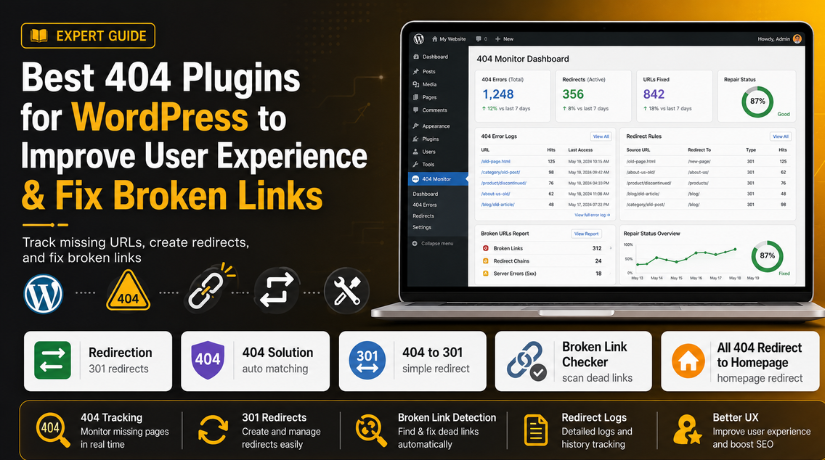
Best 404 Plugins for WordPress to Improve User Experience & Fix Broken Links
Introduction
A 404 error is a common issue on many WordPress websites. It appears when a visitor opens a page that no longer exists. The page may be deleted, moved, renamed, or changed during updates. Sometimes, the visitor may also type the wrong URL. This error may look small at first. But it can create a poor browsing experience for users. When visitors see a missing page, they may leave your website quickly. This can reduce trust and engagement. It can also waste traffic coming from Google, social media, emails, and old backlinks. That is why many website owners use the best 404 plugin for WordPress to manage these errors.
A good plugin helps track missing pages, fix broken links, and redirect users to the right place. It also saves time because you do not need to check every URL manually. If your website has many posts, products, or service pages, a WordPress 404 error plugin can make error management much easier. It helps you keep your website clean, helpful, and user-friendly.
What Is a 404 Error in WordPress and Why Does It Appear?
A 404 error means the requested page was not found. Your website server is working correctly. But the exact page URL is missing or unavailable. For example, a visitor may open an old blog post link. If that post was deleted, WordPress may show a 404 page. The same issue can happen after changing permalinks. It can also happen when a page slug is updated without a redirect.
This is why many site owners need a 404 redirect plugin WordPress solution. It helps send users from old URLs to new working pages. A 404 error does not always mean your website is broken. It only means that one specific URL cannot be found. Still, too many 404 errors can create problems for visitors and search engines. They make your website look poorly maintained. They can also stop users from reaching important pages, products, or forms.
Why Do You Need a 404 Plugin for WordPress?
It Helps You Track Broken URLs Easily
A 404 plugin helps you find missing URLs quickly. It records pages that visitors try to open but cannot access. Without a plugin, you may not know which URLs are broken. This makes the issue harder to fix. A good WordPress error tracking plugin shows these errors inside your dashboard. You can then review them and take proper action.
It Helps Redirect Old URLs to Useful Pages
Old URLs can still get traffic from Google, emails, and backlinks. When these URLs break, visitors may leave your website. A 404 redirect plugin WordPress tool helps send users to better pages. You can redirect them to updated posts, service pages, or product categories. This keeps visitors moving through your website smoothly.
It Helps Improve User Experience
Visitors do not like landing on missing pages. A 404 page can make them feel confused or stuck. A plugin helps guide users to working pages. This creates a better browsing experience. When users find helpful content quickly, they stay longer. This is one major reason to use the best 404 plugin for WordPress.
It Helps Protect Valuable Website Traffic
Your old links may still appear in search results. They may also exist on social media or other websites. If these links show 404 errors, your traffic gets wasted. A plugin helps recover this lost traffic with proper redirects. You can send visitors to relevant pages instead of losing them completely.
It Helps Support Better SEO Maintenance
404 errors do not always hurt SEO directly. But too many broken URLs can create poor site quality signals. They can also waste crawl time and break internal linking paths. A WordPress 404 error plugin helps you monitor these issues. It allows you to fix important broken URLs before they affect performance.
It Helps Save Time on Manual Checking
Checking every page manually takes too much time. Large websites may have hundreds of posts, pages, or products. A plugin makes this process easier. It tracks missing URLs automatically and shows them in one place. This saves time for website owners, SEO teams, and developers.
It Helps WooCommerce Stores Reduce Lost Sales
WooCommerce stores often remove old products or update product slugs. These changes can create 404 errors. If shoppers land on missing product pages, they may leave. A plugin can redirect them to related products or categories. This helps improve shopping flow and reduce lost sales.
Best Features to Look for in a WordPress 404 Plugin
404 Error Tracking Should Show Missing URLs Clearly
A good WordPress 404 error plugin should track missing URLs clearly. It should show which pages visitors tried to open. This helps you understand where users face problems. Without tracking, you may not know which links are broken. A clear report helps you fix important errors first. This feature is very useful for blogs, business sites, and stores. It also helps you manage errors after migrations or permalink changes. The best 404 plugin for WordPress should make tracking simple and easy.
301 Redirect Support Should Help Move Old URLs Properly
A 301 redirect tells browsers that a page moved permanently. This is important when you change a page URL. A good 404 redirect plugin WordPress tool should support 301 redirects. It helps send visitors from old URLs to new pages. This keeps users from seeing broken pages. It also helps preserve value from old backlinks. You can use it after deleting, renaming, or merging content. Proper redirects help you fix 404 errors WordPress issues without confusing visitors.
Easy Redirect Management Should Save Time for Website Owners
Your plugin should make redirect management simple. You should add, edit, pause, or delete redirects easily. The dashboard should not feel difficult for beginners. A simple layout helps users manage errors faster. This is useful when many URLs change together. It also helps during website redesigns or content updates. A good plugin should show source and destination URLs clearly. This makes it easier to avoid wrong redirects. Better control means better user experience and cleaner website navigation.
Broken Link Detection Should Help Find Dead Links Inside Content
Broken links can appear inside posts, pages, menus, and product descriptions. A broken link checker WordPress plugin helps find these links quickly. It checks internal and external links across your website. This helps you update links before users click them. Broken links can make content look outdated. They can also send visitors to missing pages. A link checker saves time and improves content quality. It is very useful for content-heavy WordPress blogs. It also helps agencies manage client websites better.
Redirect Logs Should Help You Understand Repeated Errors
Redirect logs show how often broken URLs appear. They help you find repeated 404 problems. Some errors may happen only once. Others may happen many times daily. A good plugin should help you identify high-priority errors. This makes your repair process more focused. You can fix pages that affect real users first. Logs also help during SEO audits and migration checks. A strong WordPress error tracking plugin should keep records in a clear way. It should also allow cleanup when logs become too large.
Bulk Redirect Options Should Support Large Website Changes
Bulk redirect tools are useful for large websites. They help you manage many URLs at one time. This feature is helpful during migrations, redesigns, or permalink updates. You can import redirects instead of adding them manually. You can also export rules for backup or review. Agencies often need this feature for client websites. WooCommerce stores may also need bulk redirects for product changes. A good plugin should support CSV import and export where possible. This saves time and reduces manual mistakes.
Automatic Redirect Suggestions Should Reduce Manual Work
Some plugins can suggest matching pages for broken URLs. This feature helps when old and new URLs look similar. It can save time for non-technical users. For example, a plugin may match a changed post slug. It may also detect small spelling differences in URLs. This helps visitors reach the closest useful page. However, automatic redirects should be checked carefully. Wrong redirects can confuse users and search engines. The best 404 plugin for WordPress should give smart suggestions. But it should still allow manual control.
Lightweight Performance Should Keep Your Website Fast
A plugin should fix errors without slowing your website. Heavy plugins can affect speed and user experience. This matters more for WooCommerce and high-traffic blogs. A good plugin should use clean code and simple reports. It should not run heavy scans all the time. Link scans should be scheduled carefully. Redirect rules should also load quickly. Website speed is important for visitors and conversions. So, choose a plugin that balances features and performance. A fast plugin helps you manage errors safely.
Notification System Should Alert You About Important Errors
A notification system helps you act quickly. Some plugins send email alerts for repeated 404 errors. Others show dashboard notices inside WordPress. This helps you catch problems before they grow. Notifications are useful after updates, migrations, or product changes. They also help teams manage websites more easily. You should not depend only on manual checks. A plugin with alerts keeps you informed. This is useful when broken URLs affect important pages. Quick action can protect users, traffic, and conversions.
Compatibility With SEO and WordPress Plugins Should Be Strong
Your 404 plugin should work well with other tools. It should support popular SEO plugins like Rank Math, Yoast SEO, and AIOSEO. It should also work with WooCommerce and caching plugins. Poor compatibility can create redirect conflicts or tracking issues. This may confuse visitors and website owners. Always choose a plugin that receives regular updates. Check if it supports your current WordPress version. Good compatibility makes your website easier to maintain. It also helps you redirect 404 pages WordPress users without technical issues.
List of 5 Best 404 Plugins for WordPress (Detailed Guide)
Choosing the right plugin can make 404 handling much easier. Each plugin has a different purpose. Some plugins help track 404 errors. Some plugins help create redirects. Others work as a broken link checker WordPress plugin for old content. You should choose the tool based on your website size, traffic, SEO needs, and technical comfort.
#1 Redirection By John Godley
Redirection is one of the most popular plugins for managing 404 errors and redirects. It helps you track missing URLs and create proper 301 redirects from the WordPress dashboard. This plugin is useful for blogs, business websites, agencies, and WooCommerce stores. It is a strong choice if you need the best 404 plugin for WordPress for long-term URL control.
Features
- Tracks 404 errors inside the WordPress dashboard.
- Helps create and manage 301 redirects easily.
- Supports conditional redirects for advanced use.
- Allows import and export of redirect rules.
- Shows redirect logs for better error tracking.
Pros
- It is free and widely used by WordPress users.
- It works well for small and large websites.
- It helps fix broken URLs after website migration.
- It gives better control over redirect rules.
- It supports strong SEO maintenance for changed URLs.
Cons
- Some advanced settings may confuse new users.
- Manual redirect setup can take extra time.
- Large logs may need regular cleanup.
- It is not mainly a full link scanner.
- Wrong redirect rules can create user confusion.
Download Link: Redirection
#2 404 Solution


404 Solution is a useful WordPress 404 error plugin for automatic redirect handling. It tracks missing URLs and sends visitors to the closest matching page. This can help when users open mistyped URLs or old links. It is helpful for website owners who want simple error handling without creating every redirect manually.
Features
- Automatically redirects 404 pages to matching content.
- Tracks 404 errors and stores useful logs.
- Supports smart URL matching for similar pages.
- Allows manual redirect control when needed.
- Helps handle spelling mistakes in broken URLs.
Pros
- It reduces lost traffic from broken URLs.
- It is beginner-friendly and easy to set up.
- It helps users reach useful pages faster.
- It works better than homepage-only redirects.
- It is helpful after URL changes or site updates.
Cons
- Automatic redirects may need manual review.
- It may not always choose the best page.
- It may not suit every SEO strategy.
- Large websites may need careful settings.
- Manual redirect plugins give stronger control.
Download Link: 404 Solution
#3 404 to 301
404 to 301 is a simple 404 redirect plugin WordPress users can use for missing pages. It helps redirect 404 errors to a selected page using 301, 302, or 307 redirects. This plugin is useful for beginners who want a quick setup. It can also send alerts and keep basic error logs.
Features
- Redirects 404 pages to a selected destination.
- Supports 301, 302, and 307 redirect types.
- Keeps logs of 404 error activity.
- Sends email alerts for missing page issues.
- Allows users to choose a custom redirect page.
Pros
- It is simple and easy to configure.
- It works well for small WordPress websites.
- It supports different redirect types.
- It helps beginners manage missing pages quickly.
- It can notify users about repeated 404 errors.
Cons
- Redirecting all 404s may confuse visitors.
- It is not ideal for advanced SEO cleanup.
- It offers fewer smart redirect options.
- It may hide the real broken link issue.
- It is less flexible than advanced redirect tools.
Download Link: 404 to 301
#4 Broken Link Checker
Broken Link Checker is a helpful plugin for finding dead links across WordPress content. It checks posts, pages, comments, and other website areas. It helps detect broken internal links, external links, and missing media. This tool is useful when you want to fix 404 errors WordPress issues caused by old or outdated content.
Features
- Scans internal links across website content.
- Checks external links pointing to other websites.
- Detects missing images and broken media links.
- Shows broken link reports inside WordPress.
- Allows bulk link editing from one place.
Pros
- It is great for content-heavy websites.
- It saves time on manual link checking.
- It helps improve user experience.
- It supports better SEO maintenance.
- It makes broken links easier to update.
Cons
- It is not mainly a redirect manager.
- Large scans may need careful handling.
- It may need proper setup on big websites.
- It may not replace a 404 redirect plugin.
- Beginners may need time to review reports.
Download Link: Broken Link Checker
#5 All 404 Redirect to Homepage
All 404 Redirect to Homepage is a basic plugin for handling missing pages. It redirects all 404 pages to the homepage or another selected URL. It is easy to use and needs very little setup. However, it should be used carefully because sending every broken page to the homepage may not always improve user experience.
Features
- Redirects all 404 pages automatically.
- Supports 301 redirects for missing pages.
- Allows homepage redirect setup.
- Supports custom destination URL settings.
- Provides a simple settings panel.
Pros
- It is very easy for beginners.
- It has a quick setup process.
- It works well as a temporary fix.
- It has no complex settings.
- It can help small websites manage basic errors.
Cons
- Homepage redirects may confuse visitors.
- It is not ideal for large websites.
- It does not fix original broken links.
- It has limited reporting features.
- It is not best for advanced SEO needs.
Download Link: All 404 Redirect to Homepage
How to Choose the Right 404 Plugin for Your Website
Choosing the right 404 plugin depends on your website needs. Every website has a different issue and goal. Some websites need simple redirect support. Some need full error tracking and broken link reports. Some WooCommerce stores need product URL redirects. So, always choose the plugin based on your main problem. This helps you avoid extra tools and wrong settings.
Choose a Plugin Based on Your Main 404 Error Problem
Start by understanding your main 404 issue clearly. If you need full redirect control, choose Redirection. It helps manage old and new URLs properly. If you need automatic matching, choose 404 Solution. It helps redirect users to similar working pages. If you need simple redirects, choose 404 to 301. It works well for small websites and basic needs. If your content has many dead links, use Broken Link Checker. It helps find broken links inside posts and pages.
Choose a Plugin Based on Your Website Size and Content Volume
Small websites usually need a simple 404 setup. A basic plugin can handle a few missing URLs easily. Large websites need more control, logs, and reports. Blogs with hundreds of posts need broken link checks often. WooCommerce stores also need careful product URL management. Agencies may need bulk import and export options. A growing website should choose a flexible plugin early. This saves time when your website content increases later.
Choose a Plugin Based on Your SEO and Redirect Needs
Your SEO needs should guide your plugin choice. A good WordPress 404 error plugin should support proper redirects. Relevant redirects are always better than homepage redirects. For example, redirect an old product to a similar product. Redirect an old blog post to a related blog post. Avoid sending every missing URL to your homepage. This may confuse visitors and search engines.
Choose a Plugin Based on Better User Experience
User experience should always come first. Visitors should not land on random or unrelated pages. They should reach helpful content after clicking old links. The best 404 plugin for WordPress should guide users smoothly. It should help visitors continue browsing without frustration. If a service page is removed, redirect it properly. Send users to a related service or main service page. If a product is deleted, redirect users to a similar product. This keeps users engaged and builds better trust.
Choose a Plugin Based on Your Technical Skill Level
Beginners should choose plugins with simple settings. They should avoid complex redirect rules at first. A simple dashboard makes error fixing easier. Developers and agencies may need advanced redirect controls. They may use regex, logs, import tools, and conditions. But advanced features should be used carefully. Wrong rules can break important website paths. Choose a plugin that matches your comfort level. This helps you manage errors without creating new problems.
Choose a Plugin Based on WooCommerce Store Requirements
WooCommerce stores need special care with 404 errors. Product pages change more often than normal pages. Products may go out of stock or get deleted. Categories may also change during store updates. In these cases, you should redirect 404 pages WordPress users carefully. Send old product URLs to related products or categories. You can also redirect them to replacement products. For general product issues, use the main shop page. This helps reduce lost sales and improves shopping flow.
Choose a Plugin Based on Website Speed and Performance
Performance matters when choosing any WordPress plugin. A heavy plugin can slow down your website. This can affect visitors and conversions. Avoid installing many plugins for the same task. Use one redirect plugin for redirect management. Use one broken link checker WordPress plugin only when needed. Schedule heavy scans during low-traffic hours. Clean old logs from time to time.
Conclusion
404 errors are common on WordPress websites. But you should not ignore them. Missing pages can confuse visitors and waste useful traffic. They can also make your website look outdated. A good WordPress error tracking plugin helps you find these issues quickly. It shows broken URLs and helps you fix them properly. A redirect plugin can send users to helpful pages. This improves user experience and protects valuable visits.
For most websites, Redirection is a strong overall choice. It gives better control over redirects and error logs. Broken Link Checker is helpful for content-heavy websites. It finds dead links inside posts and pages. 404 Solution is useful for automatic matching and simple handling. 404 to 301 is good for basic redirect needs. All 404 Redirect to Homepage works best as a temporary fix only. Choose the plugin that matches your website goals. Keep redirects relevant, simple, and easy to manage.
If your WordPress website has broken links, missing pages, or redirect problems, 24x7WPSupport can help. Our WordPress experts can check your website carefully. We can fix 404 errors, set proper redirects, clean broken links, and improve your website experience. We can also help with plugin setup, SEO checks, and WordPress maintenance.

Brian is a WordPress support specialist and content contributor at 24×7 WP Support. He writes practical, easy-to-follow guides on WordPress troubleshooting, WooCommerce issues, plugin and theme errors, website security, migrations, performance optimization, and integrations. With a focus on solving real website problems, Brian helps business owners, bloggers, and online store managers keep their WordPress sites running smoothly.
