
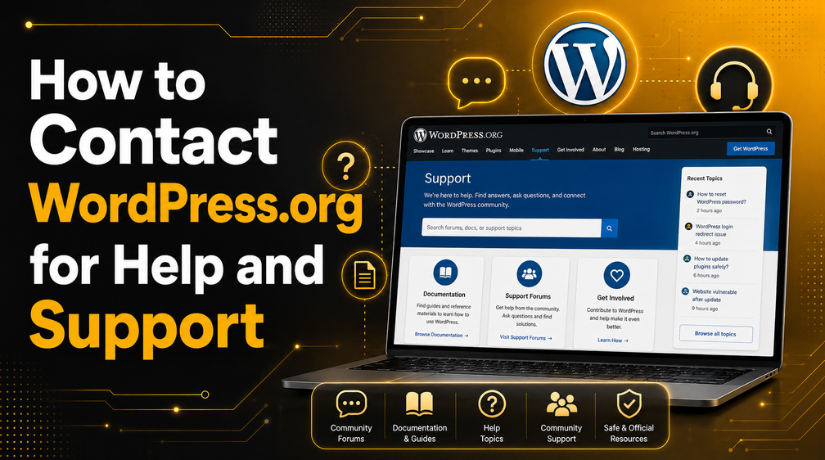
How to Contact WordPress.org for Help and Support
If you’re running a self-hosted WordPress website and something goes wrong — a plugin breaks, an error pops up, or you can’t figure out how to do something — your first instinct might be to search for a phone number or email address for WordPress. Here’s the thing: WordPress.org doesn’t work like a typical software company with a customer service hotline. And once you understand why, getting the help you need becomes a whole lot easier.
WordPress.org is an open-source platform maintained by a global volunteer community. That means there’s no single company you call to complain. Instead, there’s a rich ecosystem of free support resources, active community forums, and professional services designed to help you solve virtually any problem. In this guide, we’ll walk you through every official channel for contacting WordPress.org and getting the help you need in 2026.
WordPress.org vs WordPress.com: Why Support Works Differently
Before diving into support options, it helps to understand a common point of confusion. There are two very different platforms that both use the “WordPress” name:
WordPress.com is a hosted website builder run by a company called Automattic. When you sign up for WordPress.com, you’re using a commercial service — and Automattic provides customer support through live chat, email tickets, and their help center.
WordPress.org is the home of open-source WordPress software that you download and install on your own hosting. There is no company “behind” WordPress.org in the traditional support sense. If you’re using a self-hosted WordPress site (meaning you bought hosting separately and installed WordPress yourself), this article is specifically for you.
Understanding this distinction saves a lot of frustration. If you’ve been trying to reach “WordPress customer support” and getting no useful response, it may be because you’re looking for the wrong thing. To learn more about this distinction, check out our in-depth article on What Is WordPress and How It Works.
The WordPress.org Support Forums
The official and primary support channel for WordPress.org is the community-run support forums at wordpress.org/support. This is where the majority of WordPress help requests are posted and answered — by real volunteers, core contributors, and in some cases, plugin and theme developers themselves.
How to Use the Forums Effectively
Before posting, always search the existing threads. The forums have been active for many years, and there’s a good chance your question has already been answered. Use specific keywords — for example, “white screen of death after update” rather than just “my site broke.”
If you can’t find your answer, click the Add new topic button after selecting the relevant forum category. There are dedicated areas for:
- Installation and general WordPress usage
- Specific plugins (each plugin has its own support forum on the directory)
- Specific themes (listed under the theme directory)
- Networking and multisite setups
When posting, include as much detail as possible: your WordPress version, which plugins are active, any error messages you see, and what you’ve already tried. Vague posts tend to get vague (or no) answers. A good rule of thumb: imagine you’re describing the problem to a developer who can’t see your screen.
Response Times and Expectations
The forums are community-driven, which means response times vary. For popular plugins and common problems, you might get an answer within hours. For niche issues or obscure setups, it could take longer. Volunteers respond when they have time — they’re not on a support SLA. Be patient and polite; the people helping you are doing so for free.
WordPress.org Official Documentation
A huge percentage of support questions can be resolved without posting at all — just by reading the official documentation. WordPress.org maintains two key documentation hubs:
The User Documentation Hub
The user docs at wordpress.org/documentation cover everything from installing WordPress for the first time to managing themes, plugins, users, and the Block Editor. The docs are updated by the Documentation Team and are written for non-technical users. If you’ve just installed WordPress and you’re not sure where to start, the user documentation is your first stop.
The Developer Documentation
For developers and technically inclined users, developer.wordpress.org is the comprehensive reference for the WordPress codebase, REST API, plugin development, theme development, and Block Editor (Gutenberg) development. The old WordPress Codex (codex.wordpress.org) is largely deprecated in favor of these newer docs, though some older content is still available there for reference.
WordPress Slack Community
For real-time communication and collaboration, the WordPress project uses Slack. You can join the community Slack workspace at make.wordpress.org/chat. This is not a traditional “contact support” channel — it’s primarily used for contributing to the WordPress project itself — but it can be incredibly useful if you want to engage with core contributors, ask questions about development, or get involved in specific teams like the Support Team, Documentation Team, or Accessibility Team.
The #forums channel in WordPress Slack is where the Support Team coordinates. The #core channel is where core development happens. There are dozens of specialized channels covering everything from the block editor to marketing to training. This is the heartbeat of the WordPress contributor community in 2026, and being active here will give you access to some of the sharpest WordPress minds on the planet.
IRC: The Original WordPress Chat Channel
Long before Slack, the WordPress community used IRC (Internet Relay Chat) for real-time discussion. The #wordpress IRC channel on Libera.Chat (irc.libera.chat) still exists and is still active, particularly among older contributors and users who prefer IRC over Slack. The WordPress Make team maintains an IRC support channel guide at make.wordpress.org/support/irc-support-channel.


To join, you’ll need an IRC client (or you can use a browser-based client like Kiwi IRC). While IRC use has declined compared to Slack, it remains a legitimate way to get help from knowledgeable community members, especially for quick technical questions.
WordPress Stack Exchange
One of the most underrated resources for WordPress help is wordpress.stackexchange.com. Stack Exchange is a question-and-answer platform where users earn reputation for giving and receiving helpful answers. The WordPress Stack Exchange has an enormous archive of solved questions covering everything from WP_Query to custom post types to plugin development.
The quality of answers here tends to be high because the reputation system incentivizes accurate, well-reasoned responses. However, Stack Exchange is best suited for specific, well-defined technical questions rather than open-ended discussions. Before posting, read their guidelines carefully — off-topic or vague questions get closed quickly.
Getting Help From Your Hosting Provider
If your problem is related to your server environment rather than WordPress itself — things like PHP version compatibility, database errors, SSL issues, or email configuration — your hosting provider may be better placed to help than the WordPress forums. Most reputable WordPress hosts in 2026 have dedicated WordPress support teams who understand the platform deeply.
Check what level of WordPress support your host offers. Some managed WordPress hosting providers (like Kinsta, WP Engine, or Flywheel) offer hands-on WordPress help as part of their service. Shared hosting providers typically handle server-level issues only and won’t debug your theme or plugin conflicts — but they can help with things like restoring from a backup or increasing PHP memory limits.
When your hosting provider can’t help and the issue seems site-specific, head back to the WordPress.org forums or consider hiring a professional. If you’re not sure whether your site is even using WordPress correctly, our guide on Is WordPress Free to Use? Complete Guide to WordPress Costs can help you understand the full landscape of what you’re working with.
Plugin and Theme-Specific Support
Many WordPress issues aren’t caused by WordPress itself — they’re caused by a specific plugin or theme. Each free plugin and theme listed in the WordPress.org directory has its own dedicated support forum, accessible directly from its directory page at wordpress.org/plugins/[plugin-name] or wordpress.org/themes/[theme-name].
For premium plugins and themes (those purchased from third-party marketplaces or developer websites), support is typically provided by the developer directly through their website, a ticketing system, or a private community. Check the documentation that came with your purchase for details on how to submit support requests.
A few things to know: support on the WordPress.org directory forums is provided on a “best effort” basis. Plugin developers are not obligated to reply, though most active plugins have responsive authors. If a plugin hasn’t been updated in over a year and has few support replies, consider whether it’s still maintained.
The WordPress.org Bug Tracker
If you’ve discovered what appears to be an actual bug in WordPress core — not a plugin conflict, not a theme issue, but something broken in WordPress itself — the place to report it is core.trac.wordpress.org. This is the official issue tracker for WordPress core development. You can search existing tickets to see if the bug is already known, and if not, file a new bug report.
Filing a good bug report means including: the WordPress version, the steps to reproduce the issue, what you expected to happen, and what actually happened. Screenshots and error logs help enormously. Core contributors review Trac regularly, and confirmed bugs get triaged and assigned to developers for future releases.
When to Hire Professional WordPress Support
There are times when community support isn’t the right answer — not because the community isn’t helpful, but because your situation calls for hands-on, professional attention. If you’re running an e-commerce store and your checkout is broken, you can’t afford to wait for a forum reply. If your site was hacked and you’re dealing with a security incident, you need expert help now.
This is exactly where professional WordPress support services come in. At 24×7 WP Support, we’ve helped hundreds of site owners resolve issues that the forums couldn’t — from complex plugin conflicts to malware removal to full site migrations. Our team is available around the clock and we specialize exclusively in WordPress. If you need help building your site from the ground up, our article on How to Build a WordPress Website from Scratch is a great place to start understanding what’s involved.
Whether you’re stuck on something simple or facing a crisis, don’t let a WordPress problem slow down your business. Contact the 24×7 WP Support team today — we offer fast, expert WordPress help with no contracts required. Our support specialists are ready to step in and solve your problem so you can get back to what matters most: running your site.
Related posts:

Brian is a WordPress support specialist and content contributor at 24×7 WP Support. He writes practical, easy-to-follow guides on WordPress troubleshooting, WooCommerce issues, plugin and theme errors, website security, migrations, performance optimization, and integrations. With a focus on solving real website problems, Brian helps business owners, bloggers, and online store managers keep their WordPress sites running smoothly.
