
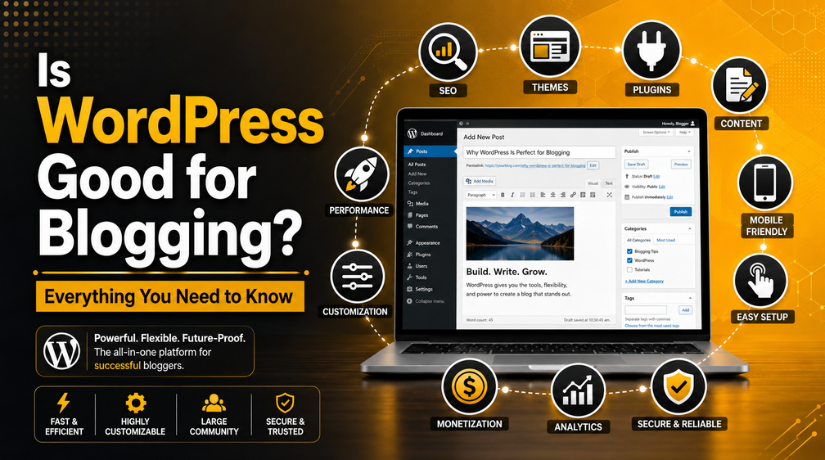
Is WordPress Good for Blogging? Everything You Need to Know
Introduction
If you’re thinking about starting a blog in 2026, one question keeps coming up: is WordPress really worth it? With so many platforms competing for your attention — Substack, Ghost, Medium, Wix — it’s a fair question. The short answer is yes, WordPress remains the gold standard for serious bloggers. But like any platform, it comes with trade-offs worth understanding before you commit.
This guide walks you through everything you need to know: what makes WordPress excellent for blogging, where it falls short, how it stacks up against the alternatives, and how to set yourself up for long-term success.
Why WordPress Still Dominates the Blogging World in 2026
The numbers speak for themselves. WordPress powers 43.5% of all websites on the internet — that’s not a niche tool, that’s a platform that has proven itself across millions of use cases. More specifically, WordPress commands 62.8% of the entire CMS market, and among professional bloggers, the adoption rate is even more striking: 97% of full-time bloggers choose WordPress over any other platform.
These aren’t just impressive statistics — they reflect something real. WordPress has survived and thrived through the rise of mobile, social media, AI, and half a dozen “WordPress killers” that never quite killed it. In 2026, it released its 7.0 update (April 9, 2026), introducing native AI integration through the WP AI Client, a Connectors system for managing AI providers, and real-time collaboration in the block editor. The platform keeps evolving while staying accessible to everyday bloggers.
The blogging ecosystem built around WordPress — 60,000+ plugins, thousands of themes, an enormous community — means that virtually any feature you want already exists and is well-documented. That’s a compounding advantage that newer platforms simply can’t match yet.
Full Ownership: The Biggest Reason Bloggers Choose WordPress
Here’s the core difference between WordPress and most alternatives: with WordPress (specifically WordPress.org, the self-hosted version), you own everything. Your content, your audience data, your domain, your design — all of it belongs to you.
Compare that to writing on Medium, where the platform can change its monetization rules overnight, or Substack, which takes a 10% cut of all subscription revenue. Or consider what happens when a closed platform shuts down or changes its algorithm — your audience can evaporate.
When you host a WordPress blog on your own server, you can back it up, migrate it, restructure it, or sell it. Your email list is your email list. Your search rankings are tied to your domain, not the platform’s. This level of control matters enormously once your blog starts generating meaningful traffic or revenue.
WordPress SEO Advantages: Built for Long-Term Organic Growth
For bloggers who rely on search traffic — which is most serious bloggers — WordPress offers a level of SEO control that closed platforms can’t match. You control your URL structure, your title tags, your meta descriptions, your internal linking, your schema markup, your image alt text, your site speed settings, and your canonical tags. Nothing is locked behind platform decisions.
Yoast SEO and the Plugin Ecosystem
Plugins like Yoast SEO and Rank Math give WordPress bloggers a comprehensive on-page SEO toolkit built directly into the editor. You can analyze keyword density, readability, focus keyphrases, and technical SEO signals in real time while you write. This kind of integrated workflow is something platforms like Substack or Medium simply don’t offer.
Site Speed and Core Web Vitals
WordPress also gives you full control over performance — a critical factor in search rankings since Google’s Core Web Vitals became a ranking signal. With the right hosting, caching plugins, and image optimization tools, a WordPress blog can load in under two seconds and score well across every performance metric. Medium or Substack handle this for you, but you have no say in the outcome.
For a deeper look at how to keep your WordPress site secure and well-maintained — which directly impacts SEO trust signals — read our guide on everything you need to know about WordPress security.
Monetization Flexibility That Closed Platforms Can’t Touch
One of the most compelling reasons to blog on WordPress in 2026 is the sheer range of ways you can earn money. Most platforms limit you to one or two revenue models. WordPress supports them all simultaneously.
Multiple Revenue Streams on One Site
With WordPress, you can run display advertising (Google AdSense, Mediavine, AdThrive), affiliate marketing programs, digital product sales (courses, eBooks, templates), paid memberships and subscriptions, sponsored content, and even physical product sales through WooCommerce — all from the same site, without paying platform fees on your revenue.
By contrast, Substack charges 10% of all subscription revenue. Medium’s partner program pays per read, with limited earning potential and no control over the algorithm that decides who sees your work. WordPress puts every monetization decision in your hands.
Building a Real Asset
A WordPress blog is a business asset you can sell. Established blogs regularly sell for 30-40x monthly revenue on marketplace platforms. That kind of exit isn’t available if your content lives on someone else’s platform. Many serious bloggers view their WordPress site not just as a publishing tool but as a long-term financial asset — and 2026’s AI-driven content tools make scaling a blog faster than ever.
How WordPress Compares to the Alternatives
It’s worth being honest about where WordPress sits relative to other platforms, because it isn’t the right choice for everyone.
WordPress vs. Substack
Substack is genuinely excellent if you’re newsletter-first and want zero setup friction. It has a built-in discovery network, handles payment processing automatically, and lets you start writing immediately. The trade-off: Substack takes 10% of all subscription revenue, you can’t truly own your audience relationship the way you can on a self-hosted site, and your SEO potential is constrained. For bloggers who want to grow through organic search, WordPress wins clearly.
WordPress vs. Ghost
Ghost is the most serious technical competitor to WordPress for content-focused sites. It’s faster out of the box, handles memberships natively, takes zero revenue cut, and is built specifically for publishers. If you’re running a subscription-based publication and want a cleaner, simpler setup than WordPress, Ghost deserves consideration. Where WordPress wins: plugins, themes, e-commerce capabilities, and the sheer depth of community support.
WordPress vs. Medium
Medium is best understood as a distribution channel, not a blogging home base. Publishing on Medium can give your content exposure through their existing audience, but you have no SEO ownership, no email list control, no monetization flexibility, and no brand identity. Experienced bloggers sometimes cross-post to Medium for reach while hosting their primary content on WordPress.


The Real Learning Curve: What to Expect as a New Blogger
WordPress isn’t the simplest platform to start with — and it’s worth being upfront about that. Platforms like Squarespace or even Substack will get you publishing faster with less friction. Setting up a self-hosted WordPress site involves choosing hosting, installing WordPress, picking and customizing a theme, installing essential plugins, and learning the block editor.
That said, the learning curve is far less steep than it used to be. WordPress 7.0’s full-site editing capabilities mean you can now customize headers, footers, page templates, and global styles directly in the editor without touching any code. Most reputable hosts offer one-click WordPress installation. And the community is so large that every question you’ll ever have is already answered in a forum, blog post, or YouTube tutorial.
Think of the initial setup as a one-time investment. Once you’ve learned it, managing and publishing on WordPress becomes genuinely easy — and you’re building on a foundation that scales with you.
Choosing the right theme from the start makes a huge difference in how that experience feels. See our roundup of the most popular WordPress themes to find one that suits your blogging style and niche.
Essential Plugins Every WordPress Blogger Needs in 2026
One of WordPress’s biggest strengths is its plugin ecosystem — but that same abundance can overwhelm new bloggers. Here are the categories that matter most, without overloading your site.
SEO
Yoast SEO or Rank Math are the two dominant choices. Both provide on-page SEO analysis, XML sitemap generation, schema markup, and social media previews. Pick one and stick with it — you don’t need both.
Security
Since 96% of WordPress vulnerabilities originate from plugins and themes, a dedicated security plugin is non-negotiable. Wordfence is the most widely used, offering a firewall, malware scanner, and login protection. For a comparison of the best options, see our guide to the top WordPress security plugins to protect your site.
Performance
A caching plugin (WP Rocket, W3 Total Cache, or LiteSpeed Cache) combined with an image optimization plugin (Smush or ShortPixel) covers the basics. These two additions alone can dramatically improve your page load times and Core Web Vitals scores.
Backup
UpdraftPlus or BlogVault should be running automated daily backups to off-site storage (Google Drive, Dropbox, or a remote server) from day one. Hard drives fail. Hosting companies make mistakes. Your content is your business — protect it.
Is WordPress Right for You? Honest Answers to Common Questions
I’m a complete beginner. Can I handle WordPress?
Yes — with realistic expectations. Plan to spend a weekend on initial setup, and expect a few frustrating moments as you learn the interface. Most bloggers report that within two to four weeks of regular use, WordPress feels natural. The investment pays off quickly once you’re publishing consistently and watching your SEO results grow.
What does it cost to run a WordPress blog?
A basic setup costs $50–$150 per year: around $35–$100 for shared hosting and $15–$20 for a domain name. A premium theme might add another $50–$80 as a one-time cost. Compared to the potential revenue from a successful blog, this is a minimal investment. Premium plugins for email marketing, forms, or e-commerce add costs as you grow, but nothing is required at the start.
Will WordPress still be relevant in five years?
Almost certainly yes. WordPress has been the dominant blogging platform for nearly two decades, and its 2026 AI integrations show it’s actively adapting to the new landscape. Its open-source nature means it’s not dependent on any single company’s financial decisions, and the community ensures ongoing development. Betting against WordPress has been a poor bet for a long time.
Getting Started: The Right Way to Launch a WordPress Blog in 2026
The practical steps are straightforward once you decide to commit. Choose a hosting provider that specializes in WordPress (managed WordPress hosts like WP Engine or Kinsta offer better performance and support, while shared hosts like SiteGround or Bluehost are more budget-friendly). Register a domain that reflects your niche and brand. Install WordPress through your host’s one-click installer.
From there, select a lightweight, well-supported theme, install the core plugins mentioned above, and start publishing. Don’t wait for perfect — a published blog with ten good posts beats a perfectly planned blog that never launches. Search engines need time to index and rank your content, so the sooner you start, the sooner that clock begins.
Most importantly, choose a niche you can write about consistently. WordPress can handle any topic, any format, and any scale — but the engine only runs if you’re consistently adding content. The blogs that succeed are the ones where the writer kept showing up, week after week, because they genuinely cared about what they were writing.
WordPress gives you the best possible platform to build something lasting. What you build with it is up to you.
Ready to Launch or Improve Your WordPress Blog?
Whether you’re just getting started or you’ve been running a WordPress blog for years and want to take it to the next level, the team at 24×7 WP Support is here to help. From initial setup and theme customization to performance optimization, security hardening, and ongoing maintenance — we handle the technical side so you can focus on creating content your readers love. Contact our WordPress experts today and let’s build something great together.


Brian is a WordPress support specialist and content contributor at 24×7 WP Support. He writes practical, easy-to-follow guides on WordPress troubleshooting, WooCommerce issues, plugin and theme errors, website security, migrations, performance optimization, and integrations. With a focus on solving real website problems, Brian helps business owners, bloggers, and online store managers keep their WordPress sites running smoothly.
