
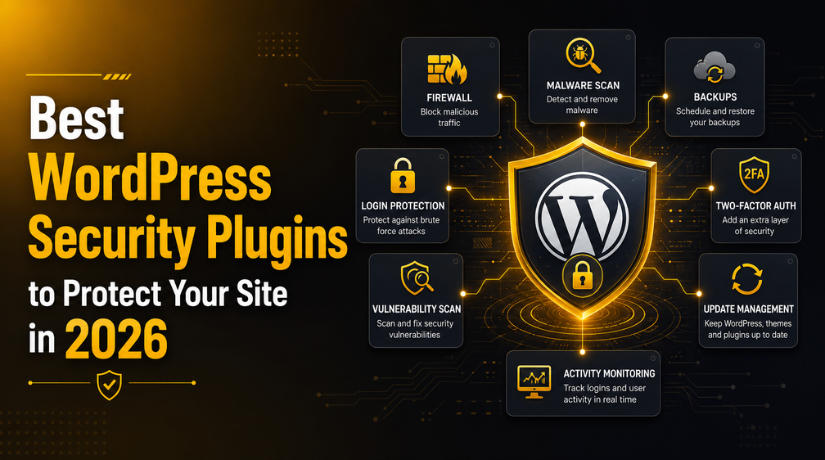
Best WordPress Security Plugins to Protect Your Site in 2026
Introduction
Your WordPress site is under attack right now — even if you don’t know it yet. Bots scan the web 24/7 probing for outdated plugins, weak passwords, and unpatched vulnerabilities. In 2026, the question isn’t whether your site will be targeted — it’s whether you’re ready when it happens.
The good news? You don’t need to be a security expert to lock down your site. A well-chosen WordPress security plugin handles the heavy lifting for you — blocking malicious traffic, scanning for malware, hardening your login, and alerting you before a minor issue becomes a catastrophic breach.
This guide walks you through the best WordPress security plugins available in 2026, what each one actually does well, and how to pick the right one for your site.
Why WordPress Security Can’t Be an Afterthought in 2026
WordPress powers roughly 43% of all websites on the internet. That enormous market share makes it the single biggest target for hackers, bots, and automated attack scripts. Common threats include brute-force login attacks, SQL injection, cross-site scripting (XSS), malware injections, and DDoS floods.
The stakes are high: a compromised site can lose search rankings overnight, expose visitor data, get blacklisted by Google, or serve malware to your own customers. Recovery is expensive and time-consuming — prevention is a fraction of the cost.
A strong security plugin adds multiple layers of protection: a firewall to filter bad traffic before it hits your server, malware scanning to detect anything that slips through, login protection to stop brute-force attacks, and real-time monitoring to catch threats as they emerge.
What to Look for in a WordPress Security Plugin
Not all security plugins are equal. Before you install the first one you find in the WordPress repository, here’s what genuinely matters:
Web Application Firewall (WAF)
A WAF inspects incoming traffic and blocks requests that match known attack patterns. The best firewalls update their rules continuously as new threats are discovered. Look for one that operates at the DNS/cloud level (like Sucuri) or a robust server-side firewall (like Wordfence) — both approaches have merit depending on your hosting environment.
Malware Scanning and Removal
Your plugin should actively scan WordPress core files, themes, and plugins for malicious code — and ideally remove it automatically or with one click. Signature-based scanning is common, but deep heuristic scanning catches zero-day threats that haven’t been catalogued yet.
Login Security
Brute-force attacks remain one of the most common ways sites get compromised. Look for features like two-factor authentication (2FA), login attempt limits, CAPTCHA integration, and the ability to block specific IPs or geographic regions. If you’re not already using a strong admin password, start there — check out our guide on WordPress default admin login credentials and how to change them.
Real-Time Monitoring and Alerts
You need to know the moment something goes wrong — not three days later when visitors start complaining. Good plugins send email or SMS alerts for suspicious logins, file changes, plugin updates, and detected malware.
Performance Impact
Security shouldn’t tank your page speed. Some plugins — particularly those that run intensive server-side scans — can slow down shared hosting environments. Cloud-based firewalls (which filter traffic before it reaches your server) generally have a lighter on-server footprint.
The Best WordPress Security Plugins in 2026
Here are the plugins that consistently stand out for real-world protection, ease of use, and value.
1. Wordfence Security — Best All-in-One Free Option
With over 5 million active installs, Wordfence is the most widely deployed WordPress security plugin on the planet — and for good reason. The free tier is genuinely powerful: it includes an endpoint firewall, malware scanner, login security with 2FA, real-time traffic monitoring, and IP blocking.
Wordfence’s firewall runs server-side, meaning it processes traffic on your web server using your server’s resources. This gives it deep visibility into what’s happening on your site, but it also means it can be resource-intensive on budget shared hosting. On managed WordPress hosting or VPS plans, it performs extremely well.
The premium tier ($149/year per site) unlocks real-time firewall rule updates and the real-time IP blocklist — features that matter most for high-traffic or e-commerce sites. For most small-to-medium sites, the free version is a solid starting point.
2. Sucuri Security — Best Cloud-Based Firewall
Sucuri takes a fundamentally different approach: its Web Application Firewall operates at the DNS level, meaning malicious traffic is filtered through Sucuri’s global network before it ever reaches your server. This makes it extremely effective against DDoS attacks and volumetric threats that would overwhelm a server-side solution.
The free plugin (available in the WordPress repo) provides post-hack security tools, file integrity monitoring, and basic hardening. The full power of Sucuri — including the WAF and unlimited malware removal — requires a paid plan starting at around $199/year. For WooCommerce stores and business sites that can’t afford downtime, Sucuri’s cloud-based protection and guaranteed malware removal make it worth the investment.
3. Solid Security (formerly iThemes Security) — Best for Site Hardening
Solid Security (rebranded from iThemes Security in 2023) focuses on hardening your WordPress installation against common attack vectors. It’s excellent at applying security best practices automatically: hiding your login URL, disabling XML-RPC when not needed, enforcing strong password policies, enabling two-factor authentication, and locking out users after failed login attempts.
What sets Solid Security apart is its beginner-friendly setup wizard that walks you through hardening your site in minutes. It doesn’t have the raw malware-scanning power of Wordfence, but paired with a good backup solution, it’s a smart choice for users who want strong preventative security without a steep learning curve.
4. MalCare Security — Best for Fast Malware Detection and Removal
MalCare is built specifically around one problem: finding and removing malware fast. It runs scans on its own servers rather than yours (so no performance hit), uses machine learning to detect new and unknown malware variants, and can clean an infected site with a single click.
The free version scans for malware but reserves one-click removal for paid plans (starting at $99/year). If you manage multiple client sites or run an e-commerce store, MalCare’s centralized dashboard and instant cleanup capability make it one of the most operationally useful tools on this list.


5. All In One WP Security & Firewall — Best Free Option for Beginners
If you want a free, lightweight plugin that covers all the security basics without overwhelming you with settings, All In One WP Security & Firewall delivers. It uses a visual “security meter” to show how protected your site is and suggests specific improvements you can make.
Key features include login lockdown, user account security, file system permissions checking, database security, and a basic firewall. It’s not as powerful as Wordfence, but for a personal blog or small business site on a tight budget, it handles the fundamentals well.
6. WP Cerber Security — Best for Login and Anti-Spam Protection
WP Cerber is a powerful yet under-appreciated security plugin that excels at stopping bots and protecting login endpoints. It provides traffic inspection, anti-spam protection for forms and comments, two-factor authentication, and customizable login limits. Its interface is clean and straightforward, making it easy to tune protection levels without getting lost in options.
Free vs. Premium: What’s Actually Worth Paying For
You can get meaningful protection for free — but certain features justify paying, depending on your site’s risk profile.
Free plugins like Wordfence (free tier), All In One WP Security, and Solid Security (free tier) cover the fundamentals: login protection, basic firewall, and hardening. For a personal blog or low-traffic informational site, that’s often enough.
Premium features worth paying for include real-time firewall rule updates (Wordfence Premium), cloud-based WAF with DDoS protection (Sucuri), automatic malware removal (MalCare, Sucuri), vulnerability patching (WP Umbrella), and centralized management for multiple sites (MalCare, Sucuri). If your site handles payments, collects user data, or generates significant revenue, the cost of a premium plan is trivial compared to the cost of a breach.
Should You Install Multiple Security Plugins?
No — and this is a common mistake. Running two firewall plugins simultaneously causes conflicts, can break your site, and doesn’t double your protection. It creates competing rules, doubles your server load, and generates false alerts that make it harder to spot real threats.
Choose one comprehensive security plugin and configure it properly. Pair it with a solid backup solution (not a security plugin — they serve different purposes), strong hosting security, and regular plugin updates. That combination is far more effective than stacking three half-configured plugins on top of each other.
Speaking of plugins — choosing the right ones matters beyond just security. If you’re building out your site’s toolkit, our guide to the best WordPress plugins for beginners in 2026 covers the must-haves across all categories.
How to Set Up a Security Plugin the Right Way
Installing a security plugin is only step one. Here’s how to configure it for real protection:
Enable the Firewall First
Most plugins require you to manually activate the firewall or place it in “Learning Mode” for a few days before enabling full blocking. Don’t skip this — running a firewall in learning mode prevents it from blocking legitimate traffic on your site.
Run an Initial Malware Scan
Scan your site immediately after installing the plugin. If you’re installing it on an existing site, you need to verify it’s clean before relying on the plugin to maintain that clean state going forward.
Harden Your Login
Enable two-factor authentication, set a login attempt limit (5 failures before lockout is a good starting point), and if your plugin supports it, change your login URL away from /wp-admin. A surprisingly high percentage of attacks target default login paths. See our article on what to do when you can’t log into your WordPress site if you’ve ever been locked out.
Set Up Email Alerts
Configure notifications for failed login attempts, file changes, new admin user creation, and malware detections. You want to know immediately — not after the damage is done.
Keep the Plugin Updated
A security plugin with an outdated malware signature database is like a lock with the wrong key. Enable automatic updates for your security plugin, and keep WordPress core, themes, and all other plugins updated too — most successful hacks exploit known vulnerabilities in outdated software.
Common Security Mistakes That Leave You Exposed
Even with a good plugin installed, these mistakes undo a lot of your protection:
Using “admin” as your username is one of the most common and easily exploited choices — bots specifically target this default. Using weak or reused passwords is equally risky. Neglecting plugin and theme updates creates known attack vectors that are trivial to exploit. Giving contributor-level users administrator access expands your attack surface unnecessarily. And ignoring plugin alerts because they “always go off” means real threats get missed in the noise.
Protect Your Site Before You Need To
The best time to install a security plugin was the day you launched your WordPress site. The second best time is right now. Whether you go with the free power of Wordfence, the cloud-based protection of Sucuri, or the hardening focus of Solid Security, any properly configured security plugin is infinitely better than none.
At 24×7 WP Support, we help WordPress site owners stay secure, fast, and online around the clock. If you’d rather hand off the security monitoring, updates, and threat response to a team of WordPress experts, explore our WordPress support and maintenance plans — and stop worrying about what’s targeting your site at 3am.
Related posts:

Brian is a WordPress support specialist and content contributor at 24×7 WP Support. He writes practical, easy-to-follow guides on WordPress troubleshooting, WooCommerce issues, plugin and theme errors, website security, migrations, performance optimization, and integrations. With a focus on solving real website problems, Brian helps business owners, bloggers, and online store managers keep their WordPress sites running smoothly.
