
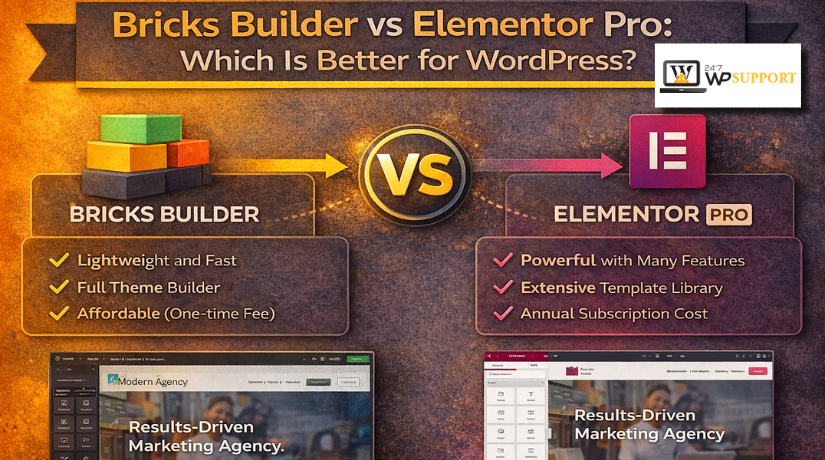
Bricks Builder vs Elementor Pro: Which Is Better for WordPress?
Introduction
Choosing the right page builder can shape your whole website experience. It affects design speed, editing comfort, site performance, and future updates. That is why Bricks Builder vs Elementor Pro is an important comparison for many WordPress users. Both tools help you design pages visually, but they do not feel the same during real work. One may suit beginners better. The other may suit users who want deeper control. This guide keeps the focus only on this topic. It does not discuss other builders or unrelated WordPress tools.
This comparison helps answer common questions in a practical way. You may be asking, Should I use Bricks Builder or Elementor Pro for a business site, blog, or online store. You may also want to know whether design freedom matters more than workflow speed. Some users care most about editing comfort. Others care more about clean structure and long-term site control. That is where this guide becomes useful.
What Bricks Builder and Elementor Pro Actually Are
Bricks Builder is a visual WordPress site builder made for full website creation. It focuses on flexible design, structured building, and scalable site control. Bricks also supports visual WooCommerce building. That includes key store pages like shop, product, cart, checkout, and account layouts. This makes it useful for users who want to build more than simple landing pages.
Elementor Pro is the advanced version of Elementor’s WordPress builder. It gives users a drag-and-drop editing experience with stronger design tools and more professional features. Elementor Pro also supports visual building for WooCommerce pages and broader site parts. These include templates, posts, forms, and custom layouts. Because of that, it works well for users who want visual control without writing code.
So, when comparing Bricks Builder vs Elementor Pro, both tools offer visual building power. The real difference starts with how each one approaches control, speed, and workflow. That is what the rest of this article will examine closely.
Ease of Use: Which Builder Feels Better While Building Pages
- Beginner-Friendliness
When people compare Bricks Builder vs Elementor Pro, ease matters first. A builder should feel clear from the first click. Elementor Pro usually feels easier for beginners. Its live drag-and-drop editor is simple to understand. It also offers templates, visual controls, and global settings in a familiar layout. Elementor even provides beginner training through its own learning resources. That helps new users start faster and build with less confusion.
Bricks also uses visual drag-and-drop editing, but its workflow feels more structured. The builder works through a toolbar, panel, and canvas on one screen. It also uses a structure panel, which helps organize layouts clearly. That setup can feel very clean once you understand it. Still, first-time users may need more time to get comfortable. In simple terms, Bricks vs Elementor often comes down to learning speed versus structured control.
- Editor Workflow
Daily editing comfort matters after the first setup phase. Elementor Pro is built for fast visual changes. You can move sections, style blocks, and adjust layouts quickly. Global editing tools also help keep fonts, colors, and reused items consistent. That makes repeat edits easier across many pages. For content teams and business owners, this can save time every week.
Bricks takes a more system-based approach during editing. It lets users work visually, but with stronger structure awareness. You can build pages, templates, menus, and other site parts from the same interface. That creates a smoother workflow for users who want order and control. So, if you ask, Should I use Bricks Builder or Elementor Pro, the answer depends on how you like to work each day.
Design Flexibility and Site Control: Which One Gives More Freedom
- Widget and Element Variety
Elementor Pro stands out when you want many ready-made design tools. Its builder includes a large widget-based design system and strong visual styling options. That makes it easier to build marketing pages, service pages, and branded layouts quickly. Users who want more visual choices often enjoy this flexibility.
- Layout Precision and Full-Site Control
Bricks shines when layout structure matters more than visual extras. It supports full-site editing, custom breakpoints, templates, and reusable design systems. Bricks also offers ready-made design sets and wireframes for faster building. This gives users more control over clean, reusable site structures. So, Is Bricks Builder better than Elementor Pro here? For structured site control, many users may feel the answer is yes. For faster visual styling, Elementor Pro may feel easier.
Performance: Which Builder Is Better for Speed and Efficiency
- Front-End Output and Site Speed
Performance matters because a slow builder can hurt user experience. It can also affect store browsing, lead generation, and site trust. In Bricks Builder vs Elementor Pro performance, Bricks presents itself as a builder focused on performant and scalable websites. Elementor also highlights performance, but its platform places stronger emphasis on broad design tools, widgets, and builder features. That means Bricks often appeals more to users who want a leaner build approach, while Elementor Pro attracts users who want more visual options inside one system.


- Editing Power vs Speed Balance
The real difference is not only raw speed. It is the balance between output and editing power. Elementor Pro gives users many design controls and WooCommerce design options. That flexibility is useful, but it can also lead to heavier pages when users add many effects, widgets, or extra tools. Bricks takes a more performance-first path in its positioning. So, Is Bricks Builder better than Elementor Pro for speed-focused users? In many cases, that is a fair conclusion, especially when clean structure matters more than design extras. Still, good hosting, image optimization, and smart plugin use matter with both builders.
- Real-World Performance Decisions
For service sites, business sites, and content-heavy websites, lighter output can make maintenance easier. It can also help sites stay cleaner over time. Elementor Pro can still perform well when the website is built carefully and kept organized. But Bricks usually feels like the better fit for users who start with speed and structure as top priorities. That is the main takeaway in this Bricks Builder vs Elementor Pro comparison on performance.
WooCommerce: Which Builder Works Better for Online Stores
- Product and Archive Design
For Bricks vs Elementor for WooCommerce, both builders support visual store design. Bricks says users can visually build product archives, single products, cart, checkout, and customer account pages. Elementor’s WooCommerce Builder also supports visual control for store templates, including product and archive layouts. So, both tools clearly serve store owners who want more than default WooCommerce styling.
- Cart, Checkout, and Store Experience
The difference comes from workflow and store priorities. Bricks fits users who want tighter store structure and a performance-minded setup. Elementor Pro fits users who want familiar visual editing and strong design freedom across store pages. Bricks also includes WooCommerce-specific filtering support, which can help stores with larger catalogs.
Pricing and Value: Which One Makes More Sense Long Term
Price matters, but value matters even more over time. A builder may look cheaper at first. Still, the real cost appears during daily work and future updates. That is why Bricks Builder vs Elementor Pro is not only about license price. It is also about what you get for that price.
A smart choice depends on your website goals and workflow. Some users need fast setup and ready design tools. Others need cleaner structure and better long-term control. In that case, Bricks vs Elementor becomes a value decision, not just a pricing decision.
Before you choose, think about these practical points:
- How many websites do you want to build?
- Do you need more built-in design elements?
- Will you use many extra add-ons later?
- Do you want simpler maintenance in the future?
- Does your website need speed and cleaner structure?
Elementor Pro often feels like strong value for beginners. It gives a familiar editing style and many design features. That can save time during page creation and client work. Bricks can feel like better value for advanced users. It gives stronger structure, cleaner workflow, and better long-term control. So, when users ask about Bricks Builder vs Elementor Pro performance, value also connects with site efficiency and maintenance effort.
Conclusion
The final answer depends on how you build websites. There is no single winner for every user or project. Still, some clear differences appear in this comparison. Bricks Builder vs Elementor Pro is really a choice between structured control and easier visual building. Bricks often feels better for users who care more about speed, clean layout control, and long-term workflow. Elementor Pro often feels better for users who want a simpler editing experience, faster design work, and more ready-made design options.
So, Should I use Bricks Builder or Elementor Pro for WordPress? The right answer depends on your working style and website goals. Is Bricks Builder better than Elementor Pro? For speed-focused builds, many users may prefer Bricks. For design-heavy websites and beginner-friendly editing, Elementor Pro may feel like the better choice. The same applies to Bricks vs Elementor for WooCommerce, where the best option depends on whether you value cleaner structure or easier visual store design.
Need help choosing, setting up, or fixing your builder-based WordPress website? Contact 24x7wpsupport for expert WordPress support, builder customization, speed optimization, and WooCommerce help.
Related posts:
Do People Still Use WordPress for Blogging in 2026? The Complete Answer
Is Shared Hosting Good for WordPress? Pros, Cons & Alternatives
How to Fix Chinese Characters Appearing on My Website in Google Search Results
WordPress Website Monitoring Tools and Services (Free and Paid)
What Are Pingbacks in WordPress and How Do You Manage Them?

Brian is a WordPress support specialist and content contributor at 24×7 WP Support. He writes practical, easy-to-follow guides on WordPress troubleshooting, WooCommerce issues, plugin and theme errors, website security, migrations, performance optimization, and integrations. With a focus on solving real website problems, Brian helps business owners, bloggers, and online store managers keep their WordPress sites running smoothly.
