
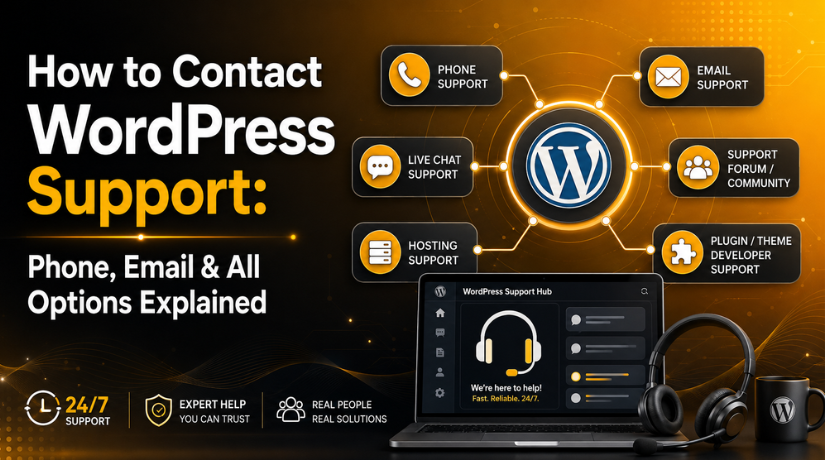
How to Contact WordPress Support: Phone, Email & All Options Explained
If you’ve ever Googled “WordPress support phone number” in a panic at midnight because your site just went down, you’re not alone. Every day, thousands of WordPress users find themselves searching for a number to call or an email to fire off — only to feel completely lost when nothing obvious shows up.
Here’s the truth: contacting WordPress support in 2026 looks very different depending on which version of WordPress you’re using and what kind of issue you’re dealing with. There’s no single support hotline, and understanding why that is will save you a lot of frustration.
This guide breaks down every legitimate option available to you — free and paid, quick and thorough — so you know exactly where to turn the next time something goes wrong.
Why WordPress Doesn’t Work Like Traditional Software Support
Most software companies have a dedicated support team you can call, email, or chat with. WordPress doesn’t work that way — at least not in the traditional sense.
WordPress.org is free, open-source software maintained by a global volunteer community. There’s no central corporation funding a 24/7 call center. The trade-off for getting powerful website software for free is that official direct support doesn’t exist at the WordPress.org level.
That said, WordPress.com — the hosted version of WordPress run by Automattic — is a completely separate product. It does offer direct support, but through specific channels and only on certain paid plans.
If you’re unsure which one you’re using: if you signed up at WordPress.com and your site URL is something like yoursite.wordpress.com (or you pay Automattic directly for hosting), you’re on WordPress.com. If you downloaded WordPress from WordPress.org and installed it on third-party hosting (like Bluehost, SiteGround, or WP Engine), you’re on WordPress.org (self-hosted). Most websites in the world use the self-hosted version.
Does WordPress Have a Phone Number?
No — and this is one of the most common misconceptions out there. There is no official WordPress phone number for either WordPress.org or WordPress.com. Any phone number you find advertised online as “WordPress support” is almost certainly a third-party service, not WordPress itself.
WordPress.com has explicitly stated that phone support isn’t offered because resolving site issues typically requires sharing links, screenshots, and account details — all of which are better handled through chat or email. So even on premium WordPress.com plans, you won’t be calling a support agent.
For WordPress.org users, this question doesn’t really apply. The open-source platform has no company behind it offering any kind of phone assistance.
How to Get Support If You’re on WordPress.com
WordPress.com users have the most straightforward path to official support, though the level of help you get depends heavily on your plan.
Live Chat Support
Live chat is available on paid WordPress.com plans. Higher-tier plans — Creator and above — get access to 24/7 priority live chat, which means near-instant responses any time of day. Lower paid plans (Starter and Explorer) include email and live chat support during business hours.
To access live chat, log into your WordPress.com dashboard and click the Help icon or navigate to the Support section. From there, you can start a real-time chat with a support agent who can walk you through issues with your site, themes, plugins, or account settings.
Email Support
Email support is available on all paid WordPress.com plans. The general support email is help@wordpress.com, though you’ll typically get a faster and more relevant response by submitting a ticket directly from your dashboard rather than emailing cold.
Free WordPress.com users do not get email or live chat access. They’re redirected to the community forums (more on those below).
The WordPress.com Help Center
Before reaching out to a support agent, it’s worth checking the WordPress.com Help Center at wordpress.com/support. It’s packed with detailed guides on everything from setting up your domain to fixing payment issues. Many common problems have step-by-step documentation that can get you sorted in minutes without waiting for a human response.
How to Get Support If You’re on WordPress.org (Self-Hosted)
Self-hosted WordPress users don’t have a direct line to an official support team — but there are more options available than most people realize, and several of them are genuinely excellent.
The WordPress.org Community Support Forums
The official support forums at wordpress.org/support are your first stop for free help. The forums are organized by topic — there are sections for specific plugins, themes, general WordPress questions, and more. The community includes experienced developers, long-time WordPress users, and official plugin developers who actively monitor their own plugin forums.
To post a question, you’ll need a free WordPress.org account. When you do post, include as much detail as possible: your WordPress version, the theme and plugins you’re using, any error messages you’ve seen, and what you’ve already tried. Vague questions tend to get vague answers. Clear, detailed ones get solved much faster.
Response times vary. Active plugin forums often see replies within an hour or two. General WordPress questions might take longer. The forums are volunteer-driven, so there are no guaranteed response times.
WordPress Documentation
Before posting a question, check the official WordPress documentation at wordpress.org/documentation. The docs cover installation, configuration, common errors, and development topics. For straightforward problems — like understanding what a particular setting does or how to reset your password — the documentation is often the fastest path to an answer.


Facebook Groups and Online Communities
The unofficial WordPress community is enormous. Facebook groups like “WordPress Help” have tens of thousands of members who answer questions around the clock. Reddit’s r/WordPress is another solid option for getting a quick sanity check or a second opinion. These aren’t official channels, but the collective knowledge in these communities is remarkable.
Getting Help From Your Hosting Provider
This is the option that most WordPress users overlook — and it’s often the best one.
If you’re on a managed WordPress hosting plan from providers like Bluehost, SiteGround, WP Engine, Kinsta, or similar, your hosting support team is specifically trained to handle WordPress issues. Most of these providers offer 24/7 live chat and ticket-based support as part of your hosting plan, at no extra cost.
Hosting support is especially useful for problems that sit at the server level — things like site downtime, slow loading times, PHP errors, database issues, or SSL certificate problems. These are areas where the WordPress.org forums may not be able to help you, because the issue lives on your server rather than inside WordPress itself.
For example, if you’re seeing a critical “site is experiencing technical difficulties” error, your host can often pinpoint the cause faster than any forum because they have direct access to your server logs.
When choosing a WordPress hosting provider in 2026, look for ones that advertise WordPress-specific support — not just generic web hosting support. There’s a meaningful difference between a support agent who knows WordPress cold and one who’s reading from a generic script.
Getting Support From Plugin and Theme Developers
When your issue is clearly tied to a specific plugin or theme, go straight to the developer. This is often the most effective path because they know their product inside out.
Free Plugin and Theme Support
Every plugin and theme listed in the WordPress.org directory has its own dedicated support forum tab. If you’re having trouble with a free plugin, head to its directory page and click “Support.” You’ll find existing threads covering common issues, and you can open a new thread if yours isn’t there. Most active plugin developers monitor these forums closely and respond within a day or two.
Premium Plugin and Theme Support
Premium plugins and themes typically come with dedicated email or ticket-based support. Depending on the product and your license tier, you may also have access to priority support with guaranteed response times. Popular tools like WooCommerce, Elementor, WPML, and Gravity Forms all have their own support systems separate from the WordPress.org forums.
Keep your license key handy when reaching out to premium plugin support — most require verification before they’ll open a ticket for you. If you’re dealing with plugins disappearing from your WordPress dashboard, that’s typically a permissions or file ownership issue that either your host or the plugin developer can help you diagnose quickly.
When to Hire a Professional WordPress Support Service
Sometimes the free options just don’t cut it. Maybe the forums haven’t produced a solution, your hosting support is pointing fingers at a plugin developer, and the plugin developer is blaming your theme. Sound familiar? This is when professional WordPress support services become worth every penny.
WordPress support agencies and maintenance services handle issues like these every day. Whether it’s a critical WordPress error bringing down your site, a hacked website that needs cleanup, a performance problem dragging down your load times, or a plugin conflict that nobody can seem to trace — a dedicated WordPress expert will typically have it sorted within hours, not days.
What Professional WordPress Support Covers
A good WordPress support service will handle a wide range of issues that fall outside what free forums and hosting support can address:
- Emergency site recovery after crashes, hacks, or botched updates
- Plugin and theme conflict resolution
- Speed and performance optimization
- Custom code fixes and theme modifications
- Database repair and cleanup
- Ongoing site maintenance and monitoring
The key advantage of professional services is accountability. You’re paying for someone who will stay on your problem until it’s actually fixed — not just point you toward documentation and hope for the best.
How to Prepare Before You Reach Out for WordPress Support
No matter which support channel you use, you’ll get faster and better help if you come prepared. Before reaching out, gather the following:
Your WordPress version — found at Dashboard > Updates. Your active theme and plugins — knowing exactly what’s installed helps isolate conflicts. The exact error message — copy it word for word. What changed recently — did you update a plugin, switch themes, or change a setting before the issue started? Screenshots or screen recordings — visual evidence is worth a thousand words when describing a display or functionality issue. Your hosting environment — PHP version, server type (Apache/Nginx), and whether you’re on shared or managed hosting can all be relevant.
The more context you provide upfront, the less back-and-forth you’ll need before a solution emerges.
Get Expert WordPress Help When You Need It Most
Navigating WordPress support doesn’t have to be a maze. WordPress.com users can access live chat and email through their dashboards. Self-hosted WordPress users have community forums, hosting support, and plugin developer channels to lean on. And when the stakes are high and you need the problem solved now, professional WordPress support is the most reliable option available in 2026.
At 24×7 WP Support, we specialize in exactly that — real WordPress experts available around the clock to fix issues fast, no matter how complex. Whether your site is down, something broke after an update, or you just need a reliable team watching your back on an ongoing basis, we’re here. Get in touch with our team today and get your WordPress site back on track — without the runaround.
Related posts:
Is SEO Worth It for an Online Store? Where to Start in 2026
What Is Amelia Booking System in WordPress? Free Version and Setup Guide
How to Set the Right Time Zone and Show Local Time in WordPress (2026)
How to Export a WordPress Site Without Plugins in 2026
Why Can't I Log Into My WordPress Site? 7 Common Fixes in 2026

Brian is a WordPress support specialist and content contributor at 24×7 WP Support. He writes practical, easy-to-follow guides on WordPress troubleshooting, WooCommerce issues, plugin and theme errors, website security, migrations, performance optimization, and integrations. With a focus on solving real website problems, Brian helps business owners, bloggers, and online store managers keep their WordPress sites running smoothly.
