
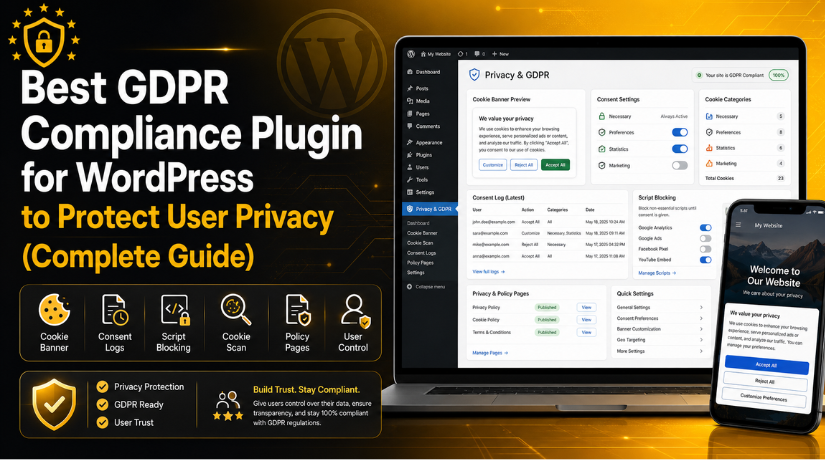
Best GDPR Compliance Plugin for WordPress to Protect User Privacy (Complete Guide)
Introduction
Online privacy is now a serious concern for every website owner. Visitors want to know how websites collect and use their data. Search engines, browsers, and users also expect better privacy practices. That is why GDPR compliance WordPress setup matters for many websites today.
A WordPress website can collect data in many simple ways. Contact forms collect names, emails, and phone numbers. Analytics tools track visitor actions and page views. Advertising pixels follow user behavior for better targeting. Newsletter forms collect email addresses for marketing. Even embedded videos, maps, and chat tools can use cookies.
Many site owners do not notice these data points early. They install useful plugins and tracking tools quickly. But each tool may add cookies or scripts. These cookies can store or track visitor information. This creates a privacy concern if consent is not managed properly.
This is where a GDPR plugin for WordPress becomes helpful. It helps website owners manage cookie consent and visitor choices. It can show a cookie banner on the website. It can also allow users to accept
This article will help you understand GDPR plugins clearly. You will learn what these plugins do. You will also learn why they matter for WordPress websites. Later sections will cover features, plugin options, selection tips, and common mistakes.
What Is a GDPR Compliance Plugin for WordPress and Why Is It Useful?
A GDPR compliance plugin is a WordPress tool for privacy management. It helps website owners handle cookie consent and user choices. It also helps explain how the website uses cookies. This makes the privacy setup easier for non-technical users.
A WordPress GDPR plugin usually adds a cookie banner. This banner appears when someone visits the website. It tells users that the website uses cookies. It may also explain why those cookies are used. Visitors can then accept, reject, or change cookie settings.
A good plugin does more than show a basic notice. It should also control scripts before user consent. For example, analytics or marketing scripts should not load early. These scripts should wait until the user gives consent. This helps the website follow better privacy practices.
The main goal is simple. The plugin helps visitors control their personal data choices. It also helps website owners manage privacy settings better. This improves trust and shows a responsible website approach.
Why WordPress Websites Need GDPR Compliance Plugins for Better Privacy Control
WordPress websites need privacy controls because they collect visitor data daily. Many website owners do not notice this data collection. A contact form may collect names and email addresses. Analytics tools may track pages, clicks, and visitor behavior. Advertising pixels may follow visitors across different websites.
This is why a GDPR plugin for WordPress is important. It helps site owners manage consent in a simple way. It also gives visitors control over their cookie choices. This creates a safer and clearer website experience.
To Show a Proper Cookie Consent Banner to Website Visitors
A cookie banner is the first visible privacy notice. It appears when users visit your website. It tells visitors that your website uses cookies. It also gives them control over cookie preferences.
A proper cookie banner should be clear and simple. It should not confuse users with difficult words. Visitors should quickly understand what choices they have. They should be able to accept, reject, or manage cookies.
To Block Non-Essential Cookies Before User Consent Is Given
Not every cookie should load without visitor permission. Some cookies are needed for website functions. These are usually called necessary cookies. They help with login, security, checkout, and basic website use.
Other cookies are not always necessary. These may include analytics, marketing, and tracking cookies. They may collect visitor behavior or advertising data. These cookies should be controlled before they load.
To Manage Google Analytics and Google Ads Consent Correctly
Many WordPress websites use Google tools for tracking. Google Analytics helps measure traffic and user behavior. Google Ads helps track conversions and campaign results. Google Tag Manager helps manage tracking codes from one place.
These tools are useful for marketing and reporting. But they can also collect visitor data. That is why consent management is very important. Your website should respect visitor choices before tracking starts.
To Build User Trust With Clear Privacy Choices
Trust is important for every WordPress website. Visitors may leave if they feel unsafe. They may avoid forms, purchases, or newsletter signups. Clear privacy choices can reduce this concern.
A proper cookie banner shows respect for users. It tells visitors that their choices matter. It also makes your website look more professional. This can improve confidence in your brand.
To Avoid Poor Privacy Practices on WordPress Websites
Many WordPress websites collect data without proper checks. This usually happens because plugins add scripts silently. A theme, form tool, video embed, or chat widget may add cookies. Website owners may not notice these changes quickly.
This can create poor privacy practices over time. Your website may collect data before visitor consent. It may also miss important cookie details. This can weaken your privacy setup.
Features to Look for in the Best GDPR Compliance Plugin for WordPress
Choosing the right GDPR plugin requires careful checking. Not every plugin offers the same privacy controls. Some only show a basic cookie banner. Others provide full cookie scanning and script blocking.
The Best GDPR compliance plugin for WordPress should match your website needs. A small blog may need basic consent features. A WooCommerce store may need advanced consent records. A marketing website may need strong script blocking.
Easy Cookie Banner Setup Without Any Coding Work
A GDPR plugin should be easy to install and use. Website owners should not need coding knowledge. The plugin should include a simple setup wizard. This helps users configure settings step by step.
The cookie banner should be easy to customize. You should change colors, text, buttons, and position. The banner should match your website design. It should look professional on all screen sizes.
Accept, Reject, and Customize Options for Better User Control
Visitors should get clear cookie control options. They should not feel forced to accept everything. A good banner should include accept, reject, and manage options.
The “Manage Preferences” option is very useful. It lets users choose cookie categories separately. They may allow necessary and functional cookies only. They may reject analytics and marketing cookies.
Automatic Cookie Scanning to Find Active Website Cookies
Automatic cookie scanning is a very useful feature. It checks your website for active cookies. It helps you understand what cookies your website uses. It can also find cookies from third-party tools.
Many website owners do not know every active cookie. Plugins, themes, videos, maps, and ads may add cookies. A scanner helps detect these hidden cookies. This makes your cookie policy more accurate.
Script Blocking Before Consent for Stronger Privacy Setup
Script blocking is one of the most important features. It stops non-essential scripts before user consent. This includes tracking scripts, analytics tools, and ad pixels.
Without script blocking, your banner may not be enough. Visitors may see cookie choices after tracking starts. This weakens your website’s privacy controls. It can also create a poor consent experience.
Cookie Category Management for Clear Visitor Preferences
Cookie categories help users understand consent choices. They organize cookies into simple groups. Common groups include necessary, functional, analytics, and marketing cookies.
Necessary cookies help the website work correctly. Functional cookies improve features and user experience. Analytics cookies track website performance and visitor behavior. Marketing cookies support ads and remarketing campaigns.
Consent Logs to Keep Records of Visitor Choices
Consent logs store details about visitor cookie choices. They may record consent date, status, and preferences. This helps website owners keep proof of consent.
Not every small website needs advanced consent logs. But they are useful for serious business websites. They are also helpful for membership and lead generation sites.
Google Consent Mode v2 Support for Modern Tracking Needs
Google Consent Mode v2 is important for many websites. It helps Google tags respond to visitor consent choices. This matters for Google Analytics, Google Ads, and Tag Manager.
A plugin with this support can simplify setup. It can help connect cookie choices with Google tools. This improves both consent control and tracking behavior.
Policy Page Support for Clear Privacy Information
A GDPR plugin should support policy page management. Some plugins help create cookie policy pages. Some also help connect privacy policy pages.
These pages explain how your website handles data. They should list cookies, tools, and data collection methods. They should also explain why data is collected.
Multilingual Support for Websites With Global Visitors
Many websites receive visitors from different countries. These users may speak different languages. A GDPR banner should be clear for every audience.
Multilingual support helps translate cookie notices and settings. This is useful for global business websites. It is also helpful for websites targeting Europe.
List Of Best GDPR Compliance Plugin for WordPress (Top Picks)
Choosing the right GDPR plugin for WordPress depends on your website needs. Some plugins are simple cookie banner tools. Some offer advanced cookie scans, script blocking, consent logs, and policy pages. A business website may need stronger privacy controls. A small blog may need a simple WordPress cookie consent plugin. Below is a useful list of GDPR plugins for WordPress websites.
#1 Complianz
Complianz is a strong WordPress GDPR plugin for privacy and cookie consent. It supports many privacy laws, including GDPR, ePrivacy, DSGVO, TTDSG, LGPD, POPIA, CCPA/CPRA, and PIPEDA. It offers a conditional cookie banner and creates a cookie policy based on cookie scan results. This makes it useful for business and global websites.
Features of Complianz
- Cookie consent banner for WordPress websites.
- Built-in cookie scan for active cookies.
- Custom cookie policy creation.
- Script blocking for third-party tools.
- Google Consent Mode support for tracking control.
Pros of Complianz
- Good all-in-one privacy plugin.
- Supports many privacy laws.
- Helpful setup wizard for beginners.
- Useful for business websites.
- Strong cookie scan and policy tools.
Cons of Complianz
- Setup may take more time.
- Some features need premium access.
- Beginners may need guidance.
- Advanced settings can feel detailed.
- Regular cookie review is still needed.
Best Uses
Complianz is best for business websites, WooCommerce stores, agency websites, service websites, and global websites. It is also useful for websites using analytics, ads, maps, videos, and tracking pixels.
Download Link: Complianz
#2 CookieYes
CookieYes is a popular WordPress cookie consent plugin for GDPR and cookie compliance. It helps users create cookie banners, cookie notices, and policy pages. It supports GDPR, CCPA, UK GDPR, PECR, LGPD, PIPEDA, POPIA, and other privacy laws. It also offers automatic cookie blocking, preference center, and revisit consent options.
Features of CookieYes
- Cookie consent banner with clear options.
- Automatic blocking for non-essential cookies.
- Preference center for cookie categories.
- Revisit consent button for users.
- Support for many privacy laws.
Pros of CookieYes
- Easy setup for beginners.
- Clean and modern banner design.
- Good for small business websites.
- Helps manage cookie preferences.
- Useful for quick privacy setup.
Cons of CookieYes
- Some options need paid plans.
- Advanced control may need account setup.
- Free version may feel limited.
- Script blocking needs proper testing.
- Platform-based features may not suit everyone.
Best Uses
CookieYes is best for blogs, small business websites, service websites, portfolio websites, and marketing websites. It is useful for users who want a simple GDPR setup without complex settings.
Download Link: CookieYes
#3 Cookiebot by Usercentrics
Cookiebot by Usercentrics is a powerful consent management plugin for WordPress. It helps add a cookie banner, scan cookies, block cookies, and manage privacy settings. It supports GDPR, CCPA, Google Consent Mode v2, and IAB TCF. This makes it useful for websites with ads, analytics, and advanced tracking needs.
Features of Cookiebot
- Automatic cookie scanning.
- Cookie blocking before consent.
- Google Consent Mode v2 support.
- IAB TCF support for ad websites.
- Central dashboard for consent settings.
Pros of Cookiebot
- Strong consent management features.
- Good for ad-based websites.
- Useful for larger content websites.
- Supports modern Google tracking needs.
- Regular updates for privacy changes.
Cons of Cookiebot
- Requires a Cookiebot account.
- Setup may feel technical.
- Pricing may increase for larger sites.
- Some settings are outside WordPress.
- Small blogs may not need all features.
Best Uses
Cookiebot is best for ad-heavy websites, affiliate websites, media websites, large blogs, and websites using Google Ads. It is also useful for sites needing advanced consent management.
Download Link: Cookiebot
#4 iubenda


iubenda is an all-in-one compliance plugin for WordPress websites. It helps manage cookie banners, cookie consent, privacy policies, and consent records. It also supports integrations with WordPress comment forms, Contact Form 7, Elementor forms, and WPForms. This makes it useful for websites that collect leads through forms.
Features of iubenda
- Cookie banner for visitor consent.
- Privacy policy support.
- Cookie policy support.
- Consent record storage.
- Form integration support.
Pros of iubenda
- Good for policy page creation.
- Useful for lead generation websites.
- Supports form consent records.
- Helps manage several privacy needs.
- Strong option for business websites.
Cons of iubenda
- Some features need paid plans.
- Setup may take time.
- It depends on an external platform.
- Simple blogs may not need it.
- Legal text still needs careful review.
Best Uses
iubenda is best for business websites, lead generation websites, contact form websites, membership websites, and service websites. It is useful when privacy policies and consent records are important.
Download Link: iubenda
#5 GDPR Cookie Compliance by Moove
GDPR Cookie Compliance by Moove is a flexible cookie banner plugin for WordPress. It helps prepare websites for cookie consent needs related to GDPR, CCPA, DSGVO, EU cookie law, and privacy notices. It is a useful option for website owners who need a simple and clean consent banner.
Features of GDPR Cookie Compliance
- Cookie consent notice.
- Cookie settings screen.
- Banner customization options.
- User cookie preference controls.
- Support for common privacy rules.
Pros of GDPR Cookie Compliance
- Simple setup process.
- Beginner-friendly plugin options.
- Good for basic websites.
- Clean cookie notice design.
- Useful free plugin option.
Cons of GDPR Cookie Compliance
- Advanced features may need premium.
- Less complete than CMP tools.
- Manual setup may be needed.
- Limited for complex tracking setups.
- May not suit large compliance needs.
Best Uses
GDPR Cookie Compliance is best for blogs, small business websites, portfolio websites, basic service websites, and websites needing a simple cookie banner.
Download Link: GDPR Cookie Compliance
#6 WPConsent
WPConsent is a modern GDPR compliance WordPress plugin with cookie banners, script blocking, cookie scanning, and consent management. It can block tools like Google Analytics, Google Ads, Facebook Pixel, Microsoft Clarity, Pinterest Tag, and more. It also supports Google Consent Mode v2 and Microsoft Clarity Consent Mode.
Features of WPConsent
- Custom cookie consent banner.
- Automatic script blocking.
- Website cookie scanner.
- Cookie inspector tool.
- Google Consent Mode v2 support.
Pros of WPConsent
- Modern and clean interface.
- Good no-code setup.
- Useful automatic script blocking.
- Helpful cookie scanner tools.
- Strong for marketing websites.
Cons of WPConsent
- Newer than older plugins.
- Some features need premium.
- Needs testing with caching plugins.
- Advanced users may need more control.
- Correct setup is still important.
Best Uses
WPConsent is best for modern WordPress websites, marketing websites, small businesses, WooCommerce stores, and websites using tracking pixels or analytics tools.
Download Link: WPConsent
#7 Termly
Termly is a managed cookie consent plugin for WordPress websites. It offers automatic cookie scans, customizable cookie banners, regional banner display, multilingual support, and Google Consent Mode v2 compatibility. It is useful for website owners who want a platform-based privacy setup with cookie consent tools.
Features of Termly
- Automatic cookie scans.
- Custom cookie consent banner.
- Regional banner display options.
- Multi-language support.
- Google Consent Mode v2 support.
Pros of Termly
- Easy setup for beginners.
- Good managed privacy platform.
- Clean banner customization options.
- Useful for global websites.
- Supports modern consent needs.
Cons of Termly
- Requires Termly account setup.
- Some features need paid plans.
- Platform connection is required.
- Less plugin-only control.
- Free usage may have limits.
Best Uses
Termly is best for small businesses, marketing websites, company websites, international websites, and users who prefer a managed privacy platform.
Download Link: Termly
How to Choose the Right GDPR Plugin for Your WordPress Website
Choosing the right GDPR plugin for WordPress is very important. Every website has different privacy needs and tracking tools. A simple blog may need only basic cookie consent. A business website may need stronger privacy controls. A WooCommerce store may need advanced cookie blocking and consent records. That is why you should compare features before installation. The Best GDPR compliance plugin for WordPress should match your website type, visitor location, tracking tools, and budget. It should also work well with your existing WordPress setup.
Choose a GDPR Plugin Based on Your Website Type
Your website type should guide your plugin choice. A personal blog usually needs a simple consent banner. A business website may need cookie scanning and policy support. A WooCommerce store needs stronger consent and checkout compatibility. A membership website may need better user data controls. A lead generation website should manage form consent carefully.
If your website collects leads, forms become very important. Contact forms collect names, emails, and phone numbers. Newsletter forms may collect email addresses for marketing. Booking forms may collect personal schedules and service needs. These forms should include clear consent language. A good WordPress GDPR plugin can support these privacy needs.
Choose a GDPR Plugin Based on Your Tracking Tools
Tracking tools affect your GDPR plugin needs. Many WordPress websites use Google Analytics for reports. Some also use Google Ads for campaigns. Others use Meta Pixel for retargeting and audience tracking. These tools may collect visitor behavior data. That means consent settings must be handled properly.
If your site uses Google Tag Manager, choose carefully. Your GDPR plugin should work with tag settings. It should also support Google Consent Mode v2. This helps Google tools respond to visitor choices. It also gives better control over analytics and advertising data.
Choose a GDPR Plugin Based on Visitor Location
Visitor location plays a major role in plugin selection. If your website receives EU visitors, GDPR becomes important. If your site receives UK visitors, UK GDPR and PECR matter. If your traffic comes from California, CCPA may also apply. Other regions also have privacy rules and consent needs.
A global website should use a flexible plugin. It should support multiple privacy laws and regions. It should also show different banners based on location. This helps visitors see the right consent notice. It also improves privacy control across different markets.
Choose a GDPR Plugin Based on Ease of Use
Ease of use is very important for WordPress users. Many website owners are not privacy experts. They need simple settings and clear guidance. A good plugin should include a setup wizard. It should explain each step in simple words.
The dashboard should be clean and easy to understand. Users should find banner settings without confusion. Cookie categories should be simple to edit. Script blocking options should be clear and safe. This reduces mistakes during setup.
Choose a GDPR Plugin Based on Budget and Long-Term Needs
Budget is another important selection factor. Free GDPR plugins can work for basic websites. They usually offer simple banners and basic settings. This may be enough for small blogs. But business websites may need more advanced tools.
Paid plans often include automatic cookie scans. They may also include consent logs and script blocking. Some paid tools support Google Consent Mode v2. Others include policy pages and regional consent settings. These features can save time and reduce manual work.
Common Mistakes to Avoid When Using GDPR Plugins
A GDPR plugin can help your website a lot. But wrong setup can reduce its value. Many website owners install a plugin and stop there. That is not enough for strong privacy control. You must configure, test, and update the plugin carefully.
GDPR setup needs regular review. New plugins may add new cookies. New ads may add new tracking scripts. New forms may collect extra user data. Your privacy setup should reflect these changes. Avoiding common mistakes can improve your compliance process.
Showing Only an Accept Button on the Cookie Banner
One common mistake is showing only an “Accept” button. This does not give visitors enough control. Users should also see reject and manage options. They should decide which cookies they allow.
A good cookie banner should be balanced and clear. It should not push users toward one choice. It should explain cookie use in simple language. Visitors should understand their options quickly.
Loading Tracking Scripts Before Visitor Consent
Another major mistake is loading scripts too early. Some websites show a cookie banner after tracking starts. This weakens the whole consent process. Visitors may already be tracked before choosing anything.
Analytics and marketing scripts need careful control. Google Analytics, Meta Pixel, and ad scripts should wait. They should load only after proper consent. This creates a stronger GDPR compliance WordPress setup.
Using Generic Privacy Policy Text Without Review
Many website owners copy generic privacy policy text. This is risky because every website is different. Your policy should match your actual tools. It should mention analytics, forms, ads, and cookies clearly.
If you use Google Analytics, your policy should explain it. If you collect form data, mention that clearly. If you use remarketing, include that information too. A generic policy may miss important details.
Not Testing the Cookie Banner on Mobile Devices
Mobile testing is often ignored by website owners. This can create serious user experience problems. A cookie banner may cover important page areas. It may block menus, forms, buttons, or checkout steps.
Many visitors use mobile devices today. So, your banner must work well on small screens. It should be easy to read and close. Buttons should be clear and easy to tap.
Forgetting to Rescan Cookies After Website Changes
Websites change often after launch. You may install a new plugin. You may add YouTube videos or Google Maps. You may connect new marketing tools. Each change can add new cookies or scripts.
Many site owners forget to rescan cookies later. This makes the cookie policy outdated. It can also miss new tracking tools. Regular cookie scans help keep your setup accurate.
Ignoring Google Consent Mode v2 Settings
Google Consent Mode v2 is important for many websites. It helps Google tags respond to visitor consent. This matters for GA4, Google Ads, and Tag Manager. Ignoring it can affect tracking and ad reports.
If you run ads, check this feature carefully. Your plugin should support Google Consent Mode v2. It should also connect consent choices with Google tags. This can improve privacy control and reporting quality.
Not Checking Contact Forms and User Data Collection
Cookie consent is only one part of privacy. Forms also collect personal visitor data. Contact forms, quote forms, booking forms, and newsletters matter. These forms should explain why data is collected.
Users should know how their information will be used. For example, contact form data may support replies. Newsletter forms may support future email marketing. Checkout forms may process orders and payments.
Using Too Many Privacy Plugins on One Website
Some users install multiple GDPR plugins together. This can create conflicts and confusion. One plugin may block scripts differently. Another plugin may show a second banner. This can break tracking and harm user experience.
Using too many privacy plugins can slow the site. It can also create duplicate consent messages. Visitors may feel confused by multiple notices. This makes the website look less professional.
Not Updating the Plugin and Privacy Settings Regularly
Privacy rules and tools change over time. WordPress plugins also receive regular updates. If you ignore updates, issues may appear later. Old plugin versions may create security or compatibility problems.
Update your WordPress GDPR plugin when stable updates are available. Also review settings after major plugin updates. Check the banner, scripts, and policy pages again. This ensures everything still works properly.
Conclusion
Choosing the Best GDPR compliance plugin for WordPress depends on your website needs. A simple blog may need a basic cookie banner. A business website may need policy pages and consent logs. A WooCommerce store may need strong checkout compatibility. A marketing website may need script blocking and Google consent support.
Related posts:
How to Install a File Manager in WordPress: Step By Step Beginner Guide
How To Reset Password on WordPress From phpMyAdmin
Facing Failed To Load Resource Issue in WordPress? Top Ways to Fix it Immediately!
How to Enable or Disable Maintenance Mode in WordPress (Step-by-Step Guide)
How to Set Up Business Voicemail Greetings with Examples

Brian is a WordPress support specialist and content contributor at 24×7 WP Support. He writes practical, easy-to-follow guides on WordPress troubleshooting, WooCommerce issues, plugin and theme errors, website security, migrations, performance optimization, and integrations. With a focus on solving real website problems, Brian helps business owners, bloggers, and online store managers keep their WordPress sites running smoothly.
