
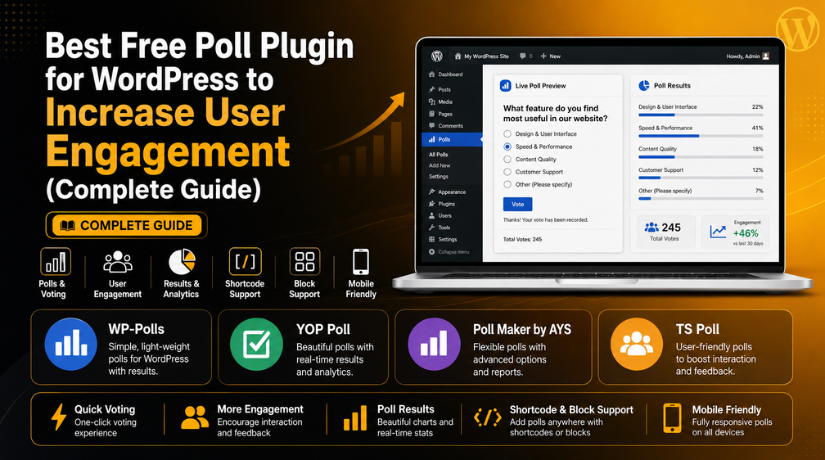
Best Free Poll Plugin for WordPress to Increase User Engagement (Complete Guide)
Introduction
A website should not only share information with visitors. It should also invite them to take action. Polls are one of the easiest ways to do that. A simple poll can turn quiet visitors into active users. They can vote, share opinions, and feel involved. This is why many website owners look for the best free poll plugin for WordPress. A poll does not need a long form or complex steps. Users can answer with one click and move ahead. This makes polls useful for blogs, service websites, business websites, and WooCommerce stores.
A free WordPress poll plugin helps you add polls without custom coding. You can create questions, add answer choices, and display results easily. Many plugins also work with shortcodes, widgets, or WordPress blocks. This helps you place polls inside posts, pages, sidebars, and landing pages. If you want to create polls in WordPress without coding, these plugins are a smart choice. They save time and make your website more interactive.
In this guide, we will discuss how poll plugins work. We will also explain why polls are useful for user engagement. Later parts will cover features, plugin lists, pros, cons, and selection tips. This will help you choose the right WordPress voting plugin free for your website.
What Is a WordPress Poll Plugin and How Does It Work?
A WordPress poll plugin is a tool that adds voting features. It lets you create simple questions with multiple answer options. Visitors can choose one or more answers and submit their vote. The plugin then stores the response and shows the result. Some plugins show results after voting. Some plugins hide results until the poll ends. This depends on your settings and purpose.
A poll plugin can be used in many website areas. You can add it inside blog posts. You can place it on service pages. You can show it in sidebars or widgets. You can also add it to WooCommerce product pages. This makes polls flexible for many website types.
Most poll plugins are easy to use. You do not need technical skills to start. You can install the plugin from the WordPress dashboard. Then you can create a poll from the plugin settings. You only need to write your question and answer options. After that, you can publish the poll using a shortcode or block. This makes it easy to create polls in WordPress without coding.
A poll plugin is different from a full survey tool. A poll usually asks one short question. A survey may include many questions and detailed fields. Still, some poll plugins also include survey features. That is why some users also search for the best survey plugin for WordPress. If your goal is quick voting, a poll plugin is enough. If you need detailed feedback, a survey plugin may be better.
Why Polls Are Useful for WordPress User Engagement
Polls Encourage Quick User Action
Polls help visitors take action without extra effort. Users do not need to write long comments or fill large forms. They only need to choose one answer and submit their vote. This makes interaction fast and simple. A free WordPress poll plugin can help you add this feature easily. It gives visitors a quick way to share their thoughts.
Polls Increase Time on Page
Polls can keep visitors on your page for longer. When users see a useful poll, they stop and think. Then they vote and may check the results. This small action adds more activity to the page. A WordPress poll plugin with results can also create curiosity. Users may stay longer to compare their answer with others.
Polls Help You Understand Visitor Choices
Polls help you learn what your visitors want. You can ask simple questions about content, products, or services. Their answers show clear user interest. This helps you make better website decisions. For example, a blog can ask which topic readers want next. This makes future content more useful and focused.
Polls Improve Content Planning
Polls can support your content strategy. You can ask users what guide, topic, or tutorial they need. Then you can create content based on real votes. This reduces guesswork and saves time. It also helps you publish content that users already want. This is helpful for blogs, service pages, and support websites.
Polls Make Website Content More Interactive
Plain content can feel one-sided. Polls make the page more active and engaging. Users can read, respond, and continue browsing. This improves the overall content experience. It also makes your website feel more dynamic. The best free poll plugin for WordPress can help you add this interaction without coding.
Polls Build Trust With Your Audience
Visitors trust websites that listen to them. Polls show that you value user opinions. When users vote, they feel included in your website experience. This can build stronger trust over time. It also makes visitors more likely to return. A simple poll can make your website feel more user-focused.
Polls Support WooCommerce Product Decisions
WooCommerce stores can use polls to understand product demand. You can ask users about colors, sizes, features, or offers. Their answers can guide product updates and promotions. This helps store owners make smarter choices. A WordPress voting plugin free can support this process without extra cost.
Polls Help Service Websites Find Customer Needs
Service websites can use polls to learn customer pain points. You can ask visitors what problem they need help with. For example, a WordPress support site can ask about speed, malware, SEO, or plugin issues. These answers help improve service pages. They also help create better support content.
Polls Increase Repeat Visits
Polls can give users a reason to come back. Visitors may return to check final results. They may also look for new polls on your website. This helps improve repeat engagement. Regular polls can make your site feel active. This is useful for blogs, communities, and business websites.
Polls Help Collect Feedback Without Complex Surveys
Not every website needs a long survey form. Sometimes, one short question is enough. Polls help collect quick feedback without making users tired. This is useful for small decisions and simple opinions. Users can answer quickly, and you still get helpful data. For detailed feedback, you can later use the best survey plugin for WordPress.
Features to Look for in the Best Free Poll Plugin for WordPress
Choosing the right poll plugin is very important. A poll should be simple for users. It should also be easy for website owners. The best free poll plugin for WordPress should help you create polls quickly. It should not slow down your website. It should also work well with your theme, editor, and mobile layout. Before installing any plugin, check its features carefully. This will help you choose a safe and useful option.
Easy Setup for Beginners
A good poll plugin should be easy to install and use. You should not need coding skills to create a poll. The plugin dashboard should be clean and simple. You should quickly add questions, answers, and settings. This is important for beginners and small business owners. If you want to create polls in WordPress without coding, choose a plugin with a simple setup process.
Shortcode, Widget, and Block Support
A useful poll plugin should support easy placement options. Shortcodes help you add polls inside posts and pages. Widgets help you show polls in sidebars or footers. Gutenberg blocks help you add polls using the block editor. These options make poll placement more flexible. A free WordPress poll plugin with these features can save time. It also helps you manage polls without editing theme files.
Mobile-Friendly Poll Design
Most visitors now browse websites on mobile devices. So, your poll must look good on small screens. Buttons should be easy to tap. Text should be clear and readable. Answer options should not look crowded. A mobile-friendly design improves the user experience. It also helps more users vote without layout issues. Always test your poll on phones before publishing it.
Custom Design and Styling Options
Your poll should match your website design. A good plugin should offer basic style controls. These may include colors, fonts, buttons, borders, and layouts. Some plugins also allow custom CSS. This helps you create a more branded poll design. A clean design can increase voting. Visitors are more likely to interact with polls that look professional and trustworthy.
Result Display Control
Different polls need different result settings. Some website owners show results after voting. Some hide results until the poll ends. Some show public results to increase interest. A good WordPress poll plugin with results should give this control. Result display options can affect voting behavior. If users see results too early, they may follow popular choices. So, choose result settings based on your poll goal.
Vote Limitation Options
Poll results should be fair and accurate. A good poll plugin should help reduce duplicate votes. It may use cookies, IP address limits, or user login rules. These controls stop one visitor from voting many times. This is useful for serious polls, contests, and feedback campaigns. If your poll affects business decisions, voting limits become more important.
Single and Multiple Answer Support
Some polls need only one answer. Some polls need multiple answer choices. For example, a user may like two product features. A good plugin should support both options. This gives more flexibility for different poll types. It also helps you ask better questions. A WordPress voting plugin free with flexible answer settings can support blogs, stores, and service websites.
Poll Scheduling Options
Poll scheduling is useful for campaigns and events. You can set a poll start date and end date. This helps you run limited-time voting without manual work. It is useful for seasonal offers, contests, and content campaigns. Scheduling also helps keep old polls from staying active forever. This makes your website look more managed and updated.
Basic Result Analytics
Poll results should be easy to read. A good plugin should show vote counts clearly. Some plugins also show charts or percentage results. These details help you understand user choices. You can use this data for content planning and service updates. If you need detailed reports, you may compare poll tools with the best survey plugin for WordPress. For simple voting, basic analytics are usually enough.
Regular Updates and WordPress Compatibility
Plugin updates are very important for website safety. An outdated plugin can create errors or security risks. Always check the last update date before installing. Also check if the plugin supports your WordPress version. Read reviews and active install numbers when possible. A regularly updated free WordPress poll plugin is usually a safer choice. This helps your poll work smoothly with themes and other plugins.
List Of Best Free Poll Plugin for WordPress (Detailed Guide)
#1 WP-Polls
WP-Polls is a simple and lightweight plugin for basic voting needs. It helps you add polls to WordPress posts, pages, and sidebars. It is useful for bloggers and small website owners. You can customize templates and styles with basic settings. This plugin is a good choice if you need a clean WordPress voting plugin free for simple engagement.
Features
- Ajax-based voting system
- Multiple answer selection
- Custom poll templates
- CSS styling support
- Widget and shortcode support
Pros
- It is simple for beginners.
- It works well for basic polls.
- It is lightweight for small websites.
- It supports template customization.
- It does not need complex setup.
Cons
- The design can look basic.
- It has limited advanced analytics.
- It is not ideal for detailed surveys.
- It may need CSS for better styling.
- It has fewer modern visual layouts.
Download Link: WP-Polls
#2 YOP Poll
YOP Poll is a flexible plugin for creating and managing polls. It supports single-answer and multiple-answer polls. You can schedule polls, control results, and manage voting permissions. It works well for blogs, content websites, and feedback campaigns. This free WordPress poll plugin is useful when you want more control over regular poll management.
Features
- Single and multiple answer polls
- Poll scheduling options
- Result display control
- Vote permission settings
- Shortcode and widget support
Pros
- It gives good poll control.
- It supports scheduled voting campaigns.
- It works well for repeat polls.
- It offers useful result settings.
- It is suitable for blog websites.
Cons
- The interface may feel outdated.
- Styling options may feel limited.
- Some settings need careful testing.
- It may not suit visual polls.
- Beginners may need time to learn it.
Download Link: YOP Poll
#3 Poll Maker by AYS


Poll Maker by AYS is a modern poll plugin for WordPress. It helps you create stylish polls with simple settings. You can build opinion polls, image polls, and voting forms. It is useful for blogs, business websites, and marketing pages. This plugin is a good choice if you need the best free poll plugin for WordPress with better design control.
Features
- It supports different poll types for many website needs.
- It offers custom styles for better poll design.
- It allows anonymous voting for honest user feedback.
- It supports image and video-based poll options.
- It provides result display settings for clear voting data.
Pros
- It offers modern designs for professional WordPress websites.
- It is useful for feedback, voting, and opinions.
- It helps you create polls in WordPress without coding.
- It supports interactive formats for better user engagement.
- It works well for blogs and business websites.
Cons
- Some advanced features may need the paid version.
- Many settings may feel confusing for new users.
- It may feel heavier than very basic plugins.
- Advanced reports may be limited in free plans.
- Styling may need testing with some WordPress themes.
Download Link: Poll Maker by AYS
#4 TS Poll
TS Poll is a responsive plugin for visual WordPress polls. It supports image polls, video polls, and versus polls. You can use it for product choices and comparison content. It also supports shortcodes and Gutenberg block placement. This free WordPress poll plugin is useful when you need attractive polls with visual answer choices.
Features
- It supports image polls for visual voting campaigns.
- It supports video polls for media-based website content.
- It offers survey-style layouts for better feedback collection.
- It supports Gutenberg blocks for modern WordPress editing.
- It allows shortcode placement inside posts and pages.
Pros
- It is useful for image-based voting on websites.
- It supports many poll styles for different needs.
- It works well with the WordPress block editor.
- It is good for comparison and versus polls.
- It offers mobile-friendly layouts for better voting access.
Cons
- Many options may feel complex for beginners.
- It may not be needed for basic text polls.
- Some designs may need adjustment after setup.
- Free features may be limited for advanced needs.
- It can feel feature-heavy for simple websites.
Download Link: TS Poll
#5 TotalPoll Lite
TotalPoll Lite is a responsive poll plugin for WordPress websites. It helps you create simple polls, image polls, and contests. It is useful for blogs, communities, and engagement campaigns. You can use it to collect votes from website visitors. This WordPress voting plugin free is helpful when visual voting and contests matter.
Features
- It helps create simple polls with clear answer choices.
- It supports image polls for more visual engagement.
- It can support voting contests for community websites.
- It offers responsive designs for mobile and desktop users.
- It provides customizable layouts for better brand matching.
Pros
- It is useful for contests and public voting.
- It supports visual voting with image-based poll options.
- It works well on mobile devices and tablets.
- It helps improve community engagement through voting campaigns.
- It offers clean poll management for website owners.
Cons
- Some advanced options may require a premium upgrade.
- It may feel too much for simple blog polls.
- Setup may take more time than basic plugins.
- Design settings may need testing with your theme.
- It may add extra features some users never need.
Download Link: TotalPoll Lite
How to Choose the Right Free Poll Plugin for Your WordPress Website
Choosing the right poll plugin depends on your website goal. Some websites only need simple voting questions. Some websites need visual polls, contests, or survey options. You should not install a plugin only because it looks popular. You should check its features, design, speed, and update history. The best free poll plugin for WordPress should match your real need. It should also be easy for you to manage. A good plugin helps you collect votes without confusing visitors. It also helps you create polls in WordPress without coding.
Choose WP-Polls for Simple Blog Polls
WP-Polls is a good choice for basic blog polls. It works well when you need simple voting options. You can use it to ask quick reader questions. It is also useful for small websites with simple needs. If you want a lightweight WordPress voting plugin free, WP-Polls can be a good starting point. It may not offer modern designs, but it handles simple polls well.
Choose YOP Poll for Regular Poll Management
YOP Poll is useful when you create polls often. It gives better control over voting rules and results. You can schedule polls and manage them from the dashboard. This makes it helpful for content websites and active blogs. If you want a WordPress poll plugin with results, YOP Poll gives useful result options. It is better for users who need repeat polls.
Choose Poll Maker by AYS for Better Poll Design
Poll Maker by AYS is useful when design matters more. It helps create modern and stylish polls. You can use it for feedback, opinions, and marketing pages. It is also useful for websites that need visual appeal. This plugin can work well for business websites and blogs. If you want the best free poll plugin for WordPress with better styling, this can be a strong option.
Choose TS Poll for Image and Video Polls
TS Poll is better for visual voting needs. It supports image polls, video polls, and versus polls. This makes it useful for product comparisons and media websites. You can also use it for design choices or visual feedback. If your website depends on images, TS Poll can add more interaction. It helps make voting more interesting for visitors.
Choose TotalPoll Lite for Contests and Public Voting
TotalPoll Lite is useful for voting contests and community polls. It works well when you want users to vote publicly. You can use it for image contests, product voting, or community choices. It is also useful for engagement campaigns. This free WordPress poll plugin may be better when visuals and competition matter. It can help make your website more active.
Choose Opinion Stage for Marketing and Surveys
Opinion Stage is good for marketing-based websites. It supports polls, quizzes, and surveys. This makes it useful for lead generation and audience research. It can also help collect deeper feedback from users. If you need more than simple voting, Opinion Stage may help. It can also work like the best survey plugin for WordPress for interactive campaigns.
Choose Pollify for Gutenberg Block Editing
Pollify is useful for users who prefer the block editor. It allows poll creation inside Gutenberg. This makes the editing process simple and modern. You may not need to copy and paste shortcodes. It works well for basic feedback polls and simple voting needs. If your site uses block-based editing, Pollify can be a useful choice.
Use a Simple Checklist Before Installing Any Poll Plugin
Before installing any poll plugin, check your exact purpose. Decide if you need a simple poll, survey, or contest. Check if the plugin supports shortcodes, widgets, or blocks. Test the design on mobile and desktop. Check reviews, updates, and WordPress compatibility. Also test website speed after activation. A good WordPress voting plugin free should improve engagement without hurting performance.
Best Practices for Using Poll Plugins on WordPress Websites
Poll plugins can improve engagement when used correctly. But poor poll placement can reduce their value. You should create clear questions and simple answer choices. You should also place polls where users naturally respond. The goal is to make voting easy and useful. A free WordPress poll plugin works best when it supports the user experience. These best practices will help you get better results.
Keep Every Poll Question Short and Clear
A poll question should be simple and easy to understand. Users should know what you are asking immediately. Avoid long sentences or confusing wording. Ask only one thing in each poll. This helps visitors choose their answer quickly. Short questions usually get more votes than complex ones. If users feel confused, they may skip the poll.
Use Clear and Simple Answer Options
Answer choices should be easy to compare. Do not add too many similar options. Keep every option short and direct. For most polls, three to five answers are enough. Too many choices can confuse visitors. Clear answers help users vote faster. They also make results easier for you to understand later.
Place Polls in the Most Relevant Content Areas
Poll placement matters a lot for engagement. Add polls near content related to the question. For example, place a product poll on a product page. Place a topic poll inside a related blog post. Do not add random polls on unrelated pages. Relevant placement helps users understand the question better. It also improves the quality of votes.
Avoid Adding Too Many Polls on One Page
Too many polls can distract visitors from your main content. One strong poll is often better than many weak polls. Add polls only where they add real value. Keep your page clean and focused. This helps users read and interact without feeling overloaded. A poll should support your content, not disturb it.
Show Poll Results at the Right Time
Result settings can affect voting behavior. Some users may copy popular answers when results show early. If you want honest feedback, show results after voting. If you want public engagement, show results clearly. A good WordPress poll plugin with results should let you control this setting. Choose the result display based on your goal.
Test Every Poll Before Publishing It Live
Always test your poll before showing it to visitors. Check if voting works correctly on desktop. Then test the same poll on mobile devices. Review answer options, buttons, and result display. Make sure the poll does not break your page layout. Testing helps avoid poor user experience. It also helps protect your website quality.
Keep Your Poll Plugin Updated Regularly
Plugin updates are important for security and performance. An old plugin may create errors or risks. Update your poll plugin when a safe update is available. Also keep WordPress, themes, and other plugins updated. Remove unused poll plugins from your website. This keeps your site cleaner, safer, and faster.
Use Poll Results for Better Content Planning
Poll results are useful only when you review them. Check results regularly and look for clear patterns. If users vote for a topic, create content around it. If customers prefer one product feature, consider that feedback. This helps you make better decisions. It also shows users that their votes matter.
Avoid Sensitive or Private Poll Questions
Do not ask users for private details through simple polls. Avoid sensitive topics unless they are truly required. Keep questions safe, respectful, and easy to answer. If you collect personal data, use proper consent. Simple polls should focus on opinions, preferences, and feedback. This helps build trust with your audience.
Track Engagement After Adding Polls
After adding polls, check how users respond. Review votes, clicks, and page behavior. Compare pages with polls and without polls. This helps you understand what works best. You can then improve poll questions and placement. A best free poll plugin for WordPress should help you create better interaction over time.
Conclusion
Poll plugins are simple tools with strong engagement value. They help visitors respond quickly and share opinions. They also help website owners understand user needs. A free WordPress poll plugin can work well for blogs, service websites, WooCommerce stores, and communities. You can use polls to collect feedback, plan content, and improve services. The right plugin depends on your website goal. WP-Polls is good for simple voting. YOP Poll is useful for regular poll management. Poll Maker by AYS and TS Poll work well for visual polls. Opinion Stage is better for surveys and marketing campaigns. Start with one plugin and test it on one page. Check the design, speed, results, and user response. This will help you choose the right plugin with confidence.
Need help choosing or setting up the best free poll plugin for WordPress? The team at 24×7 WP Support can help you install, configure, and test the right poll plugin for your website. We can also check plugin conflicts, website speed, mobile layout, and WordPress errors. Our experts make sure your poll works smoothly and improves user engagement. Visit 24x7wpsupport today and get expert WordPress help for your website.



Brian is a WordPress support specialist and content contributor at 24×7 WP Support. He writes practical, easy-to-follow guides on WordPress troubleshooting, WooCommerce issues, plugin and theme errors, website security, migrations, performance optimization, and integrations. With a focus on solving real website problems, Brian helps business owners, bloggers, and online store managers keep their WordPress sites running smoothly.
