
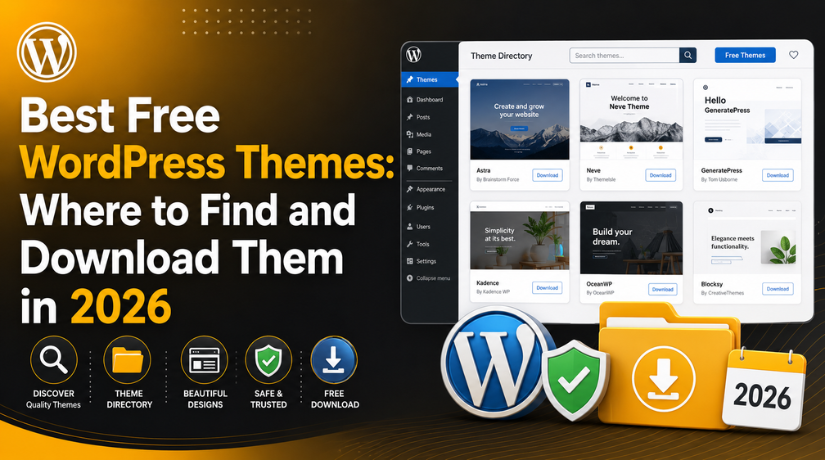
Best Free WordPress Themes: Where to Find and Download Them in 2026
Best Free WordPress Themes: Where to Find and Download Them in 2026
Picking the right WordPress theme is one of the most important decisions you’ll make for your website. It shapes how visitors experience your content, how fast your pages load, and whether Google gives your site the ranking love it deserves. The good news? You don’t have to spend a cent to get a professional-looking, high-performing site. In 2026, the free WordPress theme ecosystem is better than it has ever been — packed with lightweight, beautifully designed options that rival premium themes costing hundreds of dollars.
The challenge is that not all “free” themes are created equal. Some are genuinely excellent. Others are outdated, unsupported, or hiding dangerous code that can compromise your site. In this guide, we’ll walk you through the best free WordPress themes available right now, exactly where to download them safely, how to install them, and how to avoid the pitfalls that trip up so many site owners.
Why the Theme You Pick Matters More Than You Think
It’s tempting to treat a WordPress theme like wallpaper — swap it in, change the colours, call it a day. But your theme is much more than a skin. It directly affects your page speed, your site’s accessibility, how well it works with the block editor, and how search engines crawl and index your content. A bloated theme loaded with features you’ll never use can add seconds to your load time and send visitors straight to your competitors. On the other hand, a lean, well-coded free theme can give your site a razor-sharp performance edge. Knowing what you’re picking and where to get it safely makes all the difference.
What to Look for in a Free WordPress Theme
Before diving into specific recommendations, here are the criteria that separate a genuinely good free theme from a mediocre one. These factors will help you evaluate any theme you come across, regardless of how good its marketing looks.
Performance and Core Web Vitals
Google uses Core Web Vitals — metrics like Largest Contentful Paint, Cumulative Layout Shift, and Interaction to Next Paint — as ranking signals. Your theme plays a direct role in all three. Look for themes that are lightweight (ideally under 100KB for the main stylesheet and scripts), load minimal JavaScript on page render, and avoid heavy animation libraries you can’t easily disable. A slow theme is a hidden SEO penalty you’ll be paying every single day.
Mobile Responsiveness
More than 60% of global web traffic in 2026 comes from mobile devices. A good free theme should be fully responsive out of the box, with no need for a separate mobile plugin. Test any theme on multiple screen sizes before committing — most offer a live preview in the WordPress customizer that lets you check mobile and tablet views instantly before you commit to installing it.
Active Development and Gutenberg Compatibility
A theme that hasn’t been updated in two years is a security risk and a compatibility headache. WordPress itself updates frequently, and themes that don’t keep pace eventually develop conflicts with the latest core version or popular plugins. Always check the “Last Updated” date on the WordPress.org theme listing. In 2026, prioritise themes built for full site editing — they give you the ability to redesign headers, footers, and page templates without writing a single line of code.
The Best Free WordPress Themes in 2026
These themes consistently earn top marks across performance tests, user reviews, and real-world use cases. All are available for free from the official WordPress.org theme directory.
Astra — The Speed Champion
Astra is the most downloaded free WordPress theme in the world, with over 1.6 million active installs and a near-perfect rating. It weighs under 50KB and typically loads in under half a second on a decent host. Astra ships with dozens of prebuilt starter templates that work with all major page builders, making it exceptionally fast to get a professional site live. Whether you’re building a blog, a business site, or a WooCommerce store, Astra adapts smoothly and without drama.
GeneratePress — For Performance Purists
GeneratePress has built a devoted following among developers and performance-obsessed builders. Its free version is stripped to the essentials — a clean, stable codebase with no unnecessary bloat. It scores near-perfect on Google PageSpeed Insights on almost any hosting environment. If you want a theme that stays out of your way and lets you build exactly what you envision, GeneratePress is hard to beat.
Kadence — Best for Block-First Builders
Kadence has become the go-to free theme for those who live and breathe the Gutenberg block editor. Its drag-and-drop header builder, global colour palette, and typography controls are usually reserved for premium themes. Kadence is also WooCommerce-ready and includes a growing library of prebuilt page templates — making it arguably the smartest free choice for block editor users in 2026. The free version is genuinely full-featured, not a watered-down teaser.
Blocksy — The Designer’s Favourite
Blocksy is for site builders who want to push design further without opening their wallet. Its free tier includes dynamic layouts, local Google Fonts hosting, sticky header options, and advanced customizer controls that most themes charge for. Blocksy is particularly well-suited for creatives, portfolio sites, and small online magazines. It handles rich, complex layouts beautifully while maintaining impressive page speed scores.
Neve — Lightweight and WooCommerce-Ready
Neve has racked up over six million downloads and remains one of the most popular free themes in the WordPress directory in 2026. It’s AMP-compatible out of the box, integrates cleanly with WooCommerce, Elementor, Beaver Builder, and Gutenberg, and its minimalist structure keeps load times impressively low. For startups and small businesses that want to launch quickly and look sharp on any device, Neve is a consistently reliable choice.
Twenty Twenty-Five — The Official WordPress Default
Every new WordPress installation comes with Twenty Twenty-Five pre-installed. In 2026, it remains a serious option rather than just a placeholder theme. Built entirely around full site editing, you can redesign every part of your site using the native WordPress block editor — no third-party builder required. It’s clean, accessible, and maintained by the WordPress core team, which means it’s guaranteed to be compatible with every new WordPress release.
OceanWP — Great for eCommerce
OceanWP has earned its reputation as one of the best free themes for WooCommerce-powered stores. Its free version includes a floating add-to-cart bar, cart popup, and product quick view — features that normally require paid extensions. If selling products online is your primary goal and you’re not ready to invest in a premium eCommerce theme, OceanWP is a genuine contender. For a broader comparison, check out our roundup of most popular WordPress themes to see how all of these options stack up across different use cases.


Where to Find and Download Free WordPress Themes Safely
This is where many site owners make costly mistakes. The internet is full of sites offering “free premium WordPress themes” — and most of them are traps. Here is where you should actually be looking.
The Official WordPress.org Theme Directory
The WordPress.org theme directory is the only place where every theme has been reviewed by the WordPress security team before it goes live. Themes must meet strict coding standards, cannot include obfuscated code, and must disclose any external services they connect to. This is your safest and most reliable source for free themes, full stop.
You can browse the directory at wordpress.org/themes, or from inside your WordPress dashboard by going to Appearance → Themes → Add New. Filter by features, preview any theme live on your site before installing, and activate it with a single click.
Theme Developer Websites
Developers like Astra, Kadence, GeneratePress, Neve, and Blocksy distribute their free versions both on WordPress.org and directly from their own websites. Downloading from the official developer site is completely safe — and often gives you access to better documentation, community forums, and starter template libraries. Just make sure you’re on the real developer domain and not a look-alike site.
Trusted WordPress Resource Sites
Reputable WordPress blogs publish curated, tested theme lists that can save you hours of research. Our own 50+ best free responsive WordPress themes guide is a solid starting point for finding fast, well-reviewed options across different niches and business types.
How to Install a Free WordPress Theme
Installing a free theme from WordPress.org takes under two minutes. Log into your WordPress admin dashboard and navigate to Appearance → Themes → Add New. Search by theme name or use the Feature Filter to narrow results by layout type and subject. Hover over any theme to preview it on your live site, then click Install followed by Activate.
If you’ve downloaded a theme zip file directly from a developer’s website, click Upload Theme at the top of the Add New page, select your zip file, and hit Install Now. The process is essentially identical — just one extra step for manually uploaded files.
The Real Danger of “Nulled” Themes
Search for “free premium WordPress theme download” and you’ll find hundreds of sites offering themes that normally cost $50–$200 for nothing. These are called nulled themes — pirated copies of paid products with their licensing removed. Downloading them is one of the fastest ways to compromise your site.
Nulled themes almost always contain hidden malicious code. This code can create backdoors for silent attacker access, inject SEO spam links that get your domain blacklisted by Google, steal admin credentials and customer payment data, and serve unwanted ads or redirects to your visitors. Cleanup after a nulled-theme infection is difficult, time-consuming, and sometimes impossible without a full restore from backup.
If you’re ever unsure whether a theme download is legitimate, or want to check what theme a competitor is running, our WordPress theme detector tools guide covers the best verification options available in 2026.
Free vs. Premium: When Is It Worth Upgrading?
Free themes are excellent starting points, and for many sites they’re all you’ll ever need. That said, there are situations where a premium upgrade genuinely pays off. Consider investing when you need advanced WooCommerce integrations like size guides or custom checkout flows, dedicated priority support with guaranteed response times, or design customization capabilities that go beyond what the free version allows. Premium upgrades from reputable developers like Astra Pro, Kadence Pro, and GeneratePress Premium typically run $49–$99 per year — a reasonable investment for business-critical sites. The best approach is to start free, understand exactly what your site needs, and upgrade only when a specific gap becomes clear.
Build on the Right Foundation from Day One
The themes covered in this guide — Astra, GeneratePress, Kadence, Blocksy, Neve, Twenty Twenty-Five, and OceanWP — represent the genuine best of what’s available in 2026 without spending a cent. Download them only from WordPress.org or the official developer website, test before you commit, and you’ll have a secure, high-performing site from day one.
If you ever run into trouble — a theme conflict, a broken layout after an update, or a customization challenge you can’t crack alone — the team at 24×7 WP Support is available around the clock. We specialise in WordPress support for everything from theme setup and troubleshooting to full site recovery. Get in touch with us today and let’s make sure your WordPress site is running exactly the way it should.
Related posts:

Brian is a WordPress support specialist and content contributor at 24×7 WP Support. He writes practical, easy-to-follow guides on WordPress troubleshooting, WooCommerce issues, plugin and theme errors, website security, migrations, performance optimization, and integrations. With a focus on solving real website problems, Brian helps business owners, bloggers, and online store managers keep their WordPress sites running smoothly.
