
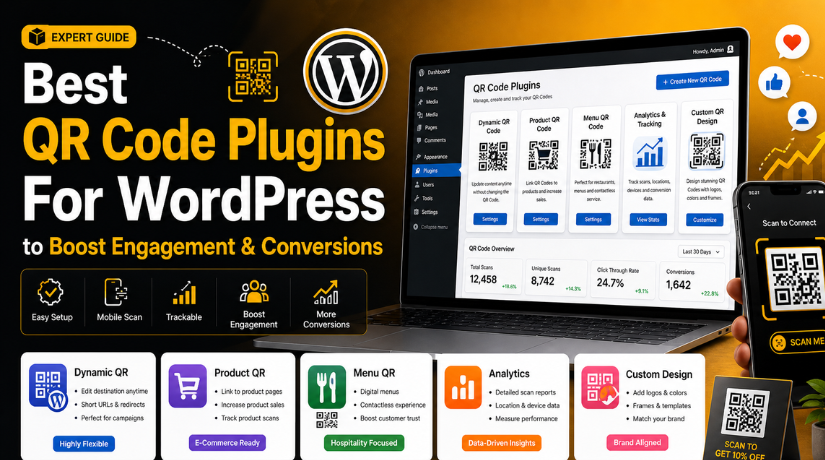
Best QR Code Plugins For WordPress to Boost Engagement & Conversions (Top Picks)
Introduction
QR codes are now useful for many WordPress website owners. They help users open pages, products, forms, and files quickly. A visitor only needs to scan the code with a phone. Then, the website page opens directly on the mobile screen. This makes the user journey faster and simpler.
Many businesses use QR codes on flyers, menus, packaging, banners, invoices, and business cards. Restaurants can link menus through QR codes. Stores can link product pages or discount coupons. Service websites can link booking forms, contact pages, or support pages. Event websites can send users to registration pages. This makes QR codes useful for both online and offline marketing.
A WordPress QR code plugin helps you create these codes inside your website dashboard. You do not need a separate QR code tool. You can generate, place, and manage codes from WordPress itself. Some plugins also support WooCommerce products, checkout pages, and payment links.
Choosing the best QR code plugin for WordPress depends on your website goal. A blog may need a simple QR code. A WooCommerce store may need product QR codes. A marketing website may need tracking and dynamic QR codes. That is why you should understand the features before choosing any plugin.
What Is a WordPress QR Code Plugin and How Does It Work?
A WordPress QR code plugin is a tool that creates QR codes inside WordPress. It can turn a page link, product link, file, text, email, phone number, or form link into a scannable code. Users can scan that code with a mobile phone. Then, they can open the linked content quickly.
A QR code generator WordPress plugin usually works from the dashboard. You install the plugin, add your link or content, and generate the code. After that, you can place the QR code on your website. Many plugins allow placement through shortcodes, blocks, widgets, or WooCommerce settings.
These plugins are helpful for beginners because they reduce manual work. Without a plugin, you may need an external QR tool. Then, you must download the image and upload it manually. A plugin makes this process easier and faster.
A QR code plugin WordPress free version may support basic QR code creation. It may help you create QR codes for pages, posts, or simple URLs. Premium versions may offer more options. These can include tracking, design control, logo support, and dynamic QR code features.
Features to Look For Before Installing a QR Code Plugin In WordPress
Before installing any plugin, check its features carefully. Every plugin does not offer the same tools. Some are simple. Some are better for WooCommerce. Some are useful for marketing campaigns. The right plugin should match your website needs.
Static and Dynamic QR Code Support for Better Flexibility
Static QR codes contain fixed information. Once you create and print them, the link usually cannot change. These codes are useful for permanent pages. You can use them for contact pages, office addresses, or fixed service pages.
Dynamic QR codes are more flexible. A dynamic QR code WordPress plugin lets you change the destination later. This is helpful for printed flyers, seasonal offers, product campaigns, or event pages. You can update the target link without printing a new QR code.
Shortcode, Block, and Widget Support for Easy Placement
A good WordPress QR code plugin should offer easy placement options. Shortcodes help you add QR codes inside pages, posts, and custom layouts. Gutenberg blocks make the process easier for modern WordPress users. Widgets help you place QR codes in sidebars, footers, or other widget areas.
This feature is important because every website layout is different. Some users want QR codes in blog posts. Some want them on product pages. Some want them in the footer or sidebar. Flexible placement makes the plugin more useful.
WooCommerce Compatibility for Product and Store QR Codes
WooCommerce users need more than basic QR codes. They may need QR codes for products, orders, invoices, coupons, or payment pages. A WooCommerce-ready plugin can help store owners share products faster.
For example, a store can add QR codes to product labels. Customers can scan the code and open the product page. This is useful for physical stores, catalogs, packaging, and events. It also helps users move from offline product displays to online checkout pages.
Custom Design Options for Clear and Branded QR Codes
QR codes should be easy to scan. Still, many website owners want branded designs. A good plugin should offer basic design options. These may include size, color, padding, frame, logo, and layout settings.
However, design should never reduce scan quality. Low contrast can make QR codes hard to scan. Small sizes can also create problems. Always choose simple and clear designs.
Tracking and Analytics for Marketing Campaigns
Tracking is useful when QR codes are part of marketing. It helps you check how many users scanned a code. Some plugins may also show scan location, device type, time, or campaign data.
This feature helps businesses measure offline marketing results. You can compare flyers, banners, menus, and product labels. You can see which QR code brings more traffic.
Download and Print Quality for Offline Marketing Use
Many QR codes are used outside the website. They appear on business cards, posters, menus, packaging, and invoices. So, download quality matters a lot.
Look for plugins that support high-quality image output. PNG and SVG formats are common options. SVG is useful because it stays sharp at different sizes. This is helpful for print materials and large banners.
Privacy and External API Use for Safer QR Code Generation
Some QR code plugins generate codes inside your website. Others may use external services or APIs. You should check this before installing any plugin.
Privacy matters when QR codes include private links, order pages, or customer details. Avoid sending sensitive information through unknown third-party services. Always review plugin details before using it for private data.
A reliable WordPress QR code plugin should clearly explain how it works. It should also follow safe data practices. This keeps your website and users more secure.
Plugin Updates and Support for Long-Term Website Safety
Plugin updates are very important for WordPress websites. An outdated plugin can create security or compatibility issues. It may also stop working after WordPress updates.
Before choosing a QR code plugin WordPress free option, check its update history. Also check reviews, support replies, and active installations. These details help you judge plugin quality.
List Of Top QR Code Plugins For WordPress (Detailed Guide)
Choosing the right plugin can make QR code setup easier. Each website has different needs. Some websites need simple QR codes for pages. Some stores need WooCommerce product QR codes. Some business websites need tracking and design control. Below are the first three useful plugins from our list. These options can help beginners, bloggers, store owners, and business websites use QR codes more easily.
#1 Kaya QR Code Generator
Kaya QR Code Generator is a simple and useful WordPress QR code plugin for basic QR code needs. It helps website owners create QR codes using shortcodes and widgets. You can use it on pages, posts, sidebars, and other content areas. It is a good choice for beginners, small business websites, bloggers, and users who need a clean QR code setup without complex settings.
Key Features of Kaya QR Code Generator
- It supports shortcodes for pages, posts, and custom content areas.
- It includes widget support for sidebar and footer placement.
- It can generate QR codes for the current page URL.
- It supports custom text, website links, and simple content.
- It offers a simple setup from the WordPress dashboard.
Pros of Kaya QR Code Generator
- It is easy for beginners to install and use.
- It works well for basic QR code generation needs.
- It supports both pages and posts through shortcodes.
- It is useful for blogs and small business websites.
- It does not require a complex setup process.
Cons of Kaya QR Code Generator
- It may not offer strong tracking or analytics features.
- Its design options can feel limited for advanced users.
- It is not mainly focused on WooCommerce store features.
- It may not support advanced dynamic QR code needs.
- It may not suit large marketing campaign workflows.
Download Link: Kaya QR Code Generator
#2 QR Link Generator for WP
QR Link Generator for WP helps users create QR codes from website links. It is helpful for websites that need quick QR code creation from the front end. The plugin can also support WooCommerce product QR codes, which makes it useful for online stores. It is a good option when you need a QR code generator WordPress tool for simple links and product sharing.
Features
- It offers a front-end QR code generation form.
- It supports shortcode placement on WordPress pages.
- It can create QR codes for WooCommerce product pages.
- It offers basic size and layout customization options.
- It helps generate QR codes for website links quickly.
Pros
- It is useful for WooCommerce product page sharing.
- It makes front-end QR code generation simple.
- It works well for users who prefer shortcodes.
- It helps customers scan and open product links quickly.
- It can support print use for products and pages.
Cons
- It may not include advanced QR analytics features.
- It may not suit large or complex campaign tracking.
- Its design options may feel basic for branding needs.
- It requires proper WooCommerce setup for product use.
- It is not mainly built as a dynamic campaign tool.
Download Link: QR Link Generator for WP
#3 Zolo QR Code Generator & Scanner
Zolo QR Code Generator & Scanner is a modern QR code plugin WordPress free option for block editor users. It helps create QR codes for URLs, text, phone numbers, emails, and other content types. It also gives useful design controls like size, color, padding, and correction settings. This plugin is suitable for users who want a clean Gutenberg-based QR code workflow.


Features
- It includes a QR code block for Gutenberg users.
- It supports QR codes for URLs, text, phone, and email.
- It offers color, size, padding, and style controls.
- It includes error correction settings for better scan quality.
- It provides responsive QR output for modern WordPress layouts.
Pros
- It works well with the WordPress block editor.
- It gives better design control than basic QR tools.
- It supports different QR code content types easily.
- It is useful for modern WordPress website layouts.
- It offers a clean interface for non-technical users.
Cons
- Classic editor users may prefer shortcode-based plugins.
- WooCommerce product QR codes are not its main focus.
- Some advanced features may require premium access.
- Tracking features may be limited for campaign users.
- Beginners may need time to understand block settings.
Download Link: Zolo QR Code Generator & Scanner
#4 Qyrr QR Code Plugin
Qyrr is a useful dynamic QR code WordPress plugin for business and marketing needs. It helps website owners create, manage, and track QR codes from the WordPress dashboard. This plugin is helpful for printed campaigns, service promotions, landing pages, and event links. It suits marketers, agencies, and business owners who need more control than a simple QR code generator.
Features
- It helps create QR codes from the WordPress dashboard.
- It offers QR code management tools for multiple campaigns.
- It supports scan tracking for marketing performance checks.
- It includes custom design options for branded QR codes.
- It works well for printed materials and campaign links.
Pros
- It is useful for serious marketing campaigns.
- It helps track QR code scan activity.
- It makes multiple QR codes easier to manage.
- It supports better control for business use cases.
- It is helpful for dynamic campaign planning needs.
Cons
- It may feel advanced for complete beginners.
- Some important features may need paid access.
- Setup can take more time than basic plugins.
- It is not mainly made for WooCommerce products.
- It may be too much for simple QR needs.
Download Link: Qyrr
#5 WPC Product QR Code for WooCommerce
WPC Product QR Code for WooCommerce is made for online stores. It helps store owners add QR codes to WooCommerce product pages. Customers can scan the QR code and open the product page on mobile. This plugin is useful for product labels, retail displays, catalogs, packaging, and offline product marketing. It is a good choice for WooCommerce-based stores.
Features
- It creates QR codes for WooCommerce product pages.
- It can show a QR code icon on product pages.
- It helps customers open products quickly on mobile.
- It supports offline product sharing through printed materials.
- It offers a simple WooCommerce-focused setup process.
Pros
- It is built mainly for WooCommerce store owners.
- It helps promote products through offline materials.
- It works well for product labels and packaging.
- It makes product sharing faster for customers.
- It is simple for store owners to manage.
Cons
- It is not useful for non-WooCommerce websites.
- It has limited use beyond product QR codes.
- It may not include advanced tracking features.
- It is not built for QR payment features.
- It may not suit blogs or service websites.
Download Link: WPC Product QR Code
How to Choose the Best QR Code Plugin for WordPress
Choosing the best QR code plugin for WordPress depends on your website goal. Every website does not need the same type of QR tool. A small blog may only need a basic QR code. A WooCommerce store may need product QR codes. A marketing website may need tracking and dynamic QR options. So, check your real use case before installing any plugin.
Choose a QR Code Plugin Based on Your Website Type
Your website type should guide your plugin choice. A blog can use a simple QR code plugin WordPress free option for page links. A business website may need QR codes for contact pages, service pages, forms, or landing pages. A WooCommerce store may need product QR codes, coupon QR codes, or payment QR codes. A marketing website may need dynamic QR codes and scan tracking.
Match the Plugin Features With Your Main Goal
Before choosing a plugin, decide what you want the QR code to do. If you only need QR codes for page links, a basic WordPress QR code plugin can work well. If you need product QR codes, choose a WooCommerce-ready plugin. If you need campaign tracking, choose a dynamic QR code WordPress plugin with analytics. Clear goals help you avoid unnecessary features.
Check Ease of Use Before Installing the Plugin
A good plugin should be easy to install and manage. Beginners should choose plugins with simple settings, shortcodes, widgets, or blocks. If you use Gutenberg, a block-based plugin may feel easier. If you use the classic editor, shortcode support may work better. Avoid complex plugins if your website only needs simple QR code generation.
Review Design and Branding Options Carefully
QR code design matters, but scan quality matters more. Some plugins allow color changes, logo placement, padding, size control, and frame styles. These options can help match your website branding. Still, do not make the code too decorative. Low contrast, tiny sizes, and busy backgrounds can stop users from scanning the QR code properly.
Test QR Codes on Mobile and Printed Materials
Most users scan QR codes with mobile phones. So, always test QR codes on different devices. Use Android and iPhone if possible. Also test the QR code after printing it. A QR code may look clear on screen but fail on paper. Testing helps you fix size, color, spacing, and destination issues before users see it.
Check Plugin Updates, Reviews, and Support Quality
Always check plugin updates before installation. A regularly updated QR code generator WordPress plugin is safer for long-term use. Read user reviews and support replies. Also check whether the plugin works with your WordPress version. Good support can help when QR codes do not display, scan, or connect correctly. A stable plugin protects your website experience.
Common Mistakes to Avoid When Using QR Code Plugins
QR codes look simple, but small mistakes can create problems. A wrong plugin choice can affect users and campaigns. Poor design can make QR codes hard to scan. Slow landing pages can also reduce results. So, always use QR codes with a clear plan. This helps your WordPress QR code plugin work better for your website.
Choosing a QR Code Plugin Without a Clear Purpose
Many users install a plugin without checking their real needs. This can create confusion later. A blog does not need the same plugin as an online store. A WooCommerce store may need product QR codes. A marketing website may need tracking and dynamic links. So, choose the best QR code plugin for WordPress based on your goal. Do not select a plugin only because it looks popular. Check features, reviews, updates, and placement options before installation.
Using Static QR Codes for Changing Campaigns
Static QR codes are useful for fixed pages. They work well for contact pages, service pages, and permanent links. But they are not ideal for changing campaigns. If you print a static QR code, you cannot easily change its destination later. This can waste printed flyers, menus, labels, and posters. A dynamic QR code WordPress plugin is better for offers, events, and seasonal campaigns. It lets you update the final link without printing new QR codes.
Making QR Codes Too Small for Real Users
A small QR code may look neat on a design. But it may not scan properly in real use. This issue often happens on flyers, labels, packaging, menus, and banners. Users may hold their phones far from the code. Poor print quality can also reduce scan success. Always keep QR codes large enough for easy scanning. Test the code from different distances before publishing. A clear QR code improves user experience and avoids lost traffic.
Using Poor Color Contrast in QR Code Design
QR codes need strong contrast to scan correctly. Black codes on white backgrounds usually work best. Custom colors can look attractive, but they may reduce scan quality. Avoid light colors, faded tones, and busy backgrounds. Also avoid placing QR codes over images without proper spacing. If your QR code generator WordPress plugin allows color changes, use them carefully. Good design should support scanning, not block it. Always test every color change before public use.
Not Testing QR Codes Before Publishing
Testing is one of the most important steps. Many users publish QR codes without scanning them first. This can lead to broken links, wrong pages, or failed scans. Always test your QR code on Android and iPhone devices. Also test it from printed material, not only the screen. Check the final page after scanning. Make sure the page opens fast and looks correct. Testing helps you find problems before users face them.
Sending QR Code Users to Slow Website Pages
Most QR code users visit from mobile phones. If your page loads slowly, users may leave quickly. A QR code should open a clean and fast mobile page. Avoid sending users to heavy pages with large images. Also avoid pages with broken layouts or too many popups. If you use QR codes for products, check the product page speed. A good WordPress QR code plugin helps users reach content. But page speed decides whether they stay.
Ignoring Plugin Updates and Support Quality
Old plugins can create website problems. They may stop working after WordPress updates. They can also create security or compatibility risks. Before using any QR code plugin WordPress free option, check its update history. Read support replies and user reviews. Make sure the plugin works with your current WordPress version. Regular updates show that the developer still maintains the plugin. This helps keep your website safer and more stable.
Conclusion
QR code plugins can make your WordPress website more useful. They help connect offline users with online pages quickly. You can use them for products, menus, coupons, forms, downloads, events, and payments. They also support better mobile access for visitors. The right plugin depends on your website purpose. A simple blog may need a basic QR code generator WordPress plugin. A WooCommerce store may need product QR code support. A marketing website may need tracking and dynamic QR code features. Always compare features before installing any plugin. Check shortcode support, design options, WooCommerce support, updates, and scan quality. Also test every QR code before using it in print. This will help you choose the best QR code plugin for WordPress for long-term use.
If you need help with QR code plugin setup, 24x7wpsupport can assist you. Our WordPress experts can install, configure, and test the right plugin for your website. We can also help with WooCommerce QR codes, product pages, plugin conflicts, website speed, and layout issues. Visit 24x7wpsupport today and get expert WordPress support for your website.
Related posts:

Brian is a WordPress support specialist and content contributor at 24×7 WP Support. He writes practical, easy-to-follow guides on WordPress troubleshooting, WooCommerce issues, plugin and theme errors, website security, migrations, performance optimization, and integrations. With a focus on solving real website problems, Brian helps business owners, bloggers, and online store managers keep their WordPress sites running smoothly.
