
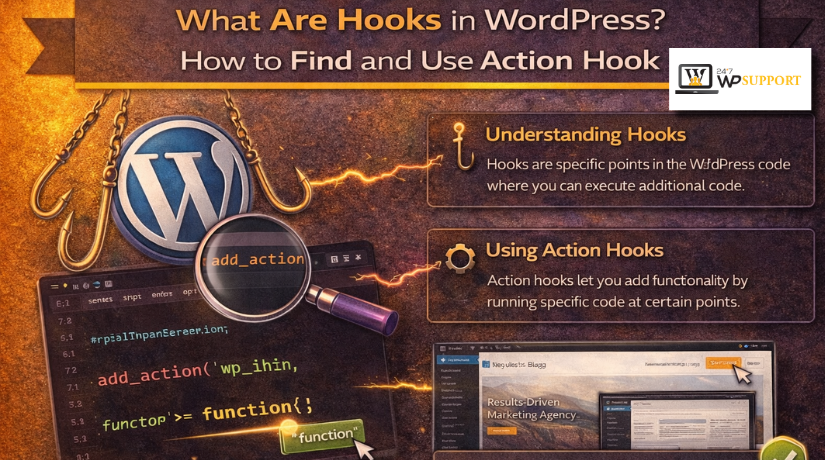
What Are Hooks in WordPress? How to Find and Use Action Hook
Introduction: Why Hooks Matter in WordPress
WordPress is flexible because it allows custom changes without editing core files. This is one reason it is popular with website owners, developers, and businesses. If you want to add features or change how something works, hooks make that possible in a safer way. They help you extend WordPress without breaking its main system during updates.
When people ask what are hooks in WordPress, the simple answer is this: hooks are built-in points where custom code can run. These points let WordPress connect extra functions at the right moment. That is why hooks are such an important part of WordPress development. They give you more control over your site while keeping the setup clean and manageable.
Hooks also support better long-term maintenance. Instead of changing WordPress core files, you can place custom code in the right location and keep your website easier to manage. This matters for performance, safety, and future updates. It is also one reason topics like WordPress hooks explained remain useful for beginners and developers alike.
In this article, you will learn the basics in a simple way. You will understand what hooks are, how they work, and why they matter. You will also learn how to find hooks in WordPress and later understand how to add an action hook in WordPress correctly.
Understanding Hooks in WordPress
Hooks are special trigger points inside WordPress. They allow developers to attach custom code without editing the main platform files. In simple terms, WordPress reaches a certain point, sees a hook, and then runs the related custom function.
There are two main types of hooks in WordPress:
- Action hooks
- Filter hooks
WordPress action hooks are used to run a function at a specific point. They perform tasks such as loading scripts, adding content, or running custom features. Filter hooks are different because they modify data before it is displayed or saved.
This basic understanding is important before moving forward. Once you know the difference between these two types, it becomes much easier to work with useful hooks in WordPress and use them with confidence.
What an Action Hook Actually Does
An action hook tells WordPress when to run a custom function. It works like a trigger point inside the system. When WordPress reaches that point, it runs the code attached to that hook. This is the basic idea behind WordPress action hooks.
Action hooks are used to perform tasks at the right moment. They do not usually change existing data. Instead, they let you add or run something when a page, post, or admin area loads. This makes development cleaner and safer. It also helps you avoid editing core files.
For beginners, this is the easiest way to understand it: an action hook lets WordPress do something extra. That extra task can be small or large, depending on your need. For example, you can use an action hook to:
- add custom text in the footer
- load a stylesheet or script
- run code after a post is published
- show content in the admin panel
- trigger a task during login or logout
This is why many developers search for what are hooks in WordPress when learning customization. Hooks make it possible to extend features without changing the main platform. Once you understand this, WordPress hooks explained becomes much easier to follow.
Where Action Hooks Are Used in WordPress
Action hooks appear in many parts of a WordPress website. They are used in WordPress core, themes, and plugins. That means they are not limited to one file or one area. They are built into the system to support flexible development.
In WordPress core, action hooks control many standard events. Themes use hooks to place content in template areas. Plugins also create their own hooks for custom features. This is why it is useful to know how to find hooks in WordPress before adding custom code.
You will often see action hooks used in these areas:
- header and footer sections
- sidebar and template files
- admin dashboard pages
- post publishing events
- user login and logout actions
- script and style loading
Some of the most useful hooks in WordPress are found in these common locations. Later, when you learn how to add an action hook in WordPress, these areas will make more sense. First, you need to understand what action hooks do and where they run. That foundation makes the next steps much easier.
How to Find Hooks in WordPress
Before you use any hook, you need to find the right one. This step matters because the wrong hook can place code in the wrong area or trigger it at the wrong time. When users search how to find hooks in WordPress, they usually want a simple and practical method. The good news is that hooks are not hard to spot once you know what to look for.
- Search WordPress Core Files
A good place to begin is the WordPress core files. WordPress uses hooks throughout its main system to run tasks during page loading, admin actions, and post events. Most WordPress action hooks are created with the do_action() function. Filter hooks are usually created with apply_filters(). When you search these functions in the code, you can quickly locate built-in hooks and understand where they run.
- Search Theme Files
Your active theme is another important place to check. Themes often include hooks for layout areas and template output. This is useful when you want to add content in visible sections of the site. Common files to search include:
- functions.php
- header.php
- footer.php
- other template files
Many useful hooks in WordPress appear in these files, especially in the header, footer, and content areas.
- Search Plugin Files
Plugins also create their own custom hooks. This is common in large plugins that allow developers to extend features without editing plugin code directly. For example, eCommerce, SEO, and form plugins often include many custom actions. That is why plugin files are also important when learning how to find hooks in WordPress.
- Use a Code Editor or Hook Reference Tool
A code editor can make hook searching much faster. Most editors let you search across all files in one place. This saves time and helps you spot patterns quickly. Hook reference tools can also help you understand where a hook runs and what it does. This makes WordPress hooks explained much easier for beginners.
How to Recognize a Hook Name
A hook name usually appears inside quotes within do_action() or apply_filters(). Once you learn this pattern, hook discovery becomes much easier. That foundation will help you later when using hooks safely and correctly.
How to Use an Action Hook in WordPress
Once you understand hooks, the next step is using one correctly. This is where many beginners start working with custom code. If you want to learn how to add an action hook in WordPress, the process is simple when broken into small steps.
Using an action hook usually involves two parts:


- creating a custom function
- connecting that function with add_action()
The custom function contains the task you want WordPress to run. The add_action() function tells WordPress where that task should run. This is the basic structure behind WordPress action hooks.
A standard add_action() setup includes four parts:
- hook name
- callback function
- priority
- accepted arguments
The hook name tells WordPress which trigger point to use. The callback function is the custom function that runs. Priority controls the order of execution. Accepted arguments define how much data the function can receive. Once you understand these parts, WordPress hooks explained becomes much easier in practice.
Here is a simple example:
function custom_footer_text() {
echo ‘<p>Thank you for visiting our website.</p>’;
}
add_action( ‘wp_footer’, ‘custom_footer_text’ );
This example creates a function called custom_footer_text(). That function prints a short message in the footer area. Then add_action() connects that function to the wp_footer hook. When WordPress reaches the footer, it runs the function automatically.
This example also shows why hooks are useful. You can add custom output without changing the core platform. That is one reason developers often search what are hooks in WordPress before learning customization.
Best Place to Add Action Hook Code
You should always place hook code in a safe location. In most cases, the best options are:
- a child theme functions.php file
- a custom site plugin
A child theme is safer than editing the parent theme directly. Parent theme changes are often removed during updates. A custom plugin is also a strong option for site-specific features. It keeps custom code separate from design files.
Never place custom hook code inside WordPress core files. Those files are replaced during updates. Avoid editing the parent theme unless there is no better option. If you want to use useful hooks in WordPress safely, always choose an update-safe location. This keeps your site stable, organized, and easier to manage over time.
Common Examples of Useful Action Hooks
Once you understand the basics, it helps to know some common hooks. These examples show how WordPress action hooks work in real websites. They also make WordPress hooks explained much easier for beginners.
Here are some useful hooks in WordPress that developers use often:
- wp_head – Runs inside the <head> section of the site. It is often used for meta tags, custom scripts, or tracking code.
- wp_footer – Runs before the closing body tag. It is useful for footer text, scripts, and custom output.
- init – Runs early in the WordPress loading process. It is often used to register features or start custom functions.
- admin_init – Runs inside the admin area. It is useful for backend settings and custom admin tasks.
- save_post – Runs when a post is saved or updated. It helps trigger tasks after content changes.
- wp_enqueue_scripts – Used to load CSS and JavaScript files properly on the front end.
These examples show that hooks are active in many areas. They are found in both visible and background processes. That is why learning how to find hooks in WordPress is so important before adding code.
Common Mistakes When Working with Action Hooks
Beginners often make small mistakes when using hooks. These errors can cause code to fail or run in the wrong place.
Common mistakes include:
- using the wrong hook name
- placing code in the wrong file
- editing the parent theme directly
- confusing action hooks with filter hooks
- forgetting to test changes properly
If you are learning how to add an action hook in WordPress, always test on a staging site first. Make sure the hook runs in the correct location. Also check that your custom function matches the purpose of the hook.
Conclusion
Hooks are one of the most useful parts of WordPress customization. They let you extend features without changing core files. That makes your site safer and easier to maintain. If you ever asked what are hooks in WordPress, the answer becomes clear with practice.
Start with simple examples and test each change carefully. Once you understand where hooks run and how action hooks work, WordPress development feels much easier and more controlled. If you need expert help with WordPress customization, troubleshooting, or hook-based development, you can contact 24x7WPSupport for professional WordPress support.
FAQs
1. What are hooks in WordPress?
Hooks in WordPress are special points where custom code can run. They help developers add or change features without editing core files. This makes customization safer and easier to manage.
2. What is the difference between action hooks and filter hooks?
Action hooks run a function at a specific point in WordPress. Filter hooks change data before it is displayed or saved. In simple terms, actions do something, while filters modify something.
3. How do I find hooks in WordPress?
You can find hooks by searching WordPress core, theme, or plugin files. Look for functions like do_action() and apply_filters(). These functions help you identify where hooks are created and used.
4. How do I add an action hook in WordPress?
To add an action hook, first create a custom function. Then connect that function to a hook by using add_action(). This tells WordPress when and where your custom code should run.
5. Where should I place custom hook code in WordPress?
The safest place is usually a child theme functions.php file or a custom site plugin. You should not place custom hook code in WordPress core files. Core changes are lost during updates.
Related posts:
Do WordPress Blogs Make Money? How to Monetize Your Blog in 2026

WordPress featured image not showing – The Probable Reasons and How to Resolve this Issue?
How to Use WebP Images in WordPress for Faster Speed
WordPress Widgets Explained: Where to Find Them in 2026
How to Add a Custom Dashboard Widget in WordPress (2026)

Brian is a WordPress support specialist and content contributor at 24×7 WP Support. He writes practical, easy-to-follow guides on WordPress troubleshooting, WooCommerce issues, plugin and theme errors, website security, migrations, performance optimization, and integrations. With a focus on solving real website problems, Brian helps business owners, bloggers, and online store managers keep their WordPress sites running smoothly.
