
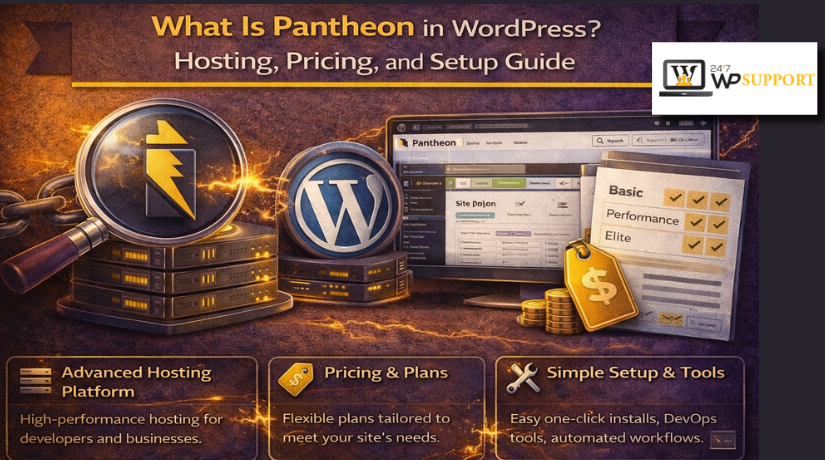
What Is Pantheon in WordPress? Hosting, Pricing, and Setup Guide
Introduction: What This Guide Will Help Readers Understand
If you are asking what is Pantheon in WordPress, this guide will help. Many WordPress users see Pantheon mentioned online and feel confused. Some think it is a plugin or theme tool. Others believe it is only a hosting company. The truth is a little broader and more useful. Pantheon is built to support WordPress websites with managed tools. It also gives users a better workflow for updates and testing. That makes it different from many basic hosting options today.
This guide focuses only on the topic you need. It explains Pantheon in a simple and practical way. It also helps beginners understand where Pantheon fits in WordPress. You will learn the core idea before moving deeper later. That makes the full article easier to follow and trust.
In this article, readers will understand:
- what Pantheon is for WordPress websites
- how Pantheon supports website management and hosting
- why many users choose it over simple shared hosting
What Pantheon Means for a WordPress Website
To understand what is Pantheon in WordPress, start with the basics. Pantheon is not a WordPress plugin or theme. It is also not a page builder or dashboard add-on. Pantheon is a platform that hosts and manages WordPress websites. In simple words, it gives your WordPress site a place to live, run, and grow.
Many people describe it as Pantheon WordPress hosting, but that is only part of the picture. Pantheon also gives users a structured workflow for site changes. Instead of editing everything directly on the live site, users can work more carefully. This setup helps reduce mistakes and protects the website experience.
One of Pantheon’s best-known features is its three environment system:
- Dev for building or making changes
- Test for checking updates before launch
- Live for the public website visitors use
This process is helpful for teams, developers, and growing businesses. It gives more control than standard low-cost hosting plans. It also supports safer updates and cleaner website management. That is why many users see Pantheon as more than hosting alone. It works as a managed platform built for serious WordPress work.
Is Pantheon Free or Paid? What Users Should Know First
Many beginners ask, is Pantheon free for WordPress websites or not. The simple answer is no for a live site. Pantheon offers a free trial-style starting path and sandbox access. That lets users explore the platform before paying. But once you want a real production website with a connected domain, you need a paid site plan.
This is where many users get confused at first. They see the free option and assume full hosting stays free. That is not how Pantheon works for most business websites. The free stage is mainly for testing, reviewing workflows, and learning the platform. It helps users understand the dashboard and tools before launch. Paid hosting starts when the website moves toward real public use.
So, when someone asks if Pantheon is free, the better answer is this:
- Free to explore and test
- Paid for live hosting and full production use
- Scaled pricing based on the site plan you choose
Pricing Structure: How Pantheon Charges for WordPress Hosting
Understanding Pantheon WordPress pricing becomes easier when you view it by plan level. Pantheon offers a Basic plan for smaller and lower-traffic websites. It also offers several Performance plans for sites that need more power, more traffic capacity, and stronger infrastructure. Pantheon’s official pricing pages currently show Basic, Performance Small, Performance Medium, Performance Large, Performance XL, and Performance 2XL tiers.
At the time of writing, Pantheon states that paid WordPress hosting starts around the low-forty-dollar range per month, while partner pricing pages and plan pages also show higher list pricing depending on monthly or annual billing. Because plan details can change, users should always confirm the latest amount before publishing final pricing tables.
For Pantheon WordPress hosting, the price usually changes based on factors like these:
- monthly traffic limits
- storage allowance
- number of app containers
- custom domain support
- higher performance needs for growing websites
This means Pantheon is not built like very cheap shared hosting. Its pricing reflects a more managed setup. That makes it a better fit for users who want stability, workflow tools, and room to scale.
How Pantheon Connects to a WordPress Site
Many beginners ask how to connect Pantheon to WordPress the right way. In simple terms, this usually means one of two things. You either create a new WordPress site on Pantheon, or you move an existing WordPress site to Pantheon from another host. Pantheon’s official setup guides present these as the main starting paths for WordPress users.
This point is important because the word “connect” can sound confusing. Pantheon is not a plugin that links to WordPress later. Instead, Pantheon becomes the platform where your WordPress site is built or hosted. That is why the setup process starts inside the Pantheon dashboard, not inside a normal WordPress plugin screen.
So, when readers search how to connect Pantheon to WordPress, they are usually trying to do one of these:
- start a brand-new WordPress site on Pantheon
- migrate an old WordPress site from another host
- prepare the site for testing and launch on Pantheon
Step-by-Step Setup Flow for WordPress on Pantheon
The setup process is easier when you follow it one step at a time. Pantheon lets users begin from a workspace, create a new site, or choose a migration path for an existing site. After that, the platform guides users through installation, environments, testing, and launch.
Step 1: Create a Pantheon Account
Start by signing in to Pantheon and opening your workspace dashboard. This is where you begin the site creation or migration process. From here, you can choose the setup path that matches your WordPress project.
Step 2: Add a New Site or Choose Migration


If your site is new, click Create New Site and select WordPress. If the site already exists elsewhere, choose Migrate Existing Site instead. This keeps the process clear and reduces confusion for beginners.
Step 3: Install or Import WordPress
For a new site, Pantheon shows the WordPress setup screen after deployment. For an existing site, the migration flow brings your WordPress files and content into the Dev environment. Both paths are built to get WordPress running inside Pantheon first.
Step 4: Access the Dashboard and Environments
Pantheon uses a structured workflow with Dev, Test, and Live environments. Users build or import the site in Dev first. Then they initialize Test and Live from the dashboard as they move closer to launch.
Step 5: Test the Site Before Launch
Before going live, review the site carefully in the testing stage. Check pages, forms, plugins, theme styling, and media files. This helps catch problems before visitors see the final website.
Step 6: Point the Domain and Go Live
The last step is connecting your custom domain to Pantheon. Pantheon requires a paid plan for custom domains. After adding the domain in the Site Dashboard, you update DNS settings and let Pantheon provision HTTPS for the live site.
When Pantheon Is a Good Fit for WordPress
Pantheon works best for users who need more than simple hosting. It is built for websites that need better control, safer updates, and steady growth. That makes Pantheon WordPress hosting a strong choice for teams that manage important website changes often.
Pantheon is usually a good fit for:
- agencies handling many client WordPress websites
- developers who want a cleaner testing workflow
- businesses planning to grow traffic over time
- teams that need separate work and live environments
These users often make updates more often than basic site owners. They also need a safer way to test changes first. Pantheon helps with that by giving separate stages for development, testing, and live publishing. This lowers the chance of mistakes on the public site.
It may also work well for businesses with larger goals. If a company wants speed, stability, and better workflow, Pantheon can offer more value than low-cost shared hosting.
Still, Pantheon is not the best fit for everyone. Small personal websites may not need these advanced tools. A beginner with a very small budget may prefer simpler hosting first. That is why users should always match the platform to their real needs.
Conclusion
So, what is Pantheon in WordPress in the simplest sense? It is a managed WordPress platform that combines hosting, workflow, and site control in one place. It is more than a normal hosting account.
It is also important to answer the common pricing question clearly. Is Pantheon free for WordPress? Not for a live business website. Users can explore the platform first, but public hosting runs on paid plans.
If you are checking Pantheon WordPress pricing, think beyond monthly cost alone. Also consider workflow, testing tools, and future growth support. And if you are learning how to connect Pantheon to WordPress, remember that the process usually means creating a new site or moving an existing one.
Pantheon is a smart choice for users who want structured WordPress management.
If you want help choosing the right WordPress hosting, moving your site, or setting up Pantheon the right way, 24x7wpsupport can help. Our team works with WordPress users who need simple, reliable, and expert support.
Related posts:
WordPress vs Laravel for SEO: Which Is the Better Choice?

WooCommerce Google Docs integration: #1 Sales Funnel Builder
How to Migrate a WordPress Site Without a Plugin (2026 Guide)
How to Set Custom Image and Thumbnail Sizes in WordPress (2026)

How to Customize Headers in WordPress Using Plugins and Custom Code?

Brian is a WordPress support specialist and content contributor at 24×7 WP Support. He writes practical, easy-to-follow guides on WordPress troubleshooting, WooCommerce issues, plugin and theme errors, website security, migrations, performance optimization, and integrations. With a focus on solving real website problems, Brian helps business owners, bloggers, and online store managers keep their WordPress sites running smoothly.
