
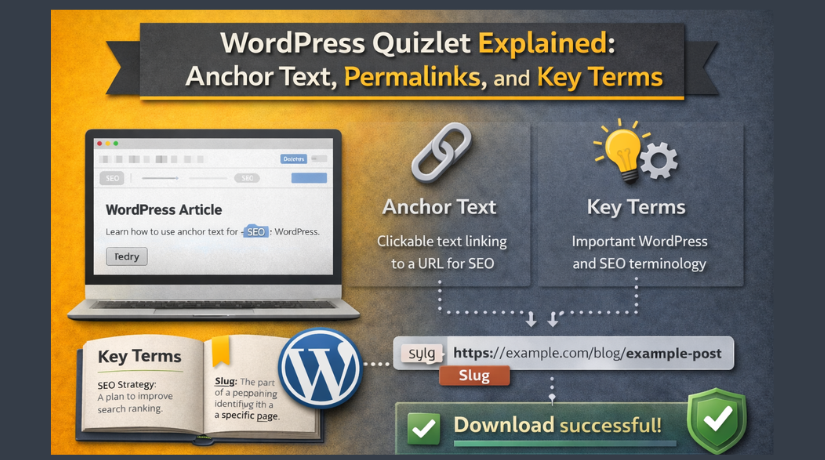
WordPress Quizlet Explained: Anchor Text, Permalinks, and Key Terms
Last updated on April 15th, 2026 at 06:18 am
Introduction
Learning WordPress can feel overwhelming for new users. The platform has hundreds of unique terms and concepts. You need a simple way to memorize them all.
A WordPress Quizlet is the perfect study tool for this task. It turns complex jargon into easy digital flashcards. You can learn at your own pace anywhere.
This guide will explain everything about WordPress Quizlet. You will learn what it is and its key features. You will also master two essential WordPress terms.
Anchor text and permalinks are critical for SEO success. Understanding them will improve your website’s performance. By the end, you will speak WordPress like a pro
What is WordPress Quizlet?
A WordPress Quizlet is a digital study set for WordPress terms. It is not an official product from WordPress itself. Instead, it uses the popular Quizlet platform for learning.
Quizlet is an online tool for creating flashcards and quizzes. You can make custom study sets for any subject. WordPress terminology is a perfect fit for this method.
You create a card for each WordPress term you want to learn. One side shows the term like “Permalink” or “Anchor Text”. The other side shows its definition or an example.
You can shuffle these cards and quiz yourself repeatedly. This active recall method helps you remember terms longer. It is much better than just reading a glossary once.
How a WordPress Quizlet Helps Beginners?
- New WordPress users face a steep learning curve. Terms like “hooks”, “filters”, and “shortcodes” seem confusing. A Quizlet breaks down this complexity into small pieces.
- You can study just five to ten cards per day. This prevents information overload and builds confidence. Within a few weeks, you will know all key terms.
- Many WordPress educators share their Quizlet sets online. You can find pre-made sets for free. This saves hours of creating your own flashcards from scratch.
Where to Access WordPress Quizlet Sets?
- You can create your own set on Quizlet’s website or app. Sign up for a free account to get started. Then click “Create” to build your first study set.
- Enter a title like “WordPress Essential Terms” for your set. Add terms and definitions in the provided fields. You can also add images for visual learning.
- Alternatively, search for existing WordPress sets on Quizlet. Use keywords like “WordPress glossary” or “WordPress terms”. Many excellent sets are already available for public use.
What are the Key Features of WordPress Quizlet?
1.Digital Flashcards with Active Recall
- The flashcard feature is the core of any Quizlet set. You see a term on the front of each card. You try to recall its definition before flipping the card over.
- This active recall process strengthens memory connections in your brain. It is scientifically proven to be more effective than passive reading. You will retain WordPress terms for much longer periods.
- You can rate your knowledge level for each card. Mark a card as “easy” if you know it well. Mark it as “hard” if you need more practice sessions.
- Quizlet will automatically show you hard cards more often. This adaptive learning saves time and focuses on weak areas. You will master difficult terms much faster.
2.Practice Tests with Automatic Grading
- Quizlet can transform your flashcards into formal practice tests. You can choose from several question formats. Options include multiple choice, true/false, and written response.
- The tool will grade your answers instantly after completion. It will highlight which questions you answered correctly. It will also show you which ones you missed.
- You can then review only the questions you got wrong. This targeted approach improves your weak spots efficiently. You never waste time on concepts you already know.
3.Matching Games for Visual Learners
- Matching games turn studying into an enjoyable activity. Terms appear randomly on one side of the screen. Definitions appear scattered on the other side.
- You drag each term to its matching definition. The game tracks how many matches you make correctly. It also times how long it takes you to complete.
- This format is less stressful than formal testing. It helps you build quick recognition of each term. You can play multiple times to improve your speed.
4.Learn Mode with Spaced Repetition
- The Learn feature uses advanced spaced repetition technology. It tracks which terms you have already mastered. It shows you new terms and repeats old ones at optimal intervals.
- Spaced repetition is the most efficient learning method known. It schedules reviews just before you are about to forget. This locks knowledge into your long-term memory permanently.
- You can set daily goals for your study sessions. Quizlet will track your progress toward those goals. You will see how many terms you have learned over time.
5.Mobile Apps for On-the-Go Study
- Quizlet has excellent mobile apps for iOS and Android devices. You can download the app from your phone’s app store. Your study sets sync automatically across all your devices.
- You can study your WordPress terms anywhere you go. Waiting in line at a store becomes a productive time. Riding the bus or train becomes a focused study session.
- The mobile interface is optimized for small screens. Flashcards are easy to read and flip with a tap. Games and tests work smoothly on phones and tablets.
6.Multimedia Support for Better Understanding
- You can add images to your flashcards for visual context. A screenshot of the WordPress dashboard helps greatly. A diagram of a permalink structure clarifies the concept.
- You can also add audio pronunciations for technical terms. Hearing the correct pronunciation aids memory retention. This is especially helpful for non-native English speakers.
- Multimedia flashcards engage more of your senses. This leads to deeper learning and better recall. Your WordPress Quizlet becomes richer and more effective.
7.Shareable Study Sets for Collaboration
- You can share your WordPress Quizlet with other learners easily. Click the share button to get a public link. Send this link to colleagues, students, or team members.
- You can also embed your Quizlet set on a website. Copy the embed code provided by Quizlet. Paste it into any page or post on your WordPress site.
- Collaboration helps everyone learn faster together. Your team can study the same terms for consistency. New employees can get up to speed more quickly.
8.Pre-made Templates Save Time
- Many WordPress experts have already created Quizlet sets. You can search for and use these existing resources. This saves hours of manual card creation work.
- Look for sets with high ratings and many users. These are likely accurate and well-organized. You can then copy and customize them for your own needs.
- Using pre-made templates is a smart shortcut. You can start studying immediately without any setup. This is perfect for urgent learning needs.
What is Anchor Text in WordPress Quizlet?
Anchor text is the visible, clickable text in a hyperlink. It is usually blue and underlined by default. When you click this text, you go to another page.
Here is a simple example of anchor text. The sentence “Click here to learn more” contains anchor text. The words “Click here” are the clickable link itself.


The destination URL is hidden behind the visible text. Users see only the anchor text on the page. This makes links look clean and understandable.
Why Anchor Text Matters for SEO?
- Search engines like Google read anchor text very carefully. The anchor text tells Google what the linked page is about. It acts as a description or label for the destination.
- Good anchor text uses relevant keywords naturally. Bad anchor text uses generic words like “click here”. Keyword-rich anchor text helps the linked page rank higher.
- Google’s algorithm treats anchor text as a ranking signal. It assumes that people link to relevant content. Descriptive anchor text confirms that relevance strongly.
Types of Anchor Text Explained
- Exact match anchor text uses the exact target keyword phrase. For example, linking “WordPress tutorial” to a WordPress tutorial page. This is very powerful but must be used naturally.
- Partial match anchor text includes the keyword with other words. For example, “learn WordPress basics easily” is a partial match. It is still helpful without being repetitive or spammy.
- Branded anchor text uses your brand or site name as the link. For example, “Visit WPBeginner for more tips” builds brand recognition. This type looks natural and trustworthy to users.
- Generic anchor text uses words like “click here” or “read more”. This provides little SEO value for the linked page. However, it can be useful for clear calls to action.
- Naked link anchor text uses the full URL as the link text. For example, “https://example.com/page” is the anchor text. This is common for citations and references online.
Best Practices for Anchor Text
- Use descriptive phrases that tell users where they will go: Avoid vague words like “click here” whenever possible. Write anchor text that fits naturally into your sentence flow.
- Vary your anchor text types across your entire website: Using the same exact match phrase repeatedly looks suspicious. A natural mix of anchor text types is best for SEO.
- Make sure your linked pages actually relate to the anchor text: Never mislead users with deceptive link descriptions. This harms both user trust and your search rankings significantly.
- Keep your anchor text reasonably short for better usability: Long phrases are hard to read and click on mobile devices. Aim for two to five words whenever you can.
Common Anchor Text Mistakes
- Using generic “click here” anchor text is a common mistake. This provides no SEO value and frustrates users. Screen reader users also find it confusing and unhelpful.
- Over-optimizing with exact match anchor text is dangerous. Google may penalize your site for unnatural link patterns. Use exact match phrases sparingly and only when relevant.
- Linking the same keyword to different pages confuses search engines. Google will not know which page is truly relevant. Choose one target page for each important keyword phrase.
- Forgetting to check linked pages for broken links hurts SEO. Broken links create a poor user experience overall. Regularly audit your anchor text links for any issues.
What is a Permalink in WordPress Quizlet?
Permalink is short for “permanent link” in WordPress terminology. It is the fixed web address for a specific piece of content. Every post, page, category, and tag has its own permalink.
A permalink is designed to be permanent and never change. Changing a permalink breaks any existing links to that page. This is why choosing the right structure early is very important.
SEO Benefits of Good Permalinks
- Good permalinks help search engines understand your content better. A URL with keywords tells Google what the page is about. A URL with numbers and symbols provides no useful information.
- Clean permalinks also get more clicks from search results pages. Users trust descriptive URLs more than random strings. They are more likely to click a link they can understand quickly.
- Proper permalinks also improve how other sites link to you. Other webmasters will use your clean URLs in their content. This builds more backlinks and improves your search rankings over time.
Common Permalink Mistakes to Avoid
- Never change a permalink after publishing a popular post ever. Doing so breaks all existing links to that content. You will lose traffic and search engine rankings immediately.
- If you must change a URL, set up a proper redirect first. A 301 redirect sends visitors from the old URL to the new one. This preserves your search rankings and keeps traffic flowing smoothly.
- Always avoid using special characters or spaces in your slugs. Use only lowercase letters, numbers, and hyphens. Special characters can break links on some browsers and devices.
- Do not stuff your slug with too many keywords at once. A slug like “best-wordpress-tips-for-beginners-2026” is too long. A shorter slug like “wordpress-beginner-tips” is much better.
Conclusion
A WordPress Quizlet is a powerful learning tool for beginners. It turns complex terminology into simple digital flashcards. You can study at your own pace anywhere.
Anchor text is the visible, clickable text in a hyperlink. It tells search engines what the linked page is about. Good anchor text is descriptive, natural, and varied.
Permalinks are the permanent addresses of your content online. Choose a clean, keyword-rich structure like “Post name”. Never change a permalink after publishing without a proper redirect.
Use a WordPress Quizlet to master all these key terms. Add anchor text and permalinks to your flashcard set. Review them regularly until they become second nature.
Your WordPress knowledge will grow quickly with active study. You will build better websites and rank higher in search results. Start your WordPress Quizlet today and see the difference it makes.
Have questions before starting with WooCommerce & WordPress? Get support here at 24×7 WP Support.
Related posts:

Brian is a WordPress support specialist and content contributor at 24×7 WP Support. He writes practical, easy-to-follow guides on WordPress troubleshooting, WooCommerce issues, plugin and theme errors, website security, migrations, performance optimization, and integrations. With a focus on solving real website problems, Brian helps business owners, bloggers, and online store managers keep their WordPress sites running smoothly.
