
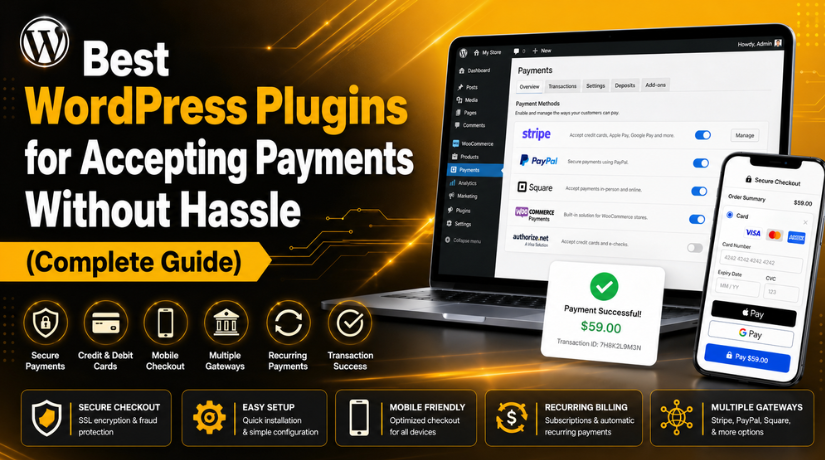
Best WordPress Plugins for Accepting Payments Without Hassle (Complete Guide)
Introduction
Online payments are now important for every business website. Customers want fast, simple, and safe payment options. They do not want long steps or confusing forms. A good WordPress payment plugin helps solve this problem. It lets website owners collect payments directly from their website. You can sell products, services, courses, memberships, bookings, and downloads easily. You can also accept donations or custom payment amounts. This makes your website more useful for visitors and customers. When people trust your checkout, they complete payments with confidence. This also helps your business save time and reduce manual work.
Many website owners want to accept payments on WordPress without complex coding. This is where a payment plugin becomes very useful. You can connect payment gateways like Stripe, PayPal, Square, or WooCommerce payments. You can then collect payments through forms, buttons, carts, or checkout pages. The right plugin depends on your website type and business goal. A service website needs a simple payment form. An online store needs a strong WooCommerce payment plugin. A donation website needs a donation-focused payment system. So, choosing the Best WordPress payment plugin should always match your real business needs.
Why Your WordPress Website Needs A Reliable Payment Plugin For Smooth Checkout
Payment Plugin Helps You Accept Payments Directly From Your Website
A reliable payment plugin lets users pay without leaving your website. This makes the payment process faster and more professional. Customers can choose a service, product, or plan easily. Then they can complete payment through a secure checkout. This removes the need for manual bank details or follow-ups. It also reduces mistakes in payment tracking and order records. If you want to accept payments on WordPress, a plugin is the easiest option. It helps you collect payments in a clean and organized way.
Secure Payment System Helps Build Strong Customer Trust
Customers trust websites that offer safe payment options. A poor checkout page can make users leave quickly. A good Secure payment gateway for WordPress protects customer payment details. It uses trusted gateways instead of unsafe manual methods. Popular gateways like Stripe and PayPal are already trusted worldwide. Their names can make customers feel more comfortable during checkout. When users feel safe, they are more likely to complete payments.
Payment Plugin Supports Many Different Website Business Models
A WordPress payment gateway plugin is useful for many website types. Online stores can use it to sell physical products. Digital websites can sell ebooks, files, templates, or software. Coaches can collect consultation fees and booking deposits. Course websites can sell lessons, workshops, or training plans. Nonprofits can collect donations from supporters and members. Membership websites can charge monthly or yearly subscription fees. Service businesses can collect custom payments from clients.
Reliable Plugin Reduces Manual Work For Your Business
Manual payment collection can waste a lot of time. It can also create confusion between customers and business teams. A good WordPress payment plugin reduces these daily tasks. It can create orders, send receipts, and update payment status. It can also send email confirmations after successful payments. Some plugins can manage invoices, subscriptions, and refund records too. This makes business management easier and more accurate.
Better Checkout Experience Can Improve Payment Conversions
A simple checkout can increase completed payments. A confusing checkout can make users leave the website. The Best WordPress payment plugin should make payments fast and easy. It should support mobile users, wallet payments, and fewer fields. Many customers now pay from phones and tablets. So, your payment page must work well on every screen. A slow or broken checkout can reduce your sales quickly.
What To Look For Before Choosing A WordPress Payment Plugin
Check Payment Gateway Support Before Installing Any Payment Plugin
Gateway support is one of the first things to check. Your plugin should support payment methods your customers prefer. Common options include Stripe, PayPal, Square, Apple Pay, and Google Pay. It should also support credit cards and debit cards. Some websites may need local payment methods or bank options. A strong WordPress payment gateway plugin gives more payment flexibility.
Choose A Plugin With A Simple And Beginner-Friendly Setup Process
A good payment plugin should be easy to set up. Website owners should not need complex coding knowledge. The plugin should offer clear settings and setup steps. A setup wizard can make the process much easier. Shortcodes, blocks, or form builders are also helpful. These tools let you add payment options quickly.
Review Security Features To Protect Customer Payment Details
Security should always be a top priority. Your plugin should work with secure payment gateways. It should support SSL-based checkout and safe payment processing. It should never expose customer card details on your website. A Secure payment gateway for WordPress should handle sensitive payment data safely. This reduces risk for both your business and customers.
Make Sure The Plugin Works Smoothly With WooCommerce Stores
WooCommerce stores need payment plugins that work smoothly with checkout. A good WooCommerce payment plugin should support products, carts, refunds, and order status. It should also work with customer emails and tax settings. Payment failures should update correctly inside WooCommerce. Refunds should also connect properly with payment records.
Look For Recurring Payment Support If You Sell Subscriptions
Recurring payments are important for many business models. They help websites collect monthly or yearly payments automatically. Membership sites, course platforms, and service plans often need this feature. Donation websites may also need monthly giving options. Not every Online payment plugin for WordPress supports recurring payments in free versions.
Select A Mobile-Friendly Checkout For Better User Experience
Many users complete payments through mobile devices. So, your payment plugin must offer mobile-friendly checkout. The form should be clean, fast, and easy to use. It should not ask for too many unnecessary details. Wallet payment options can also improve mobile checkout speed. These include Apple Pay, Google Pay, and PayPal options.
Compare Plugin Pricing, Gateway Fees, And Renewal Costs Carefully
Many payment plugins offer free versions. However, advanced features may need paid plans. You should check the full cost before choosing one. Plugin pricing is different from gateway transaction fees. Stripe, PayPal, and other gateways may charge separate fees. Some plugins also charge for add-ons and yearly renewals.
List Of 5 Best WordPress Plugins for Accepting Payments (Top Picks)
#1 WooPayments
WooPayments is a strong choice for WooCommerce website owners. It works directly with WooCommerce and keeps payment tasks simple. Store owners can accept card payments, manage refunds, and track transactions easily. This WooCommerce payment plugin is useful for stores selling products, services, or digital items. It also helps users manage payment activity inside the WordPress dashboard. If you need the Best payment gateway for WooCommerce, WooPayments is a good option. It gives store owners a smooth and trusted checkout experience.
Features Of WooPayments
- Accepts major credit and debit card payments easily.
- Lets store owners manage payments inside WooCommerce dashboard.
- Supports refunds, deposits, disputes, and payment tracking.
- Works smoothly with WooCommerce checkout and order records.
- Helps manage recurring revenue with supported WooCommerce tools.
Pros Of WooPayments
- It is built specially for WooCommerce online stores.
- It keeps payment management inside one dashboard.
- It offers a clean checkout experience for customers.
- It reduces the need for extra payment dashboards.
- It supports store growth with flexible payment options.
Cons Of WooPayments
- It needs WooCommerce to work on your website.
- It may not be available in every country.
- It is not ideal for simple service websites.
- Some advanced features may need extra setup.
- Payment gateway rules and charges still apply.
Best Use Case For WooPayments
WooPayments is best for WooCommerce stores that need simple payment management. It is useful for product stores, service stores, and digital stores. Store owners can manage payments, refunds, and disputes from one place. It is a good choice when you want a native WordPress payment plugin for WooCommerce.
Download Link: WooPayments
#2 WP Simple Pay
WP Simple Pay is a beginner-friendly Online payment plugin for WordPress. It helps website owners accept Stripe payments without WooCommerce. This plugin is useful for consultants, agencies, coaches, and service websites. You can create payment forms for fixed payments, custom amounts, and recurring payments. It is also helpful for donation pages and invoice payments. If you want to Accept payments on WordPress without a full store setup, this plugin is useful. It keeps the payment process simple, clean, and fast.
Features Of WP Simple Pay
- Creates Stripe payment forms without complex coding.
- Supports one-time payments for services and products.
- Allows recurring payments for plans and memberships.
- Supports custom payment amounts for flexible payments.
- Works without WooCommerce or full cart setup.
Pros Of WP Simple Pay
- It is simple for beginners and small businesses.
- It works well for non-WooCommerce payment needs.
- It supports clean and easy payment forms.
- It is useful for service payments and donations.
- It helps create quick Stripe checkout experiences.
Cons Of WP Simple Pay
- It mainly focuses on Stripe payment processing.
- Some useful features need the paid version.
- It is not ideal for large product stores.
- It does not offer full cart features.
- Stripe availability may depend on your country.
Best Use Case For WP Simple Pay
WP Simple Pay is best for service websites and small businesses. It is useful when you need simple Stripe payment forms. You can use it for consultation fees, deposits, donations, or invoices. It is a good WordPress payment gateway plugin when WooCommerce is not required.
Download Link: WP Simple Pay
#3 WooCommerce PayPal Payments
WooCommerce PayPal Payments is useful for stores that need PayPal checkout. It helps WooCommerce store owners accept PayPal and card payments easily. Customers can pay using PayPal, debit cards, credit cards, and other supported options. This plugin is helpful because many users already trust PayPal. A trusted payment option can improve checkout confidence and reduce hesitation. It is a strong WordPress payment gateway plugin for WooCommerce stores. This plugin works well when customers prefer PayPal during online checkout.
Features Of WooCommerce PayPal Payments
- Adds PayPal checkout to WooCommerce payment pages.
- Supports credit card and debit card payments.
- Offers Pay Later options in supported regions.
- Supports Venmo payments in eligible locations.
- Works with WooCommerce checkout and order system.
Pros Of WooCommerce PayPal Payments


- It uses a trusted and popular payment brand.
- It gives customers more payment choices online.
- It works smoothly with WooCommerce store checkout.
- It can improve trust during payment completion.
- It supports flexible PayPal payment options.
Cons Of WooCommerce PayPal Payments
- It needs WooCommerce to work properly.
- Some features depend on country availability.
- A PayPal business account is required.
- Checkout options may vary by customer location.
- It is not suitable for non-store websites.
Best Use Case For WooCommerce PayPal Payments
WooCommerce PayPal Payments is best for WooCommerce stores needing PayPal support. It is useful for stores with customers who trust PayPal. It also works well when you want card payments and Pay Later options. It is a good Secure payment gateway for WordPress when configured correctly.
Download Link: WooCommerce PayPal Payments
#4 Payment Plugins For Stripe WooCommerce
Payment Plugins for Stripe WooCommerce is a useful choice for stores using Stripe. This WooCommerce payment plugin helps store owners accept cards, Apple Pay, Google Pay, and other supported methods. It works well for mobile users who want fast checkout options. It also supports secure payment features for safer online transactions. This plugin is helpful when you want a flexible WordPress payment gateway plugin for WooCommerce. If your store mainly uses Stripe, this can be one of the best payment choices.
Features Of Payment Plugins For Stripe WooCommerce
- Supports Stripe credit card payments for WooCommerce stores.
- Allows Apple Pay for faster mobile checkout experiences.
- Supports Google Pay for quick online payment processing.
- Includes 3D Secure support for safer payment verification.
- Supports many local payment methods in selected countries.
Pros Of Payment Plugins For Stripe WooCommerce
- It works well for Stripe-based WooCommerce online stores.
- It supports wallet payments for faster customer checkout.
- It improves mobile checkout with quick payment options.
- It supports WooCommerce Subscriptions for recurring payments.
- It provides flexible payment choices for global customers.
Cons Of Payment Plugins For Stripe WooCommerce
- It needs WooCommerce to work on your website.
- It mainly focuses on Stripe payment gateway support.
- Some payment methods depend on customer country availability.
- Setup may need careful testing before going live.
- Advanced payment settings may confuse some beginners.
Best Use Case For Payment Plugins For Stripe WooCommerce
Payment Plugins for Stripe WooCommerce is best for stores using Stripe. It works well for businesses that want card and wallet payments. It is also useful for stores with many mobile customers. This plugin can help you Accept payments on WordPress through a fast and secure WooCommerce checkout.
Download Link: Payment Plugins for Stripe WooCommerce
#5 GiveWP
GiveWP is a strong Online payment plugin for WordPress for donation websites. It is built for nonprofits, charities, churches, schools, and fundraising campaigns. This plugin helps you create donation forms and collect payments securely. It also helps manage donors, reports, and donation history from WordPress. GiveWP is better than a simple donate button because it offers fundraising tools. If your website needs donations, GiveWP can be the Best WordPress payment plugin for your goal.
Features Of GiveWP
- Creates custom donation forms for different fundraising campaigns.
- Includes donor management tools inside the WordPress dashboard.
- Provides donation reports to track campaign performance clearly.
- Supports multiple payment gateways for flexible donation options.
- Allows recurring donations through premium add-ons and plans.
Pros Of GiveWP
- It is built specially for donation-based WordPress websites.
- It helps manage donor records in one place.
- It provides useful reports for fundraising campaigns.
- It supports professional donation forms and payment options.
- It works better than basic donation payment buttons.
Cons Of GiveWP
- It is not designed for product-based online stores.
- Advanced donation features may need paid add-ons.
- Recurring donation options may require premium plans.
- Large campaigns may need extra setup and planning.
- Multiple add-ons can increase the total plugin cost.
Best Use Case For GiveWP
GiveWP is best for nonprofits, charities, churches, and fundraising websites. It is useful when donation management is your main goal. You can create donation forms, collect payments, and track donor activity. It is a good Secure payment gateway for WordPress when used with trusted payment providers.
Download Link: GiveWP
How To Choose The Right WordPress Payment Plugin For Your Website Needs
Choose A Payment Plugin Based On Your Website Type And Business Goal
Your website type should guide your plugin choice. A product store needs a strong WooCommerce payment plugin. A service website may need simple payment forms instead. A nonprofit website needs donation forms and donor records. A membership website needs recurring payment support. A digital product website needs simple file delivery after payment. So, do not choose a plugin only because it is popular. Choose the one that matches your real payment needs.
Choose A Payment Gateway That Matches Your Customers And Location
Your payment gateway should match your customer needs. Some customers prefer cards, while others prefer PayPal. Many mobile users like Apple Pay or Google Pay. If your customers are local, check local payment methods too. The Best payment gateway for WooCommerce should support your country, currency, and business type. It should also support refunds, disputes, and secure payment checks.
Choose A Checkout Experience That Feels Fast And Simple
A good checkout should be easy for every customer. Users should not face too many fields or confusing steps. A simple payment form works well for service websites. A full cart checkout works better for online stores. Donation websites need forms with clear amount options. Membership websites need recurring payment and account features.
Choose A Plugin Based On Your Budget And Long-Term Costs
Plugin pricing can affect your website budget. Some plugins are free but have limited features. Others need paid plans for subscriptions, reports, or extra gateways. You should also check payment gateway transaction fees. These fees are separate from plugin costs. International cards and currency conversion may cost more.
Choose A Plugin That Can Grow With Your Website
Your website may need more payment features later. You may start with simple payments today. Later, you may need subscriptions, memberships, refunds, or reports. A good WordPress payment gateway plugin should support future growth. It should also get regular updates and proper support.
Common Mistakes To Avoid While Choosing A WordPress Payment Plugin
Choosing A Payment Plugin Without Checking Website Compatibility First
Many website owners install a payment plugin without checking compatibility. This mistake can create checkout errors and payment failures. Your WordPress payment plugin should work with your theme, WordPress version, and important plugins. If you use WooCommerce, the plugin must also support your checkout setup. A poor match can break carts, forms, order emails, or refunds. Always check plugin details before installing it. You should also test the plugin on a staging website first. This simple step can protect your live website from payment issues.
Ignoring Payment Gateway Fees Before Going Live
Many users only check the plugin price before choosing it. They forget payment gateway charges, which affect profit. Stripe, PayPal, Square, and other gateways may charge transaction fees. Some gateways also charge extra for international cards. Currency conversion and refund fees may also apply. So, always compare the full cost before setup. The Best WordPress payment plugin should match your budget and payment needs. Do not choose a plugin only because it looks free. A free plugin can still have gateway charges.
Using Too Many Payment Plugins On One Website
Using too many payment plugins can create serious problems. It may slow down checkout and confuse customers. It can also create conflicts between payment scripts and settings. A customer may see too many payment choices at checkout. This can reduce trust and increase abandoned payments. Choose only the plugins your website really needs. A store may need one strong WooCommerce payment plugin only. A service website may need one simple payment form plugin. Keeping your setup clean makes payments easier to manage.
Not Testing The Full Payment Flow Before Launch
Testing is very important before accepting real payments. Many website owners skip this step and face issues later. You should test successful payments, failed payments, and refunds. You should also check emails, receipts, and thank-you pages. If you Accept payments on WordPress, every payment step must work properly. Test the checkout on desktop, mobile, and tablet devices. Also test different payment methods if your plugin supports them. A small testing mistake can affect orders and customer trust.
Ignoring Mobile Users During Payment Plugin Selection
Many customers now pay through mobile devices. So, your payment plugin must support mobile checkout properly. A long form can make mobile users leave quickly. Small buttons and unclear fields can also hurt conversions. Choose an Online payment plugin for WordPress with clean mobile design. It should support fast checkout and wallet payments where possible. Apple Pay, Google Pay, and PayPal can help mobile users. A mobile-friendly checkout creates a smoother payment experience. It also helps improve payment completion rates.
Not Checking Security Features Before Accepting Customer Payments
Security should never be ignored when collecting payments online. A weak payment setup can damage customer trust quickly. Your website should use SSL on payment pages. The plugin should connect with a trusted gateway securely. A Secure payment gateway for WordPress helps protect customer payment details. It should also support safe checkout validation and fraud checks. Never choose unknown plugins with poor reviews or no updates. Customers trust websites that take payment security seriously. A secure payment system protects both users and businesses.
Conclusion
Choosing the right payment plugin depends on your website needs. A WooCommerce store needs a strong checkout solution. A service website may need a simple payment form. A donation website needs fundraising and donor management features. The Best WordPress payment plugin should support your business model clearly. It should also offer secure payments, easy setup, and reliable support. Do not choose a plugin only because it is popular. Choose one that matches your payment method, budget, and growth plans.
WooPayments is useful for WooCommerce store owners. WP Simple Pay works well for Stripe payment forms. WooCommerce PayPal Payments is helpful for PayPal checkout. Payment Plugins for Stripe WooCommerce supports modern Stripe checkout options. GiveWP is a strong choice for donation websites. Each plugin serves a different purpose and audience. If you need the Best payment gateway for WooCommerce, check your store needs first. Focus on security, mobile checkout, gateway support, and plugin updates. These points help you build a smooth payment process.
Setting up payments can feel confusing for many website owners. One wrong setting can affect checkout, refunds, or order emails. If you need expert support, 24x7wpsupport can help. Our team can help you choose the right WordPress payment plugin. We can also configure your payment gateway and test checkout flow. We help fix payment errors, failed transactions, and plugin conflicts. We also secure your payment pages for better customer trust. Visit 24x7wpsupport to get expert WordPress payment support today.
Related posts:

Brian is a WordPress support specialist and content contributor at 24×7 WP Support. He writes practical, easy-to-follow guides on WordPress troubleshooting, WooCommerce issues, plugin and theme errors, website security, migrations, performance optimization, and integrations. With a focus on solving real website problems, Brian helps business owners, bloggers, and online store managers keep their WordPress sites running smoothly.
