
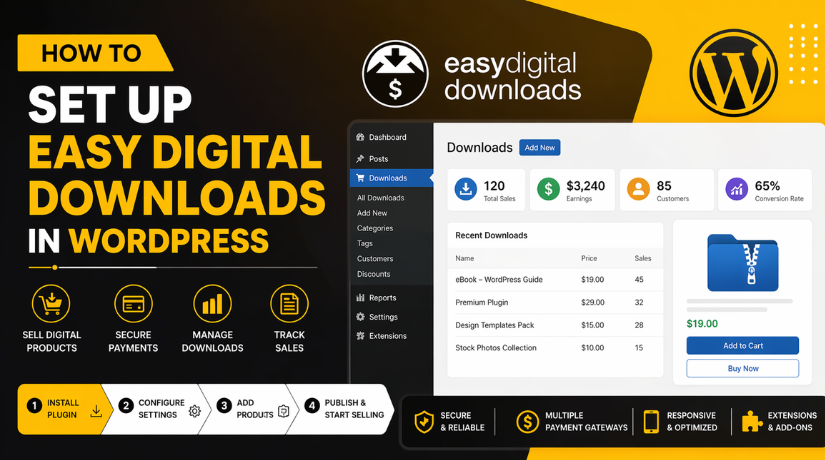
How to Set Up Easy Digital Downloads in WordPress
Introduction
Selling digital products online is now easier than ever for website owners. Many creators want a simple way to sell files directly. They also want full control over their store and earnings. This is where Easy Digital Downloads becomes very useful for WordPress users. It is a trusted tool built for digital selling only. If you want to sell ebooks, templates, software, or guides, this plugin can help. This WordPress digital download plugin gives you the tools needed to manage products, payments, and customer downloads in one place.
This guide will help you understand the setup process clearly. It will also show why many users choose this plugin first. If you are searching for an Easy Digital Downloads tutorial, this article is a strong place to begin. It is made for beginners, store owners, freelancers, and growing digital brands. If your goal is to learn how to sell digital products WordPress users can manage with ease, this guide will help you move in the right direction.
What Are Easy Digital Downloads and How Does It Work Inside WordPress?
Easy Digital Downloads is a plugin made for selling digital products online. It works inside your WordPress dashboard like a normal plugin. After installation, it adds store tools to your website quickly. You can create products, upload files, collect payments, and manage orders. You do not need a large or complex ecommerce system. That is why many users like this plugin for digital stores.
It keeps the setup cleaner and easier to handle. This makes the Easy Digital Downloads setup in WordPress a practical choice for many website owners. The plugin focuses on digital sales instead of physical shipping needs. That means fewer extra settings and less confusion during setup. For users who want simple store control, this is a strong option. It also gives you access to customer details and purchase history. That helps you track orders and support buyers more easily. A good EDD plugin setup guide always starts with understanding this basic purpose clearly.
Features That Make Easy Digital Downloads Useful for Beginners
One of the biggest strengths of Easy Digital Downloads is its focus. It includes the features needed for digital selling without extra clutter. You can create product pages and upload secure files fast. You can set prices and manage customer purchases from WordPress. The plugin also supports payment collection through common gateway options. It gives buyers access to files after successful payment.
It can send purchase emails and keep order records too. You can also review reports and track basic store activity. These features help store owners manage their sales in one dashboard. That is why many people searching for Easy Digital Downloads configuration tips start here first. The plugin gives a simple structure for launching a digital store. It saves time and keeps the process easier for new users.
Who Should Use Easy Digital Downloads and Why Is It a Good Choice?
Easy Digital Downloads is a smart option for anyone selling downloadable items. It works well for bloggers who sell ebooks or premium guides. It is useful for coaches selling workbooks and digital learning tools. Designers can use it to sell templates and creative resource packs. Developers can use it for plugins, themes, and code products. Agencies can sell website kits, audits, and support resources. Authors can sell digital books directly from their own website. Small businesses can use it for forms, guides, and branded downloads. This wide use makes the plugin suitable for many online models. If your main product is a file, this tool makes sense. It keeps your store focused and easier to manage from day one.
Bloggers Who Want to Sell Ebooks, Guides, and Downloadable Content
Bloggers often create helpful content that readers want to save and use later. They may sell ebooks, checklists, planners, or premium PDF guides. Easy Digital Downloads works well for this type of business. It helps bloggers sell files directly from their own website. This makes the Easy Digital Downloads setup in WordPress useful for content creators who want simple digital sales.
Coaches and Trainers Who Sell Learning Materials Online
Many coaches sell worksheets, templates, lessons, and digital resources to clients. They need a clean way to deliver these files after payment. Easy Digital Downloads makes that process easier. It helps them manage products, payments, and file access in one place. This is one reason many users search for an Easy Digital Downloads tutorial before launching their store.
Designers Who Want to Sell Templates and Creative Assets
Designers often sell digital files like social media templates, graphics, mockups, and brand kits. These are downloadable products, so they need the right selling system. Easy Digital Downloads is built for this exact purpose. It helps designers list products clearly and deliver files safely. This makes it a strong WordPress digital download plugin for creative sellers.
Developers Who Need to Sell Plugins, Themes, or Code Files
Developers often sell WordPress plugins, themes, scripts, or custom code packages. These products need secure delivery and smooth payment flow. Easy Digital Downloads helps handle both. It gives developers a focused system for digital product sales. It also keeps the store setup cleaner than many large ecommerce tools. That is why an EDD plugin setup guide is useful for technical product sellers.
Small Businesses That Want to Sell Digital Products From Their Own Website
Many small businesses now sell forms, documents, training files, service kits, or digital downloads. They want more control over their products and customers. Easy Digital Downloads gives them that control inside WordPress. They do not need to depend only on outside marketplaces. This is helpful for businesses learning how to sell digital products WordPress users can manage easily.
Store Owners Who Want a Plugin Built Only for Digital Selling
Some store owners do not want extra settings for shipping or physical stock. They only want to sell files online. Easy Digital Downloads is a good choice for them because it focuses on digital products only. This makes the dashboard simpler and easier to understand. It also makes the Easy Digital Downloads configuration process more direct for beginners.
Website Owners Who Want a Simple and Cleaner Setup Process
Some ecommerce plugins feel large and confusing for first-time users. Easy Digital Downloads offers a more focused setup path. It helps users create products, connect payments, and deliver files without too many extra steps. That makes it a smart option for users who want less confusion. The plugin is simple, clear, and made for digital business growth.
Anyone Who Wants More Control Over Pricing, Branding, and Customer Experience
Selling through your own website gives you better control over your business. You can set your own prices, design your own product pages, and build your own brand image. Easy Digital Downloads supports that freedom. It helps store owners manage digital sales from their own WordPress dashboard. This is a major reason why many users choose it for long-term growth.
What You Need to Prepare Before Starting Easy Digital Downloads Setup in WordPress
Before you start selling, you need to prepare your website well. A clean setup saves time and avoids problems later. Many beginners rush this stage and face issues during checkout. That is why this part matters in every Easy Digital Downloads tutorial. If you want a smooth store launch, start with the basics first.
Core Requirements You Need Before Installing Easy Digital Downloads on Your Website
First, you need a working WordPress website with admin access. Without admin access, you cannot install or manage the plugin. You also need an SSL certificate for a secure checkout page. This helps protect customer details during payment. A business email address is also important for order messages. Buyers expect clear emails after every successful purchase. You should also create a payment account before setup starts. Stripe or PayPal are common choices for digital stores. These tools help you receive payments on your website safely. Every strong EDD plugin setup guide starts with these basic requirements because they support the full store setup.
Product Files and Store Details You Should Keep Ready Before Setup
You should also prepare your product details before installing the plugin. Keep your digital files ready in clear and organized folders. These files may be ebooks, PDFs, templates, audio files, or software. Give each file a proper name before uploading it. This makes product setup easier inside WordPress later. You should also prepare product titles, short descriptions, and prices. Clear product names help buyers understand what they are purchasing. Good descriptions also improve trust and make your offer stronger. It is smart to keep your refund policy ready as well. Buyers often want to know your policy before purchase. You should also prepare your logo, brand name, and store email.
Technical Checks You Should Complete Before Moving Into the Plugin Setup
A few technical checks can prevent many setup problems later. First, make sure your WordPress version is updated properly. Old versions can cause plugin errors or missing features. Next, check that your theme works well with modern plugins. A clean theme usually gives a better product page layout. You should also confirm that your PHP version is supported. Hosting with an outdated PHP version can create install issues. It is also smart to review your active plugins. Too many plugins can create conflicts during checkout or payment setup. Your permalink settings should also work correctly before launch. Broken permalinks can affect product pages and download links. Finally, test if your website can send emails properly.
How to Set Up Easy Digital Downloads in WordPress (Complete Guide)
Once your website is ready, you can begin the real setup. This process is simple when done in the right order. The plugin is made to keep digital selling easier for beginners. That is why many users choose this WordPress digital download plugin for their online store.
Step 1: Install and Activate the Easy Digital Downloads Plugin on Your WordPress Website
- Log in to your WordPress admin dashboard.
- Go to Plugins > Add New.
- Search for Easy Digital Downloads.
- Click Install Now.
- Click Activate after installation finishes.
- Check the left menu in your dashboard.
- Confirm that the Downloads menu now appears.
- This is the first step in the Easy Digital Downloads setup in WordPress process.
Step 2: Open the Main Easy Digital Downloads Settings Area and Review the Store Basics
- Go to Downloads > Settings.
- Open the main settings area of the plugin.
- Review the basic store options first.
- Check the main tabs available in the settings panel.
- Focus on the general store setup before changing anything else.
- This step helps you understand how the plugin works inside WordPress.
- It also makes the Easy Digital Downloads configuration process easier later.
Step 3: Set Your Store Currency, Business Details, and Important Store Pages Correctly
- Add your business or store details carefully.
- Check the store name and business information.
- Choose the correct currency for your buyers.
- Review the currency symbol and price format.
- Check the country and region settings.
- Review the important store pages created by the plugin.
- Make sure checkout-related pages are set properly.
- This part builds a clean base for your EDD plugin setup guide.
Step 4: Enable the Payment Gateways You Want to Use for Customer Checkout
- Go to Downloads > Settings > Payments.
- Open the gateway settings section.
- Enable the payment methods you want to use.
- Choose the main gateway for checkout.
- Review Stripe, PayPal, or other gateway options.
- Make sure the selected gateway matches your business needs.
- This step is very important in every Easy Digital Downloads tutorial.
Step 5: Review the Payment Settings Sections and Keep Checkout Simple for Buyers
- Check the available payment settings one by one.
- Review general payment settings first.
- Review checkout settings after that.
- Check refund settings if needed.
- Review any gateway-specific settings carefully.
- Avoid adding too many payment choices in the beginning.
- Keep checkout simple and clear for buyers.
- A clean payment setup helps if you want to learn how to sell digital products WordPress users can buy easily.
Step 6: Set Up Your Store Emails So Customers Receive Receipts and Order Messages Properly
- Go to Downloads > Emails.
- Open the email management area.
- Set the sender name clearly.
- Add the correct sender email address.
- Review the customer purchase receipt email.
- Review the admin order notification email.
- Add your branding if needed.
- Make sure the emails look professional and easy to read.
- This helps your WordPress digital download plugin store look more trusted.
Step 7: Create Your First Digital Product by Adding a New Download in WordPress
- Go to Downloads > Add New.
- Enter the product title.
- Write a simple and clear description.
- Set the product price.
- Upload the digital file buyers will receive.
- Add file labels if needed.
- Upload a product image if you want.
- Review all details before publishing.
- Publish the product when everything looks correct.
- This is a key part of the Easy Digital Downloads setup in WordPress process.
Step 8: Review the File Download Method So Your Digital Products Stay Protected
- Go to Downloads > Settings > Misc > File Downloads.
- Open the file delivery settings.
- Review the available download methods.
- Check whether Forced or Redirect download works better for your store.
- Make sure files are delivered safely after purchase.
- Review access control settings if needed.
- Confirm that product files are attached correctly.
- This step is important for proper Easy Digital Downloads configuration.
Step 9: Check the Product Page and Store Layout Before Moving to Final Testing
- Open the product page on the front end.
- Check the product title and description.
- Review the product price display.
- Check the buy button text.
- Open the checkout page.
- Review the page layout on the desktop.
- Review the page layout on mobile.
- Make sure the buying flow looks clean and simple.
- This step helps improve the user experience before launch.
Step 10: Make Sure the Basic Store Setup Is Complete Before You Go Live
- Confirm that the plugin is active.
- Confirm that store details are correct.
- Check that the payment gateway is enabled.
- Make sure the store emails are set properly.
- Confirm that your digital product is published.
- Review that the product file is attached correctly.
- Check that key store pages are working.
- Once these basics are complete, move to checkout testing.
- This completes the main Easy Digital Downloads tutorial setup stage.
How to Test the Full Checkout Process in Easy Digital Downloads Before Going Live
Before you launch your store, you should test the full buying flow carefully. This step helps you find small problems before your customers do. Easy Digital Downloads includes a Test Mode option in the Payments settings, and the official docs also note that you must turn Test Mode off before going live or your sales will not be valid. That is why testing is a core part of any strong Easy Digital Downloads setup in the WordPress process.
Why Full Checkout Testing Matters Before You Accept Live Orders on Your Website
A full checkout test helps you check more than payment only. It helps you confirm that the product page works, the checkout loads, the payment gateway shows correctly, the order gets created, and the buyer receives the right email after purchase. Easy Digital Downloads stores order records for purchases, including failed or incomplete ones, so testing also helps you confirm your store is recording activity correctly. This makes checkout testing a very important step in any Easy Digital Downloads tutorial for beginners.
What You Should Test First Before You Place a Trial Order in Easy Digital Downloads
Start with the product page first. Check the title, description, price, and purchase button. Then open the checkout page and confirm that it loads without layout issues. After that, review your payment gateway display and make sure the right option appears for buyers. Once payment is complete, check the order confirmation area, the receipt email, and the download access. Since EDD has a dedicated email area with Email Reports and Logs, and also keeps logs for file downloads and payment errors, you should test each of these parts like a real customer would. This is one of the smartest habits in an EDD plugin setup guide because it checks the full path, not just one screen.


Run a Test Order in Easy Digital Downloads Step by Step Before Launch
First, go to Downloads > Settings > Payments and make sure Test Mode is enabled. Then connect and review your test payment settings for the gateway you want to use. Easy Digital Downloads supports built-in gateways like Stripe, PayPal, and Store Gateway, and the official docs explain that test settings should be checked while Test Mode is active. After that, add your product to the cart and complete the checkout like a normal buyer. When the order finishes, review the result inside Downloads > Orders and confirm the order was created correctly. If you want to learn how to sell digital products WordPress users can trust, this practice is very important before launch.
What You Should Check Right After the Test Purchase Is Completed Successfully
After the test order, review the store from both sides. On the admin side, confirm the order appears in the Orders area. EDD keeps a detailed order record, and customers can also view their own purchase history when logged in. Then review the email side and confirm the receipt was sent correctly. If something fails, check the Email Reports, Logs, and the Tools logs area for file downloads, payment errors, and API requests. Finally, test the download link itself and confirm the buyer can access the file without errors. This is a key part of good Easy Digital Downloads configuration because a store is not ready until the full order path works cleanly.
Common Easy Digital Downloads Setup Mistakes That Can Cause Problems After Launch
Many new store owners finish the setup but skip the final checks. That often leads to payment issues, missing emails, or broken downloads after launch. Most of these problems are avoidable when you follow a careful setup process. The points below are some of the most common issues to watch during your WordPress digital download plugin launch.
Skipping Test Mode and Going Live Without Checking the Full Checkout Experience
This is one of the biggest mistakes. EDD provides Test Mode so you can review your payment flow safely before real sales begin. The docs also warn that you must disable Test Mode before launch or your live sales will not be valid. If you skip this stage, you may miss checkout problems that only appear during a full order test. That is why every reliable Easy Digital Downloads tutorial should treat testing as a required step, not an optional one.
Forgetting to Review Store Emails Before Customers Start Purchasing Products
Many store owners focus only on the product and payment setup. They forget the email until a customer says no receipt has arrived. Easy Digital Downloads has a dedicated email area with Emails, Settings, Email Reports, and Logs, which makes it easier to review store messages before launch. If your sender name, sender email, or receipt content is weak, your store can look less professional. This mistake can damage trust very quickly after the first sale.
Using the Wrong File Download Method for Your Product Type or Server Setup
File delivery problems can confuse buyers fast. EDD supports Forced and Redirect download methods. The docs explain that Forced is the default because of better consistency and file protection, but they also note that larger files can hit server limits, and switching to Redirect can help when customers face 404 or 403 download errors. That means you should not ignore this setting during your Easy Digital Downloads setup in WordPress. A quick check here can prevent many support requests later.
Not Checking Order Records After a Test Purchase in the WordPress Dashboard
Some users place one test order and stop there. They forget to review what happened inside the dashboard. Easy Digital Downloads records each purchase, including failed or incomplete ones, in the Orders area. That means the admin side gives you useful proof of what happened during checkout. If the order record looks wrong, you can catch the issue before real buyers arrive. This is a very useful habit in any EDD plugin setup guide because it helps you confirm both frontend and backend behavior.
Ignoring Mobile Checkout Review Before Launching Your Digital Store
A desktop checkout may look fine while the mobile version still feels broken. Buyers often shop from phones, so you should test the product page and checkout page on smaller screens too. This point is not only about design. It is also about trust, speed, and button visibility. A clean mobile review supports a better buyer experience and helps your Easy Digital Downloads configuration feel complete before launch.
Conclusion
Setting up Easy Digital Downloads in WordPress is a smart move for anyone selling digital products online. It gives you a clean way to manage products, payments, customer emails, and file delivery from one dashboard. When you follow the setup in the right order, the process becomes much easier. You can prepare your website first, install the plugin, configure store settings, connect payment gateways, add your products, and test the full checkout flow before launch.
Each step matters because even a small setup mistake can affect sales, customer trust, and download access. That is why careful setup is always better than a rushed launch. Easy Digital Downloads works especially well for ebooks, templates, PDFs, software, guides, and other downloadable files. It keeps your store focused on digital sales without adding extra features you may not need. If your goal is to build a simple and professional digital store, this plugin is a strong choice for WordPress users.
If you want expert help with Easy Digital Downloads setup, 24x7wpsupport is here to support you. Our team can help you install the plugin, configure payment gateways, set up product pages, fix checkout issues, review email settings, and make sure your digital files are delivered properly after purchase. We can also help improve your store performance, user experience, and overall WordPress setup so your buyers get a smooth experience from start to finish. Visit 24x7wpsupport.com to get professional WordPress support and launch your Easy Digital Downloads store with more confidence.

Brian is a WordPress support specialist and content contributor at 24×7 WP Support. He writes practical, easy-to-follow guides on WordPress troubleshooting, WooCommerce issues, plugin and theme errors, website security, migrations, performance optimization, and integrations. With a focus on solving real website problems, Brian helps business owners, bloggers, and online store managers keep their WordPress sites running smoothly.
